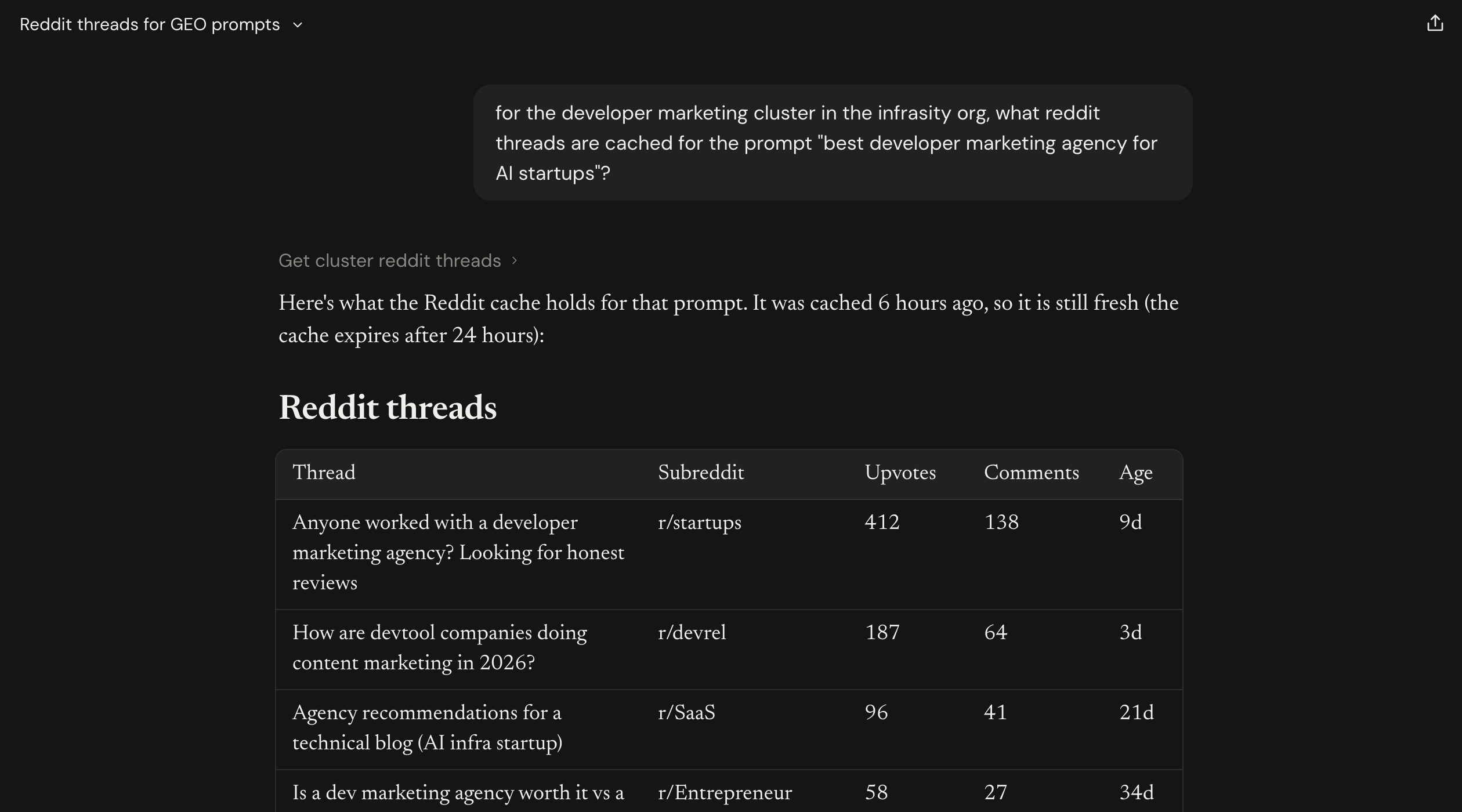
How to Pull GEO Cluster Details Using Content Hub MCP
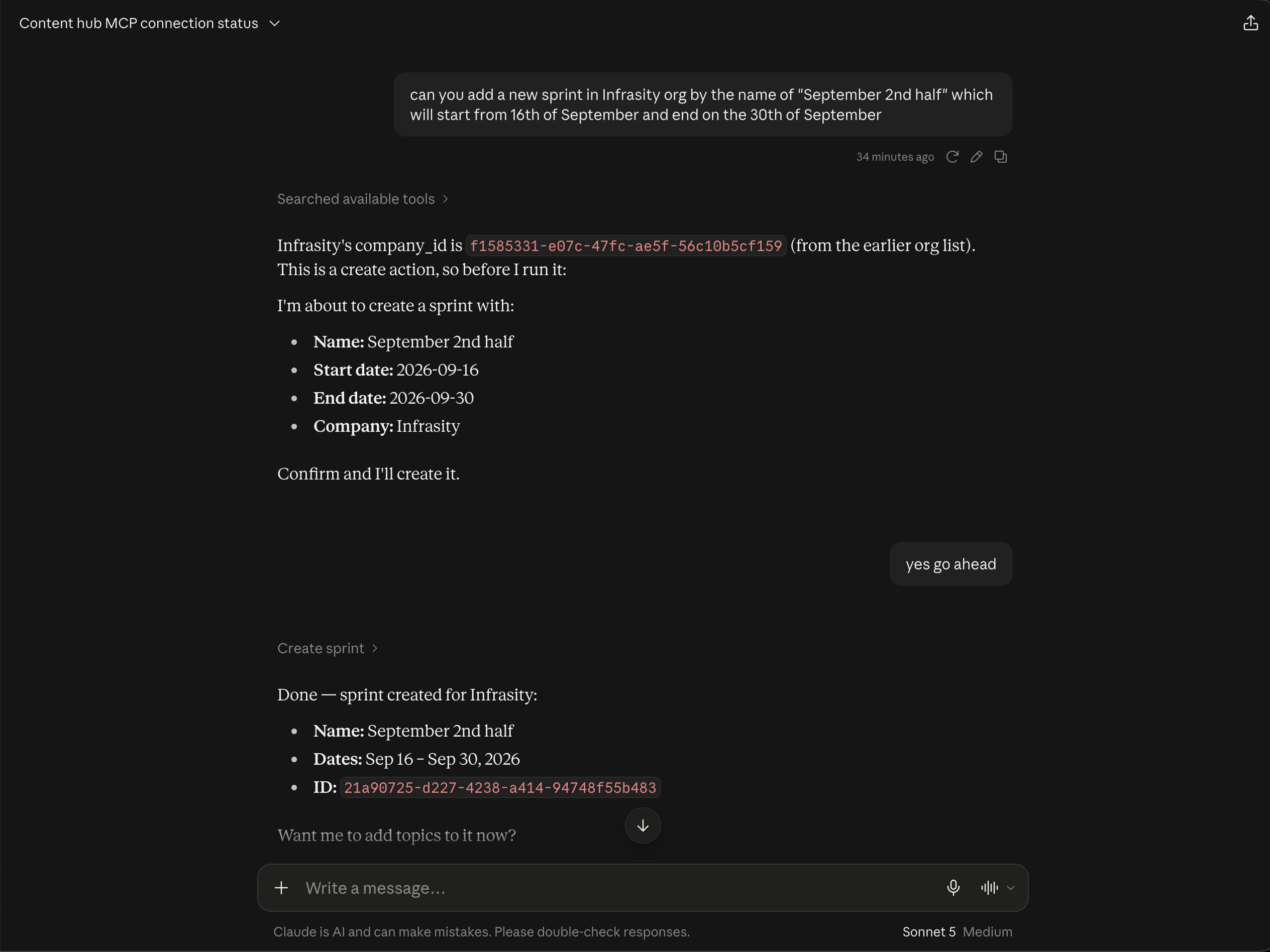
Connect Claude Desktop to Content Hub over MCP and pull real GEO cluster performance conversationally, instead of digging through the dashboard.
Infrasity's Content Hub tracks GEO (Generative Engine Optimization) performance: which prompts cite your site across AI models, where you rank, and where the gaps are. A GEO cluster is the unit that tracking happens against, a themed group of prompts (for example, every "developer marketing agency" style query) that gets run against AI models on a recurring schedule. Instead of digging through the dashboard, you can connect Claude Desktop to Content Hub via MCP (Model Context Protocol) and just ask for it conversationally.
Before you start, make sure:
- A GEO cluster already exists in Content Hub, with prompts added to it
- The cluster has at least a few GEO runs completed, so there's actual citation and ranking data to pull
Here's how to set up the connection and pull real GEO cluster details end to end.
Open Content Hub settings and find your AI Connections
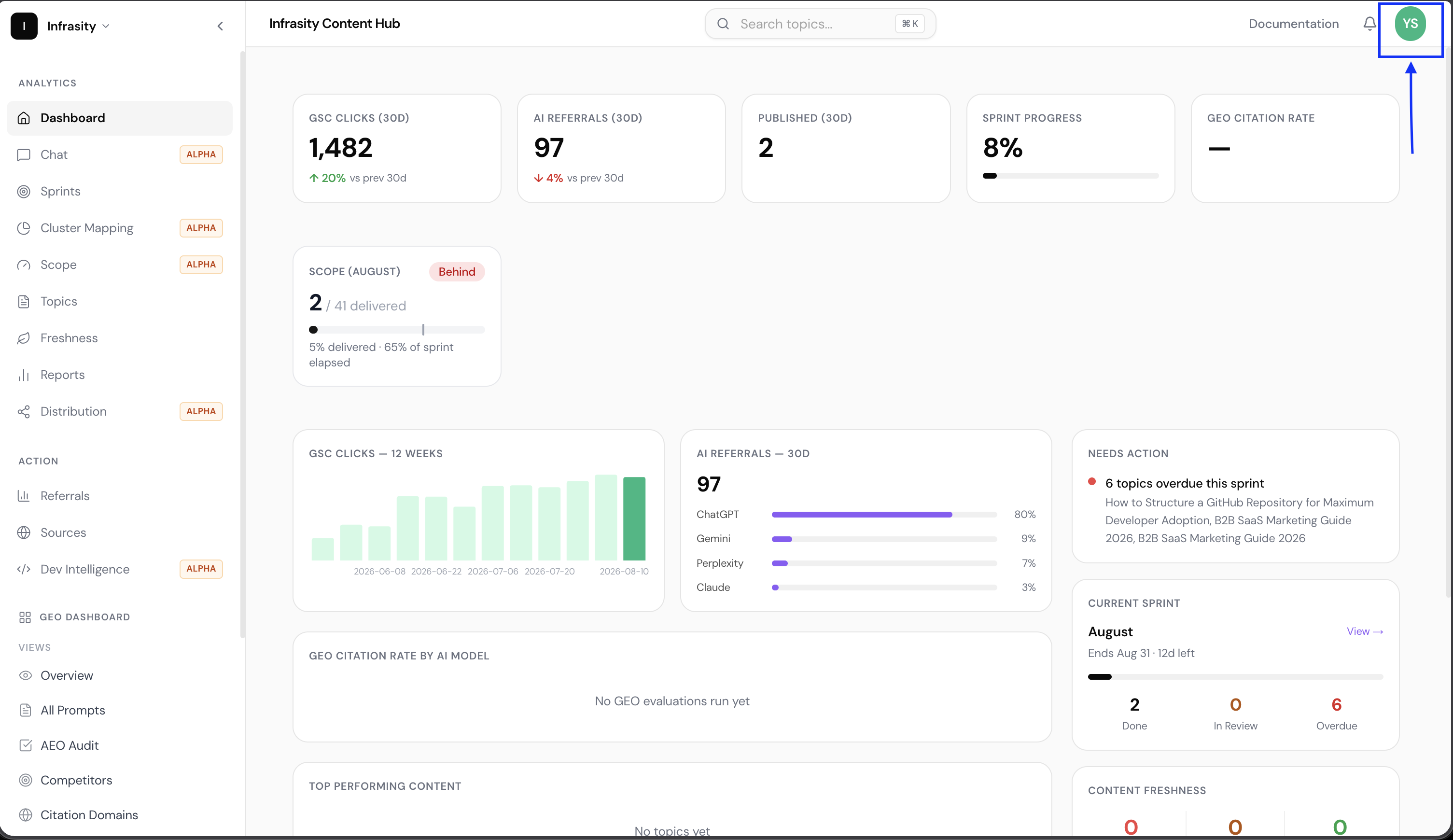
Click your account avatar in the top-right corner of Infrasity Content Hub.

The dropdown confirms who you're signed in as and your current team, then click Settings.

Settings opens on the Team tab. Click into Integrations, then scroll down to the AI Connections (MCP) section.

Here you'll see:
- Claude · AI Agents (MCP): the endpoint (
https://app.infrasity.com/api/mcp) and its live status (e.g. "Online · 67ms") - A Connect Claude Desktop panel you can expand (marked with an estimated setup time, ~2 minutes)
- A Your connections table listing anything already connected, with columns for app, connected date, active tokens, 24h calls, and last used, plus a Revoke option per connection
Open the Connect Claude Desktop instructions
Click to expand Connect Claude Desktop. It gives you OS-specific tabs (macOS, Windows, Linux) with two numbered steps:
- Open Claude Desktop's config editor: inside Claude Desktop, click Settings (top menu
bar → Claude → Settings…) → Developer → Edit Config. That opens
claude_desktop_config.jsonin your default editor. (There's also a "Don't see the Developer tab? Open the file directly →" toggle for older versions.) - Add the Content Hub entry: a ready-to-copy JSON snippet is provided (with a Copy
button). If the file is empty (or you only see
{}), replace the whole file with the block below; if you already have othermcpServersconfigured, don't overwrite them. A second example shows how to add"contenthub"as another entry inside the existing block instead.

Open Claude Desktop's config editor
In Claude Desktop, click your account name in the bottom-left corner, then Settings.

Go to the Developer tab. Under Local MCP servers, click Edit Config.

This opens claude_desktop_config.json directly in your default editor. On macOS it lives under
~/Library/Application Support/Claude/.

Add the Content Hub MCP entry to the config
Before editing, your config probably doesn't have an mcpServers block yet, just your regular
Claude Desktop preferences.

Add the contenthub entry under mcpServers:
{
"mcpServers": {
"contenthub": {
"command": "npx",
"args": [
"-y",
"mcp-remote",
"https://app.infrasity.com/api/mcp"
]
}
}
}If you already have other MCP servers configured, don't overwrite them; just add "contenthub"
as another entry inside the existing "mcpServers" block.
Gotcha
Watch the comma: JSON needs a comma between entries but not after the last one. Claude Desktop will refuse the file if the syntax is off. If you're unsure, paste your whole file into a JSON validator (e.g. jsonlint.com) before saving.
Save the file. Your mcpServers block should now look like this:

Restart Claude Desktop and test the connection
Fully quit Claude Desktop and reopen it so it picks up the new config. Open a new chat and ask something simple to confirm the connection, for example:
"are we connected to content hub mcp?"
On this first request, mcp-remote opens your default browser to an Authorize MCP CLI Proxy
screen on app.infrasity.com instead of connecting silently. It shows who you're signed in as,
what team you'll be authorizing (e.g. "INFRASITY · FULL ACCESS"), and exactly what the
connection can do: read your sprints, topics, GEO data, reports, and analytics; create, edit,
and delete topics and sprints; configure integrations you already have connected. Click
Allow.

Once authorized, close the browser tab and return to Claude Desktop. Claude calls a List companies tool and confirms the connection, for example:
"Yes, Content Hub is connected and working. I can see 49 companies in the account (Infrasity, Qodo, Firefly, Lightrun, ox-security, Elastic, and many others). Let me know which company or task you want to work with."

Ask Claude for your GEO cluster
Now ask for the specific cluster you want details on, for example:
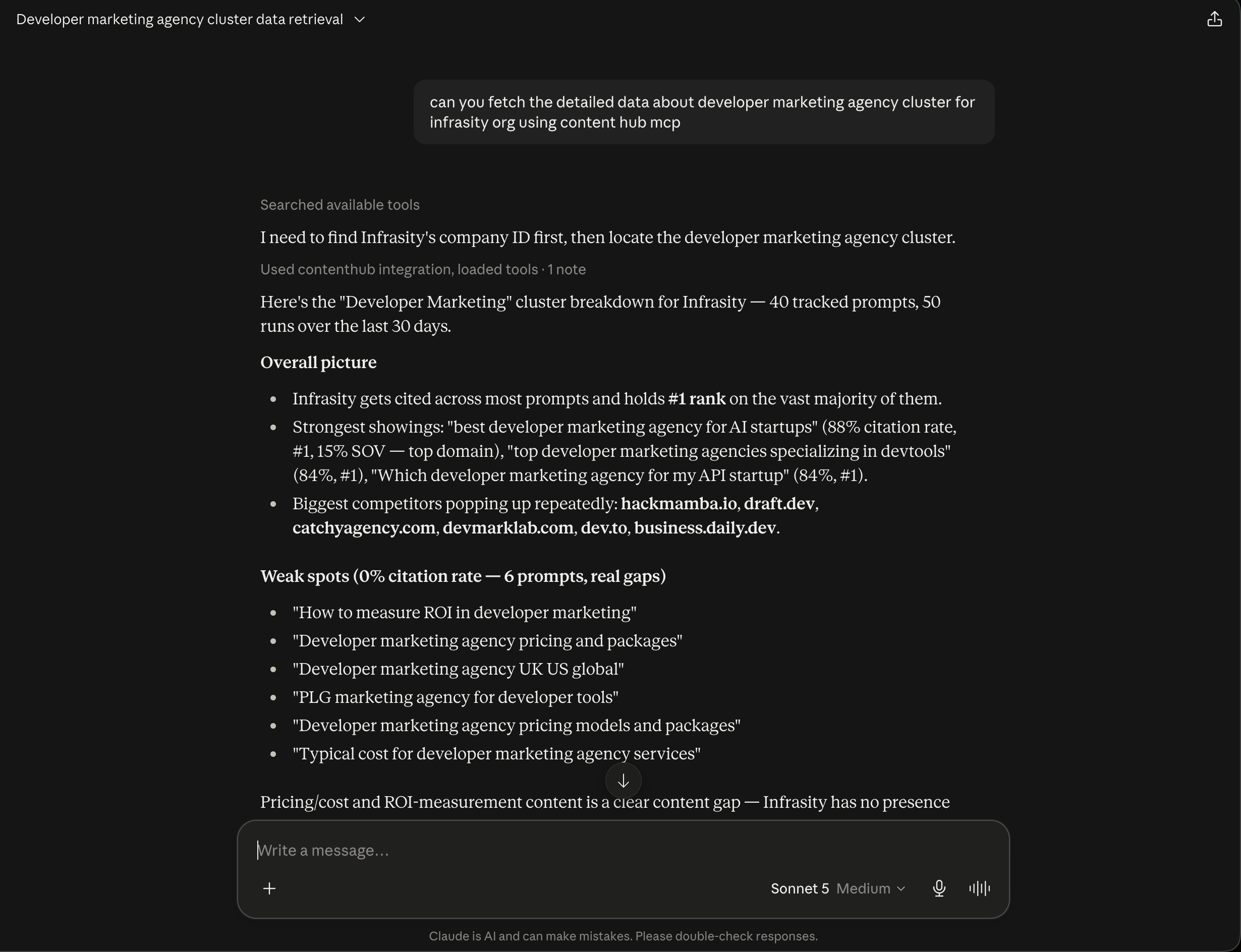
"can you fetch the information for Developer marketing cluster in Geo for Infrasity Org?"
Claude calls List geo clusters (you'll see a "Used contenthub integration" note), identifies
the matching cluster, and starts pulling its performance data:
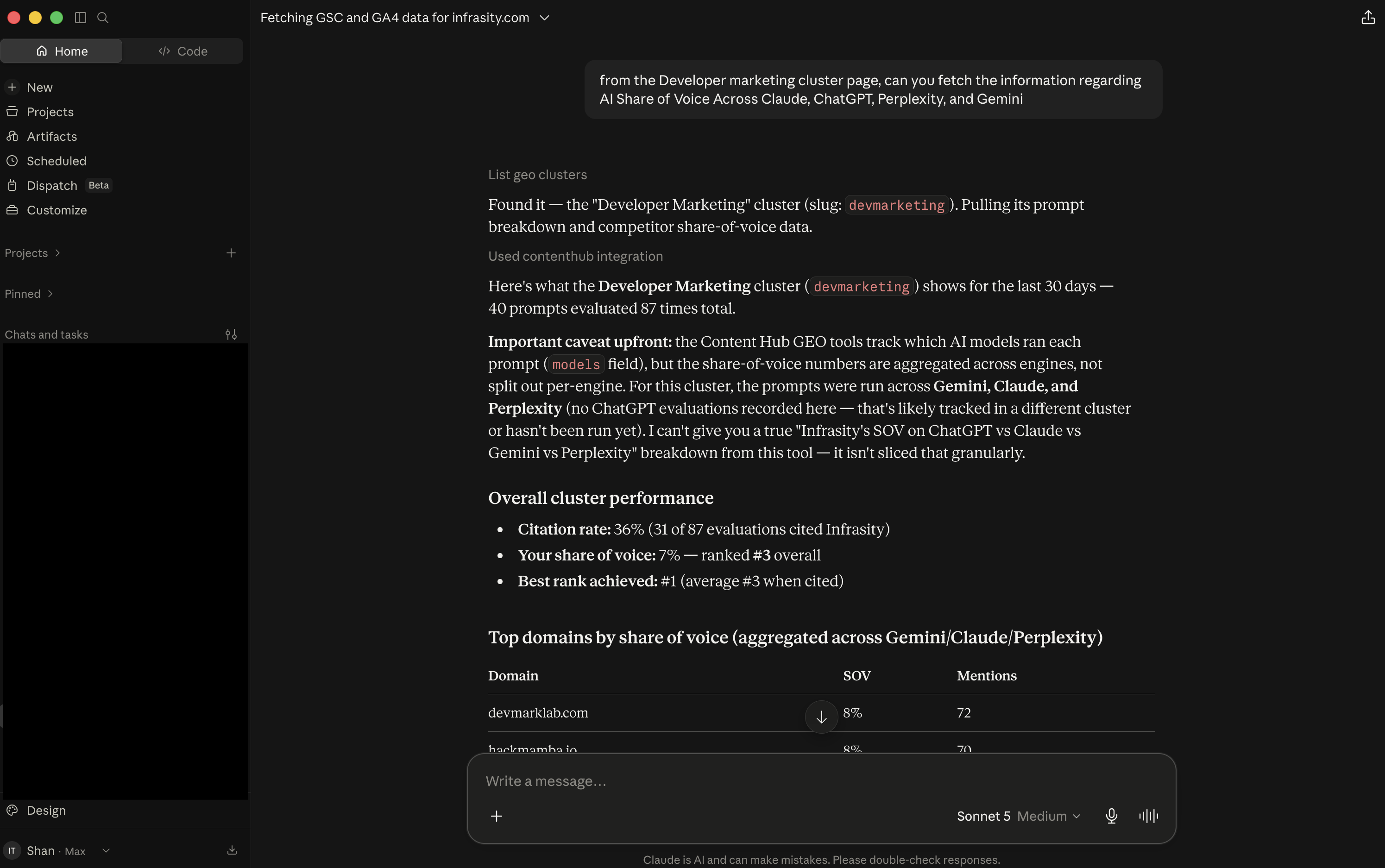
Found it: "Developer Marketing" (slug:
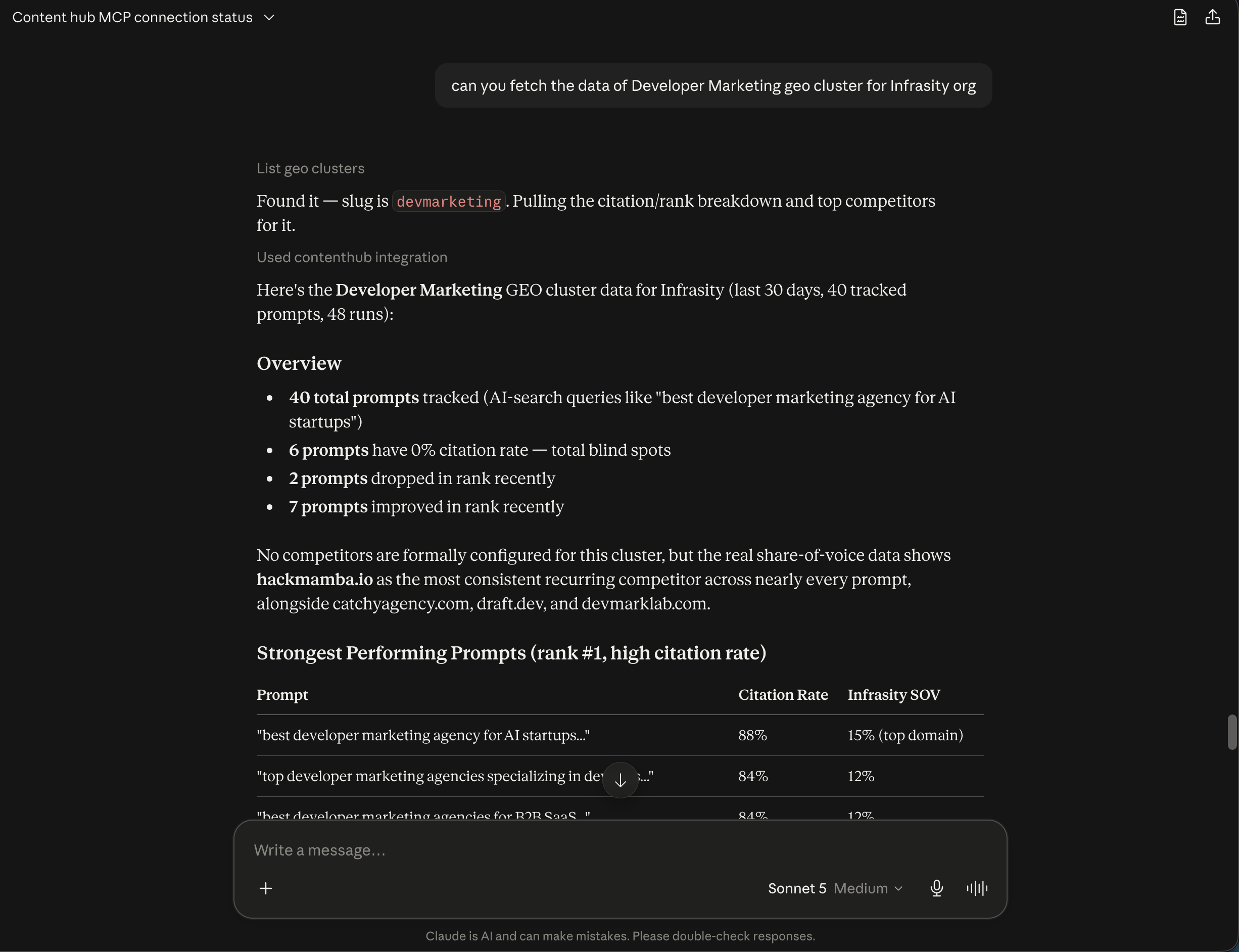
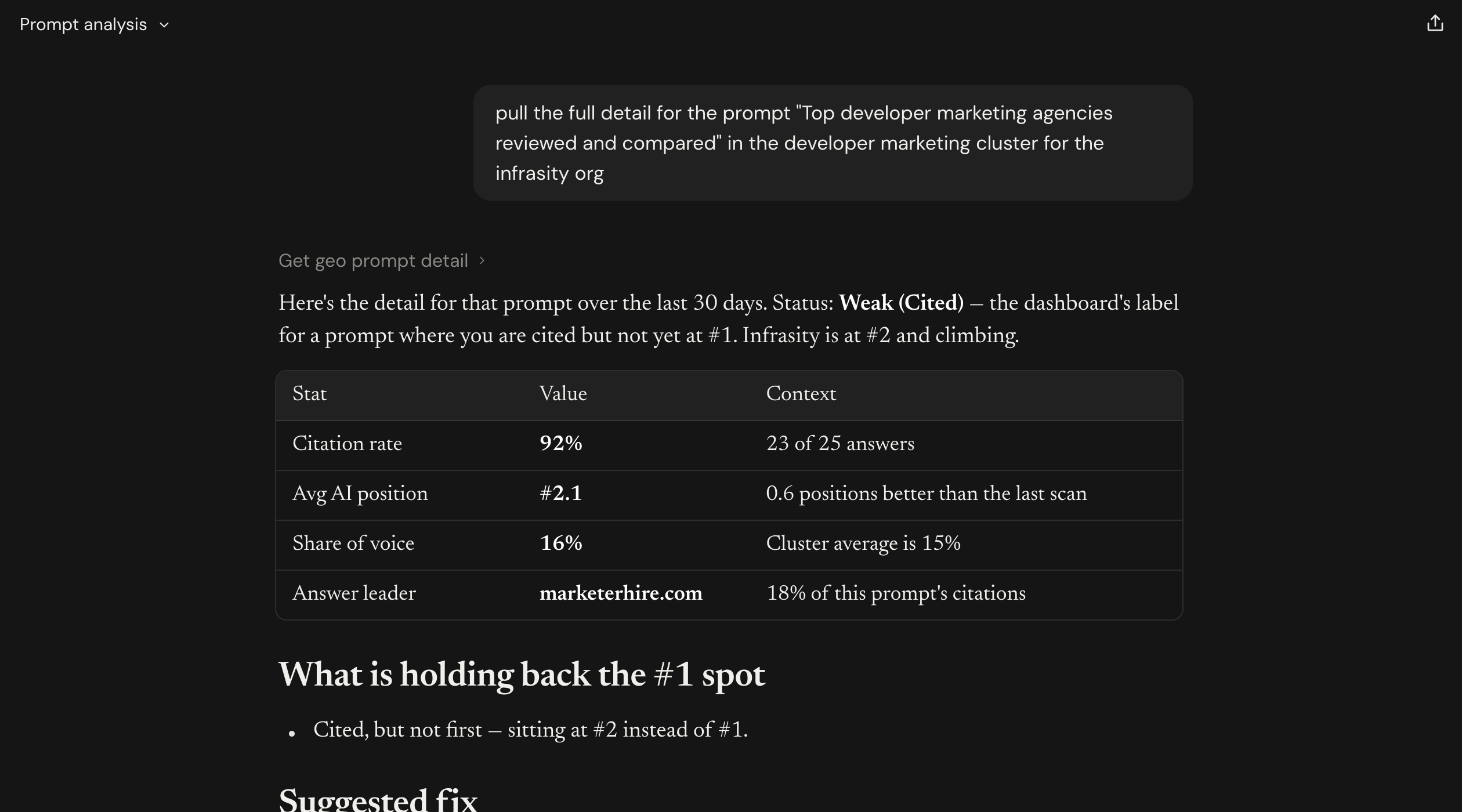
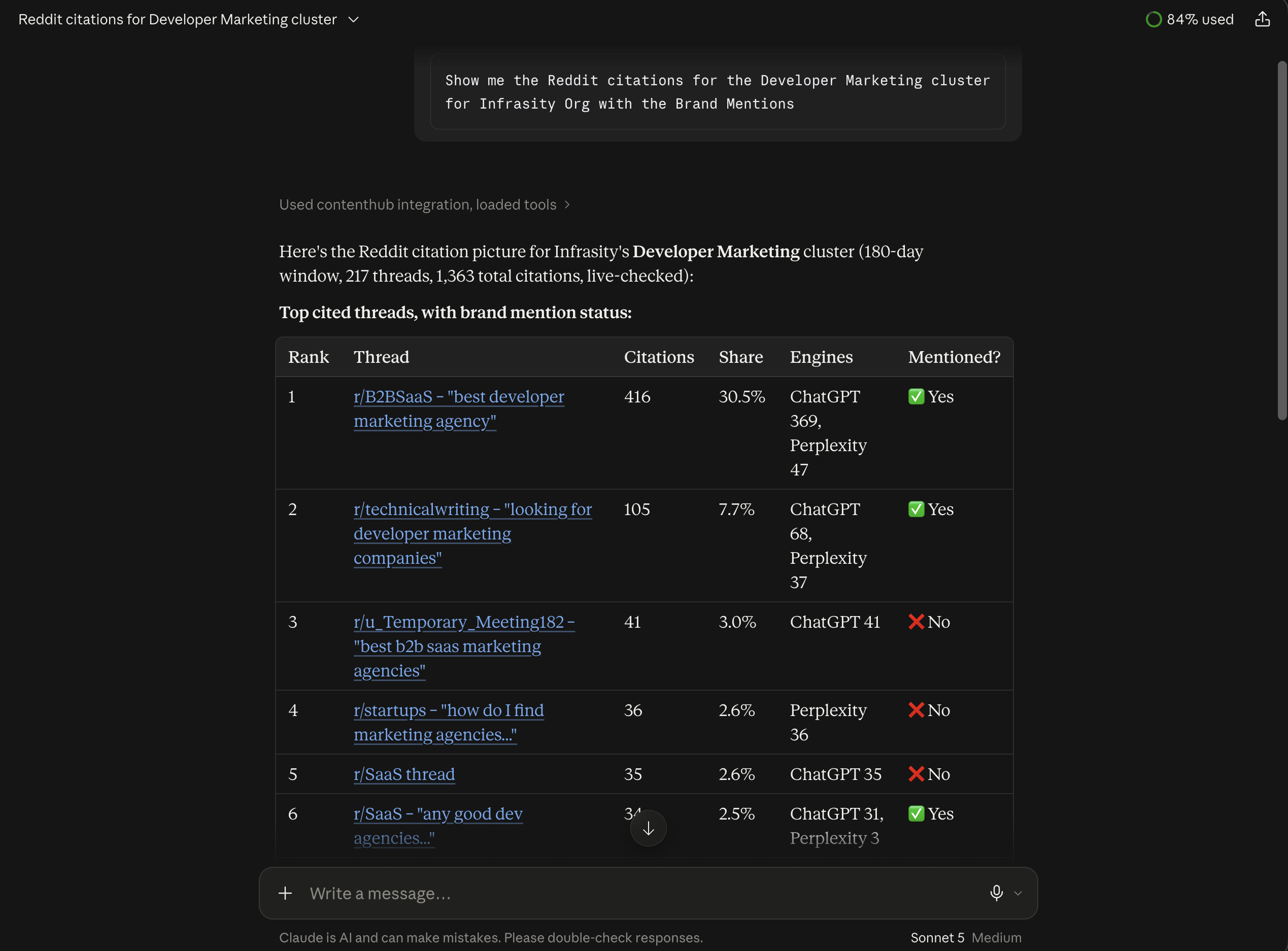
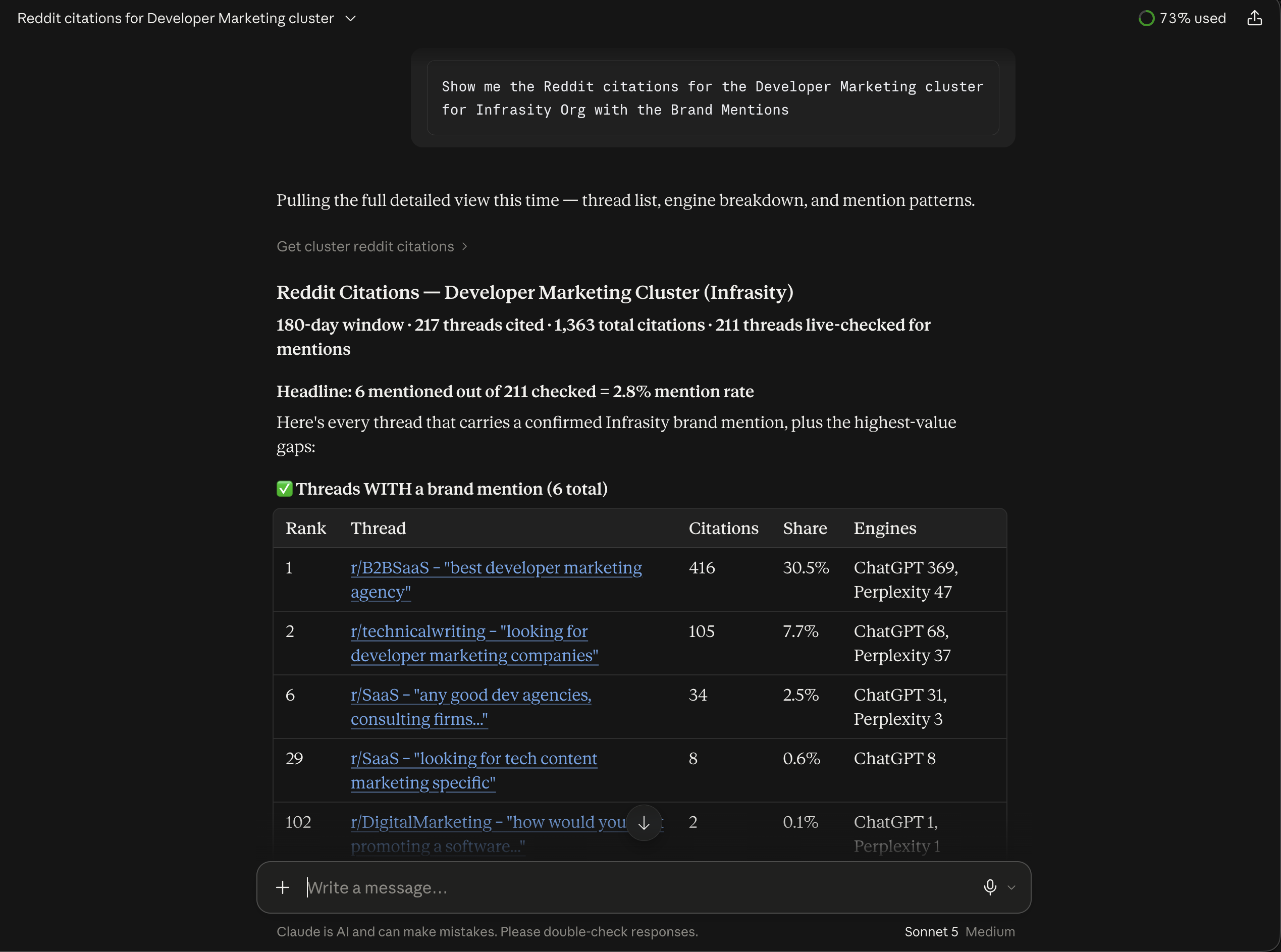
devmarketing). Now let me pull the detailed prompt breakdown and citation data for it.Here's the Developer Marketing GEO cluster for Infrasity (last 30 days, 40 tracked prompts, 36 evaluation runs):
Overview: Target
infrasity.com, competitors flagged: none set. Infrasity is cited across most of these prompts, usually ranking #1 among cited domains where it appears at all.

Review the strongest-performing prompts
Scrolling further in the same response, Claude lists the prompts where the cluster is winning outright, then what's recently changed:
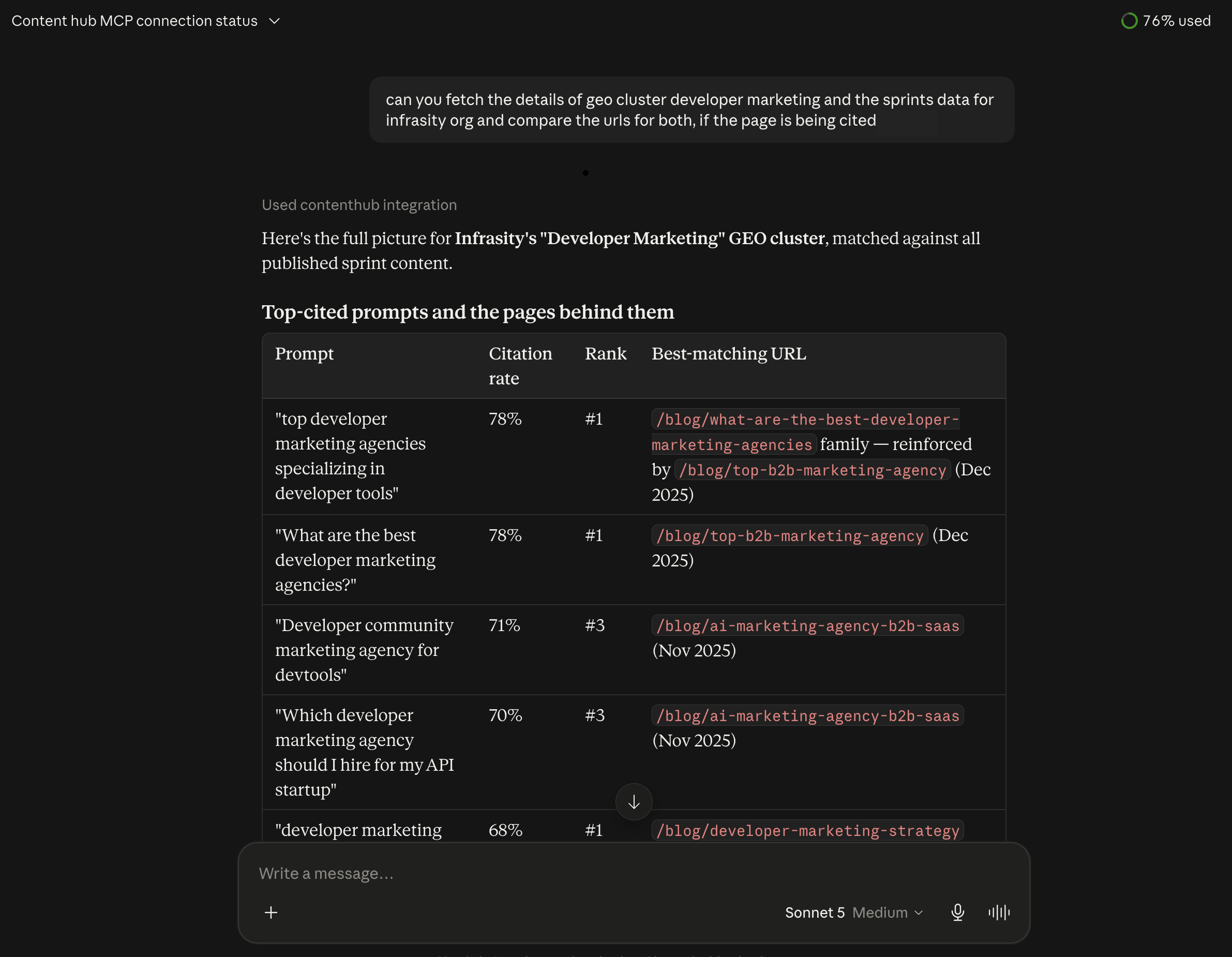
Strong performers (high citation rate, rank #1)
"best developer marketing agency for AI startups...": 88% citation, #1, stable · "Top developer marketing agencies focusing on API products": 84%, #1, stable · plus 3 more prompts all at 84%, rank #1.
- Notable movers, improved: "Developer marketing agency vs. traditional B2B marketing agency" (rank 6→1), "Developer relations and developer marketing agency combined" (3→1), "top B2B SaaS marketing agencies focusing on developer audiences" (4→1). 7 prompts improved overall
- Notable movers, declined: "What is a developer marketing agency and what do they do" (rank 2→3, citation rate 72%); content here may need a refresh

Review recurring competitors and content gaps
Further down, Claude surfaces domains that keep out-citing Infrasity even though they're not formally tracked as competitors on this cluster, then the biggest gaps:
Recurring competitor domains showing up in Share of Voice:
hackmamba.io,draft.dev,catchyagency.com,devmarklab.com,business.daily.dev,dev.to,marketerhire.com. These consistently outrank or co-appear with Infrasity, even though none are formally tagged as "competitors" on this cluster.Biggest gaps (6 of 40 prompts have 0% citation rate): "Developer marketing agency pricing and packages," "How to measure ROI in developer marketing," "Developer marketing agency UK US global," "PLG marketing agency for developer tools," "Developer marketing agency pricing models and packages," "Typical cost for developer marketing agency services." These are almost all pricing/ROI/global-presence questions. Infrasity isn't showing up at all when AI engines get asked about cost or measurable ROI.

With that, Claude Desktop is wired up to your Content Hub instance, and GEO cluster performance, gaps, and recommendations are just a conversation away instead of a dashboard click-through.
Head to app.infrasity.com and open your own GEO cluster to see exactly where you're winning and losing citations today.