
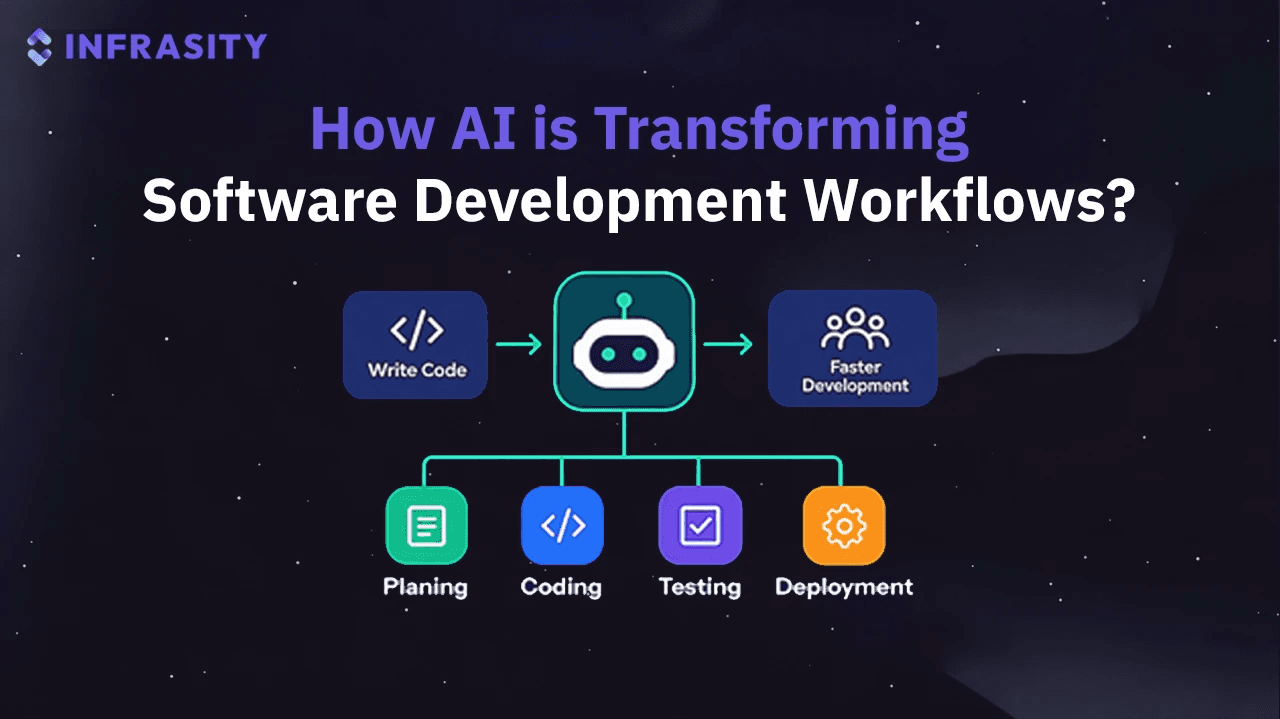
A backend developer picks up a ticket on a Tuesday afternoon. A payments webhook fails intermittently, and the fix has to ship by Friday. A few years ago, that afternoon went to reading vendor docs, grepping logs, writing a test harness, and updating the README. Today the same developer might paste the stack trace into an AI assistant, ask it to explain the vendor's retry behavior, generate a reproduction test, and draft the README note once the fix is in.
Speed is what most people notice first, and the deeper shift is structural. AI in software development has grown from an autocomplete feature into something present at almost every stage of the workflow, from turning a vague requirement into a plan to how the finished API gets discovered. This piece walks through each stage with realistic examples, covers where AI tools for developers help and where they fall short, and ends with what teams should expect next.
TL;DR
- AI in software development now touches nearly every stage of the lifecycle: planning, coding, review, testing, documentation, and deployment, not just autocomplete.
- Coding assistants cut the time spent on boilerplate and CRUD, leaving more room for architecture and product decisions.
- AI code review and AI-assisted debugging catch real issues, but they only see the diff, not the business context, so a human call is still required.
- Documentation and developer discovery are shifting together, since AI assistants now read a company's docs on a developer's behalf before recommending a tool.
- Teams that get the most out of AI tools for developers pair them with the same review, security, and CI discipline they already use for human-written code.
AI Is Moving Into Every Stage of the Development Lifecycle
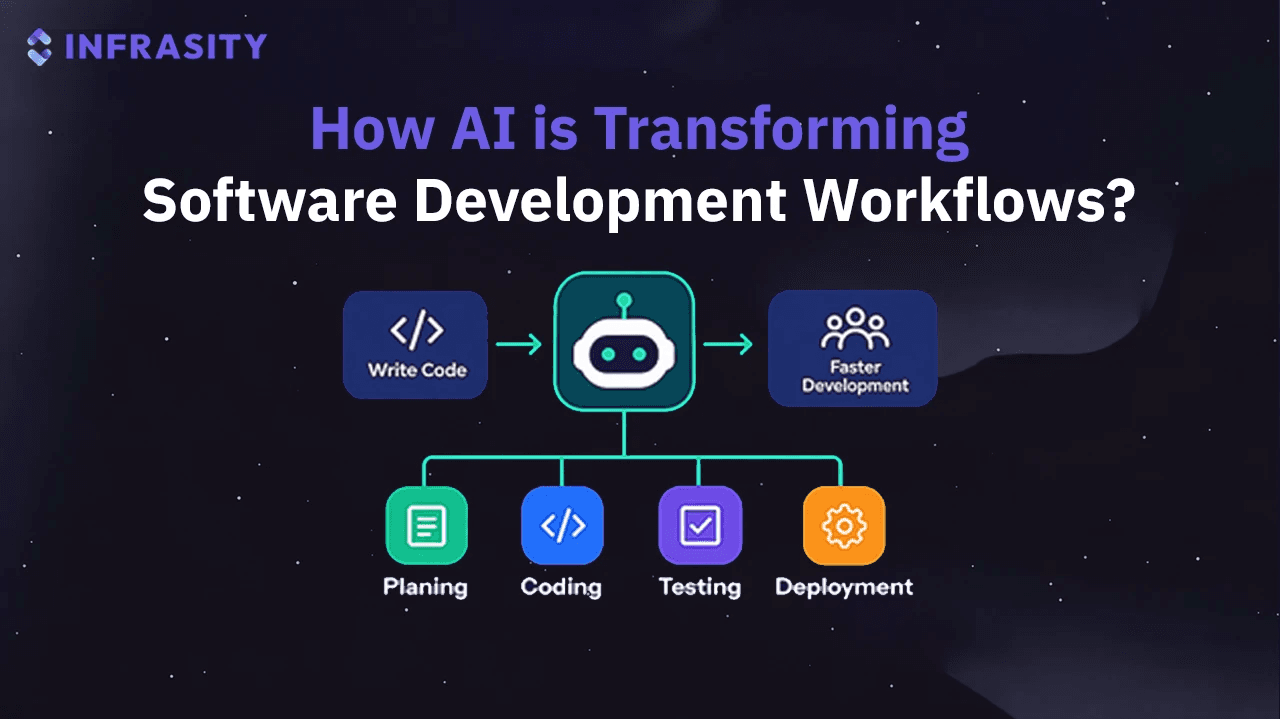
Code completion inside the editor was where most teams first met AI, so early conversations focused on how much faster developers could type. The more useful question now is which parts of the lifecycle AI touches. Planning, review, testing, documentation, deployment and maintenance all have AI-assisted versions today.
A vague feature request shows the difference. Take "let customers export their invoices." The traditional path runs from requirement to research, architecture, coding, testing and documentation, with every handoff done by hand. In an AI-assisted workflow, the developer asks an assistant to list the open questions in that sentence: file formats, date ranges, permissions, volume. The assistant sketches architecture options with trade-offs, drafts an implementation and suggests tests, and the developer reviews everything before documentation and deployment. The human checkpoints remain. They arrive sooner, with more material to judge.
The table below maps each stage to how the work usually happens with and without AI assistance.
| Development Stage | Traditional Workflow | AI-Assisted Workflow |
|---|---|---|
| Planning | Manual research | AI-assisted analysis |
| Coding | Manual implementation | Code suggestions and generation |
| Testing | Manual test creation | Test generation and analysis |
| Debugging | Manual investigation | AI-assisted root-cause analysis |
| Documentation | Written manually | AI-assisted documentation |
| Deployment | Manual checks | Automated recommendations |
| Maintenance | Manual code exploration | AI-assisted codebase analysis |
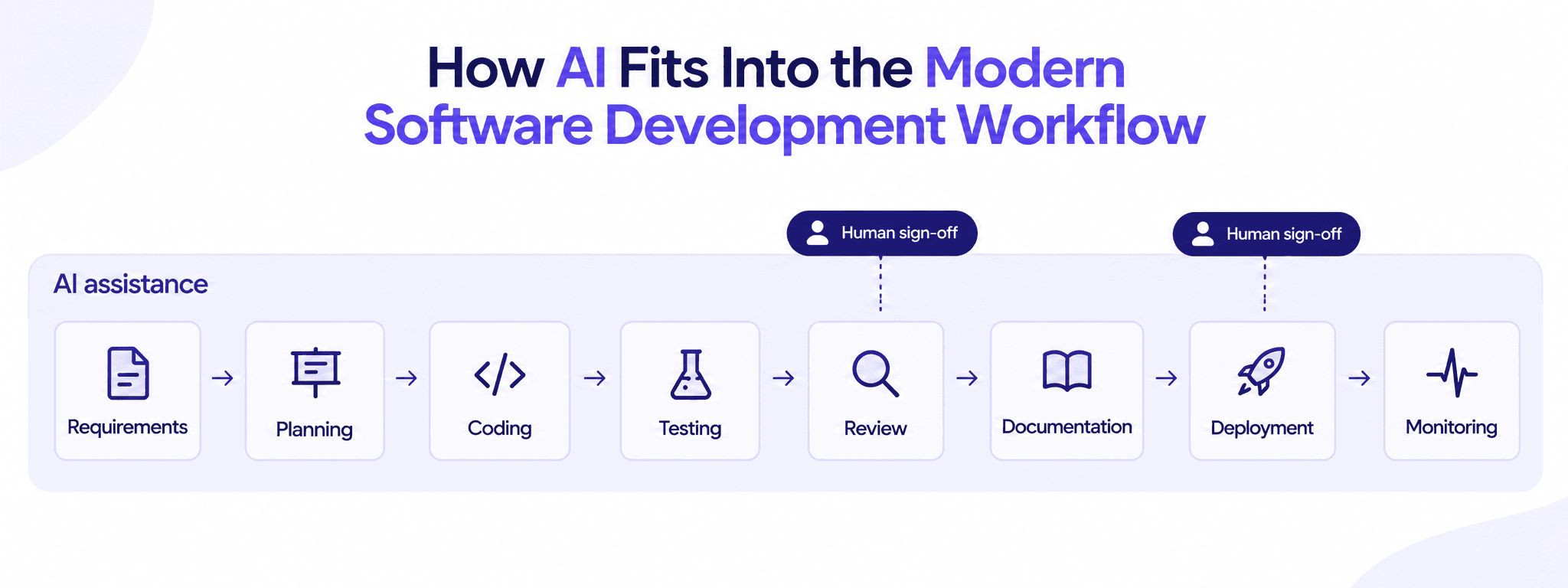
AI assists across the whole pipeline, but human sign-off still gates the two points that matter most: code review and the deployment decision.
AI-Powered Coding Is Changing How Developers Write Software
Coding assistants are the most visible part of this change. Tools such as GitHub Copilot and chat-based assistants like Claude or ChatGPT sit inside editors, terminals and pull request views. They autocomplete lines, generate functions from a comment, scaffold components and write the boilerplate nobody enjoys writing. They also explain unfamiliar modules, convert utilities between languages and break a 300-line function into smaller pieces, which shortens the slow work of getting oriented in a new codebase.
A realistic example: a frontend developer needs a React form for a new onboarding step, with TypeScript types for the API response and a Zod validation schema. The assistant drafts all three in a couple of minutes. The developer spends the saved time on the questions that need thought. What happens when the API returns a partial profile? Which fields does the product team need on day one? How does the form behave on a slow mobile connection?
That is where the real gain sits. Boilerplate, glue code and the fifth near-identical CRUD endpoint take less time, leaving more room for architecture and product logic. Teams expecting AI to write whole applications unsupervised tend to be disappointed. Teams using it to remove repetitive work usually see the benefit quickly.
AI Is Becoming a Second Pair of Eyes During Code Review
Code review is a common bottleneck, and large diffs often get skimmed instead of read. AI review tools help by flagging potential bugs, duplicated logic, missing error handling and possible security issues, such as a SQL query built with string concatenation. A reviewer opening a 900-line pull request can ask for a summary of what changed and which functions duplicate existing helpers, which works as a map before reading line by line.
The limits matter. An AI reviewer has seen the diff and, at best, part of the codebase. A flagged "bug" may be behaviour the product team agreed on months ago, and a clean AI review says nothing about whether the change solves the right problem. The healthiest approach treats AI comments like notes from a sharp junior reviewer: worth reading, sometimes insightful, never the final approval.
Testing and Debugging Are Becoming More Intelligent
Testing is where many teams feel AI pay off fastest, because coverage is often what slips under deadline pressure. Assistants generate unit tests from a function's body, suggest edge cases people forget (empty arrays, time zone boundaries, Unicode input) and turn bug reports into regression tests.
Debugging benefits too. Consider an orders API returning 500 errors for a small share of requests after a deploy. A developer pastes the logs, the recent diff and the handler into an assistant. It notices the new code assumes a shipping_address field is always present, while orders created before a schema change store it as null, and suggests a guard clause plus a regression test.
That is a strong hypothesis, and it still needs checking against real data. AI-assisted debugging works best with good context: logs, versions, the diff, the environment. Without it, assistants produce confident guesses. The fix also needs a human call, since a null field might need a guard clause or a data migration someone has to schedule.
How AI Is Changing Software Documentation and Developer Discovery
Documentation is usually the part of software development that gets done last and updated least. AI lowers the cost enough that many gaps can finally close. Assistants can draft API references from OpenAPI specs, README files, code comments, release notes from commit history, migration guides, tutorials, troubleshooting guides and internal engineering docs.
Generating documentation solves half the problem. The other half is making it accurate, structured, discoverable and machine-readable. An AI-drafted migration guide describing a deprecated flag does more harm than no guide at all. Technical documentation also has a new audience, because AI assistants increasingly read it on the developer's behalf.
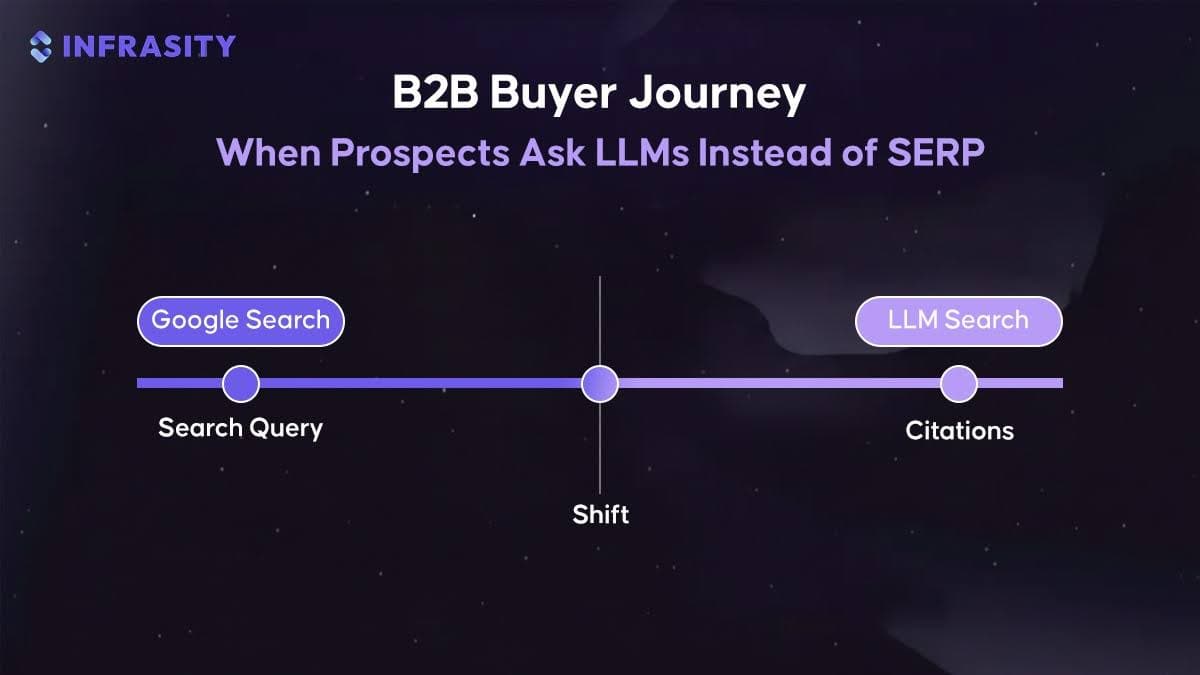
Developer discovery is shifting as a result. A developer who once opened five search tabs now asks an assistant: "Which API should I use to send transactional email from a Next.js app?" or "How do I integrate this SDK with my auth setup?" The answer is assembled from docs, tutorials, forums and comparison pages. That creates a second layer of visibility beyond traditional search, and companies with thin or outdated docs tend to show up poorly in it.
Doing well there looks like good documentation practice: headings that match real questions, working code samples, explicit versions and consistent terminology. Some teams also publish an llms.txt file to point AI systems at their most useful pages. This is where technical content, developer marketing and AEO/GEO now overlap. At Infrasity, much of the content work for developer tool companies starts with one question: when a developer asks an assistant about this problem, does the answer mention this product, and is it correct?
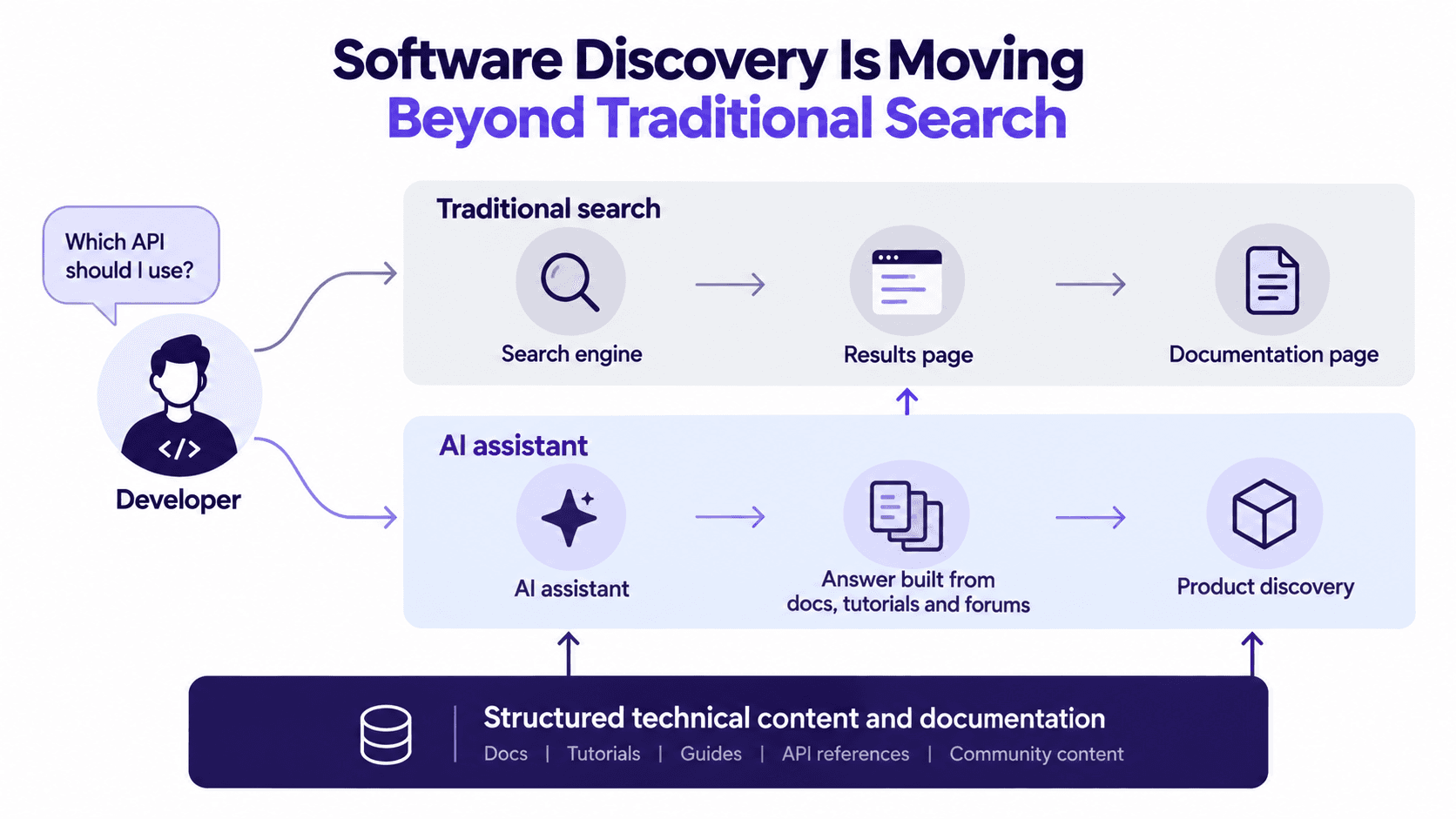
The AI assistant path skips the results page entirely. If the underlying docs aren't structured for that, the product never reaches the answer.
AI Tools for Developers Are Not Replacing Engineering Judgment
The limitations of AI tools for developers are real and fairly predictable. Assistants invent APIs that don't exist and occasionally suggest unpublished package names that attackers can register. They write code that compiles but mishandles edge cases, reproduce insecure patterns, rely on outdated libraries, pick architectures suited to tutorials and bake in assumptions about business rules nobody gave them. All of it arrives with the same confident tone as a correct answer.
That is the gap between AI-generated output and production-ready engineering. Production-ready code handles its failure modes, has useful logging, performs under real traffic, respects access control and compliance, and fits the rest of the codebase. Most importantly, someone on the team understands it well enough to fix it at 2 a.m.
AI can produce code quickly. It cannot automatically understand everything your production environment cares about.
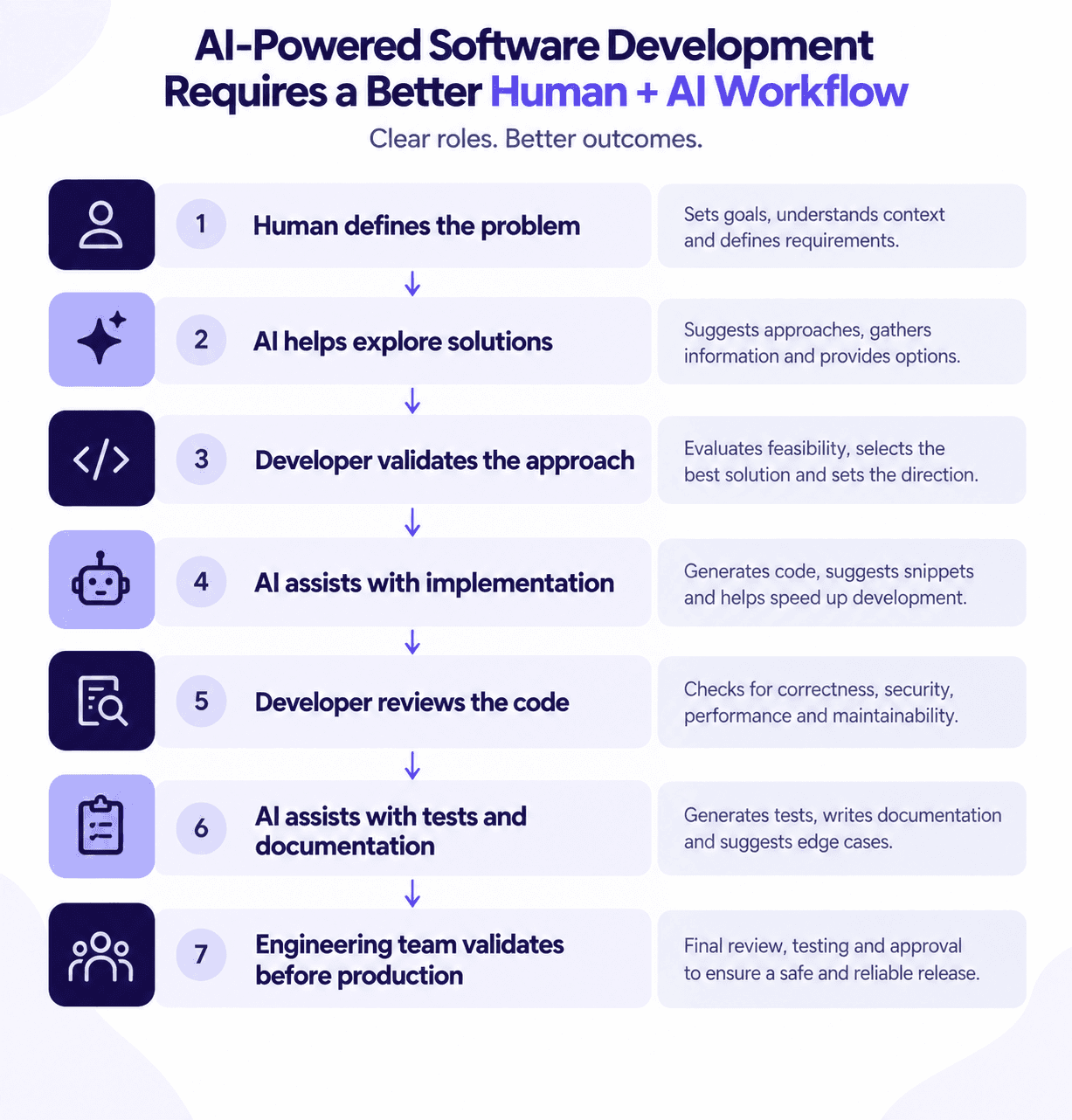
A few habits close most of that gap. Generated code goes through the same CI, security scanning and review as anything else. Suggested dependencies get checked before installation. And code nobody on the team can explain doesn't get merged.
Back to the invoice export. The product manager and developer agree on the real need: monthly CSV exports, filtered by account, for up to 50,000 invoices. AI suggests a synchronous endpoint or a background job with an emailed link. The developer picks the background job because of volume, lets AI draft the worker, reviews the permission checks line by line and has AI generate tests and a help article. A second engineer checks security and load behaviour before release.
Every step moved faster, and none of the important decisions were left to the model. Blind automation saves time on the first pass and tends to cost it back later in incidents, rewrites and review debt.
Choosing the Right Software Development Partner in the AI Era
Many businesses rely on external teams for capacity, specialist skills or their first AI-enabled product. Any vendor can claim to use AI tools, so the useful questions go deeper:
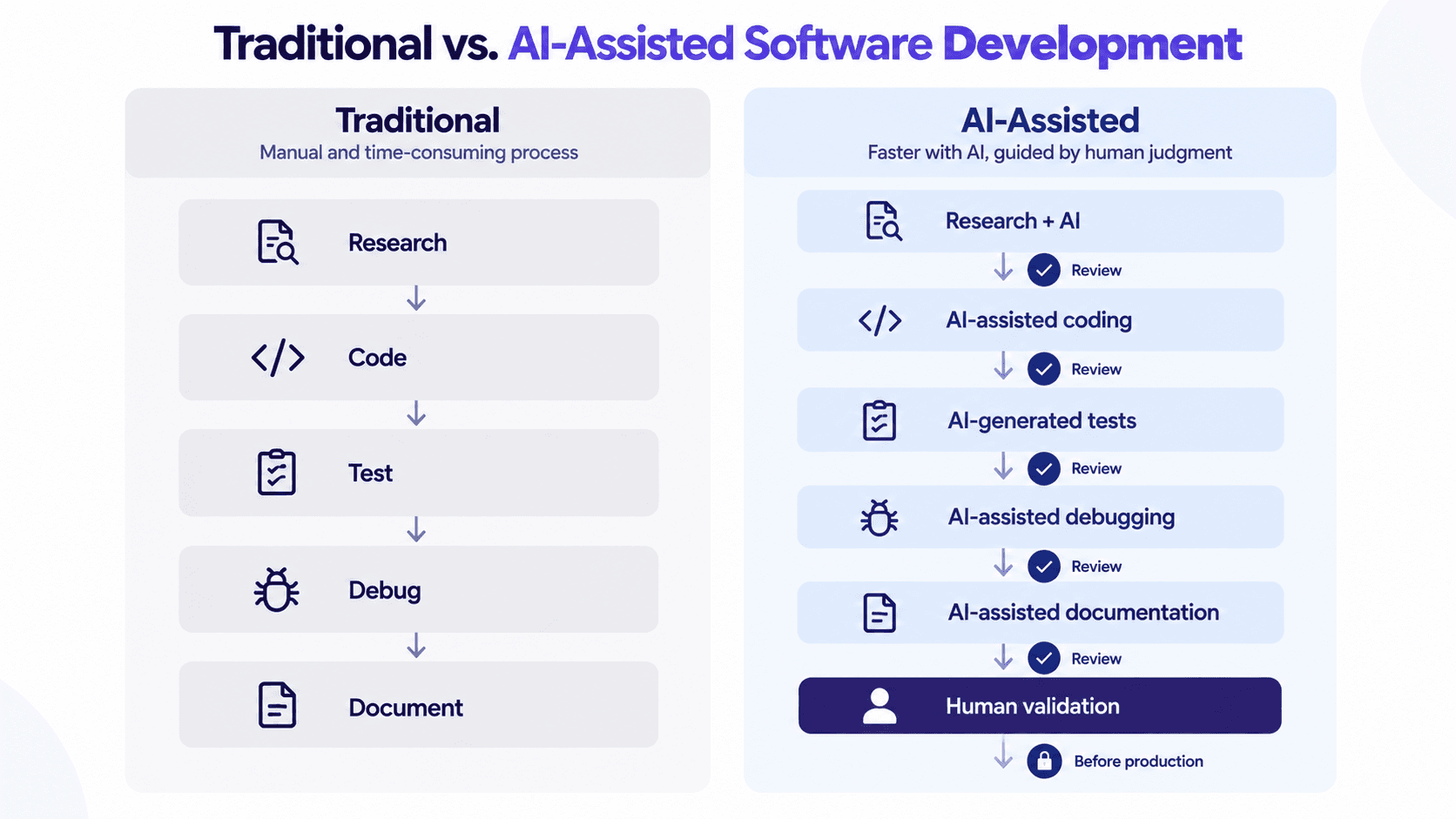
The AI-assisted path has more steps, not fewer, because a review follows every AI-generated stage before the work moves on.
- Modern development practice: how the team handles review, CI/CD, testing and documentation, and where AI fits in.
- Architecture and cloud experience: whether they can reason about scalability, integrations and cloud costs.
- Security awareness: how AI-generated code is reviewed and how client code and data are handled with AI tools.
- Business understanding: whether they ask about the problem behind a requirement before quoting a solution.
- Long-term maintenance: who owns the code after launch and how knowledge transfers back.
For organizations bringing in outside help, measuring a software development company like Aegis Softtech against these criteria gives a clearer picture than counting the AI tools on a sales deck. Ask which workflow stages use AI, who reviews the output, and when a task goes to a senior engineer instead of an assistant.
Adopting AI in software development still depends on experienced engineers who know where AI speeds things up and where human expertise stays in charge.
What the Future of AI in Software Development Could Look Like
Predictions here age quickly, so the honest approach is to follow where current tools are heading. AI-native development environments look likely to spread, with assistants that understand a whole repository and its conventions. Testing appears to be moving toward agents that write and run tests and propose fixes, with humans approving the results.
DevOps is another likely area of change, through incident summaries, pipeline failure explanations and deployment risk checks. Intelligent codebase search could make large systems easier to navigate, and AI-assisted legacy modernization of older Java or COBOL systems is one possible evolution many enterprises are watching. AI-readable documentation and developer portals that answer questions directly also look like reasonable next steps. How fast any of this arrives is uncertain, and each step will need the same validation discipline.
Final Takeaway: AI Changes Where Developers Spend Their Time
AI in software development shifts the balance of a developer's week. Less time goes to boilerplate and first drafts of tests and docs. More goes to architecture, product decisions, validation, security and the hard problems that never had a template.
The teams that benefit most will pair AI tools with strong engineering practices, clear documentation and people who stay accountable for what ships. AI makes that work faster. Engineers still decide what matters for the system in front of them.
If your documentation and developer-facing content haven't caught up to how AI assistants now read them, that gap shows up as a product that engineers can't find.
FAQ
What does AI in software development actually cover?
It covers AI across the development lifecycle: code generation, code review, test generation, debugging help, documentation drafting, deployment checks and codebase analysis. Most teams start with coding assistants and add review, testing and documentation once they trust the output.
Which tasks benefit most from AI tools for developers?
Repetitive, pattern-heavy work benefits first: boilerplate, test scaffolding, documentation drafts, pull request summaries and explanations of unfamiliar code. Architecture, security design and business logic benefit less, because they depend on context an assistant rarely has.
Can AI replace software developers?
AI handles parts of the job, and it still needs someone to define the problem, validate the approach, review the code and own it in production. The mix of work changes, with less repetitive implementation and more design and review.
Is AI-generated code safe to use in production?
It can be, once it passes the same bar as human-written code: review, automated tests, security scanning and dependency checks. The main risks are invented APIs or packages, outdated libraries, insecure patterns and wrong business assumptions.
How is AI changing the way developers discover software tools?
Developers increasingly ask AI assistants which API, SDK or framework to use. Companies with clear, accurate, well-structured documentation are more likely to appear correctly in those answers, which makes documentation quality a visibility concern as well as a support concern.