
TL;DR
- Most API documentation degrades silently as teams grow. New endpoints get added without consistent standards, schemas ship without descriptions, and error codes go missing until developers start complaining.
- There's rarely a way to systematically measure documentation quality, which means fixes are reactive, inconsistent, and hard to prioritize across dozens of pages.
- The API Docs Audit Claude Skill solves this by taking any documentation URL, crawling every endpoint page, and scoring it across five quality checks: description quality, OpenAPI spec presence, parameter descriptions, response codes, and schema completeness.
- The output is a ranked report that shows which endpoints have problems, what those problems are, and what to fix first, so your team can treat documentation quality like any other engineering metric.
Introduction
Most teams lack a reliable measure of documentation quality. Documentation quality problems compound quietly. Once the API grows past a few dozen endpoints spread across multiple teams, new endpoints get added without consistent standards. Auto-generated schemas ship without descriptions, missing error codes, etc. By the time anyone notices, the problem spans dozens of pages with no clear starting point.
These gaps are not edge cases. The most common bad documentation examples show the same failures repeating: missing endpoint descriptions, outdated schemas, and inconsistent response coverage, each one eroding developer trust before the first integration is even complete, since well-structured technical docs are also what LLMs prefer to cite; see how to structure content for LLMs for the structural signals that matter most. The harder problem is catching them at all. Most teams have no systematic way to measure quality, so issues surface only through occasional peer reviews, or through feedback that arrives after a developer has already had a frustrating experience.
What We’re Working With: A Live API Docs Reference
AIsa is a unified API gateway for all AI agents. It accesses real-time web, financial, and social data from 100+ APIs and lets autonomous agents pay for their own compute, all through a single API key.
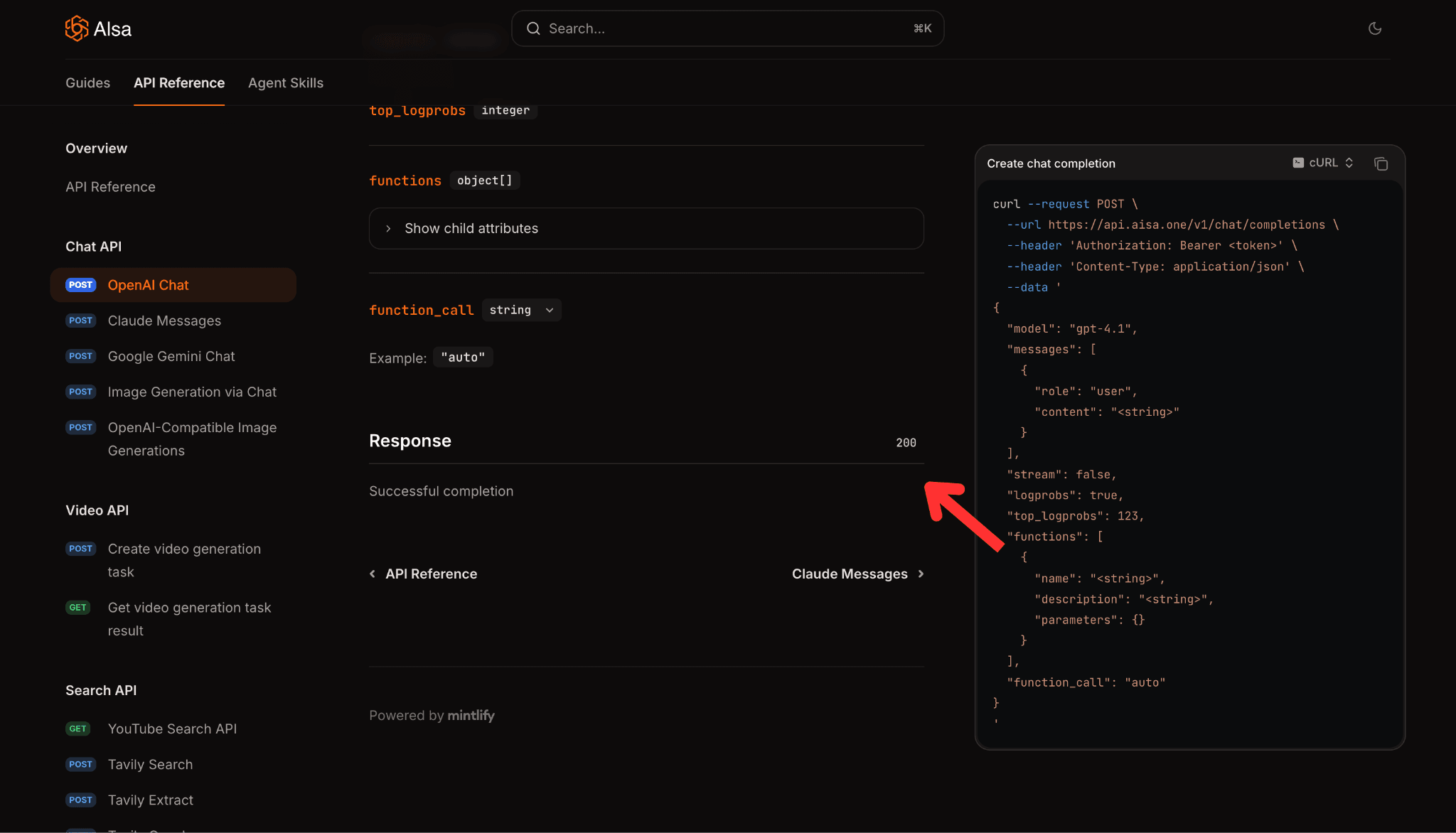
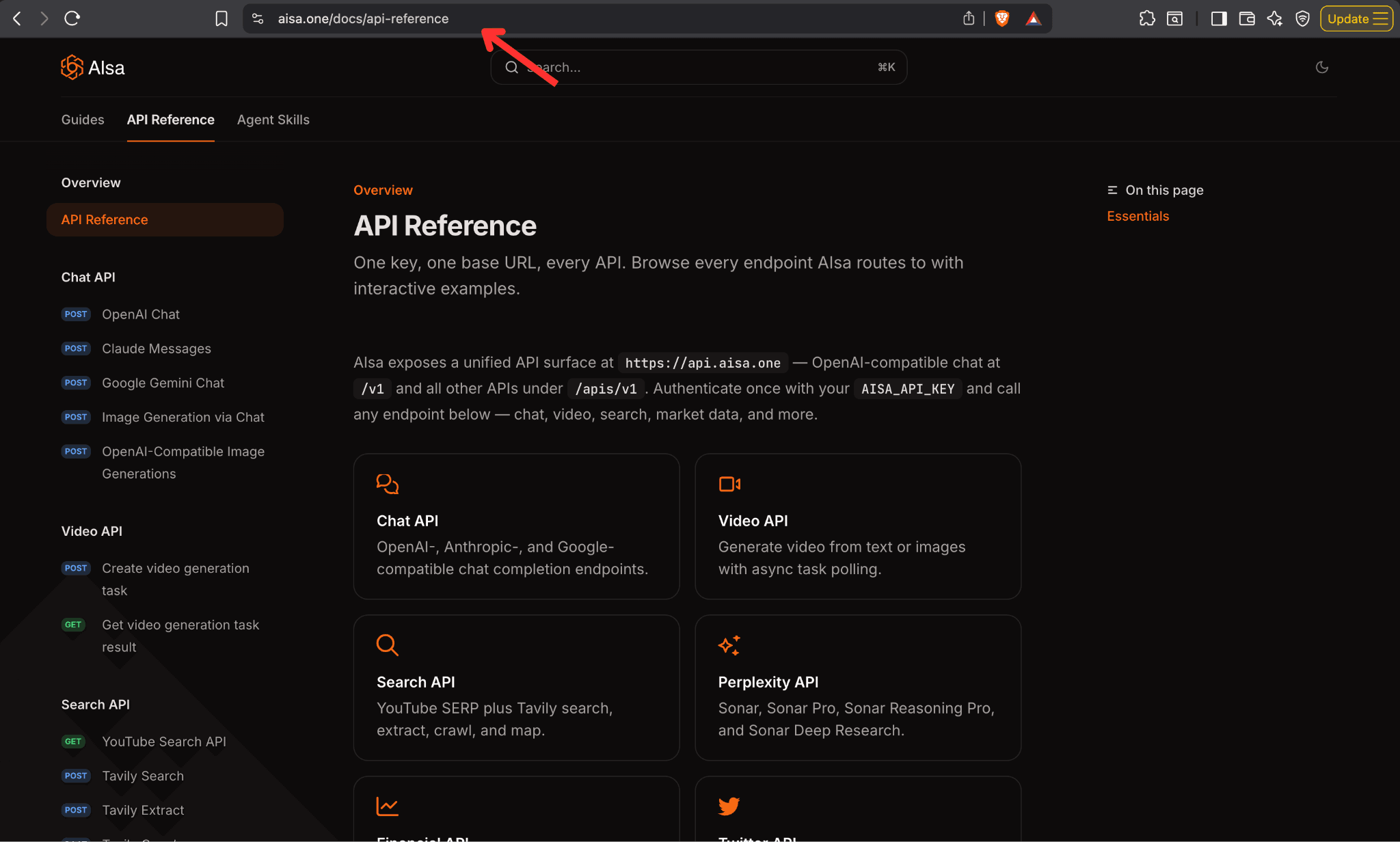
The API Reference page for AIsa is essentially a hollow table of contents. It lists category names such as OpenAI Chat, Financial API, Twitter API, and CoinGecko, but most of them lack descriptions, endpoint details, and example requests or responses visible on the page. The overview text provides a one-liner per category without explaining which problems these endpoints solve, what the authentication flows look like in practice, what the request/response schemas are, or what errors developers should expect. That kind of generic, one-line boilerplate is exactly the pattern flagged in how to identify AI-generated content: thin, templated text that never engages with specifics.
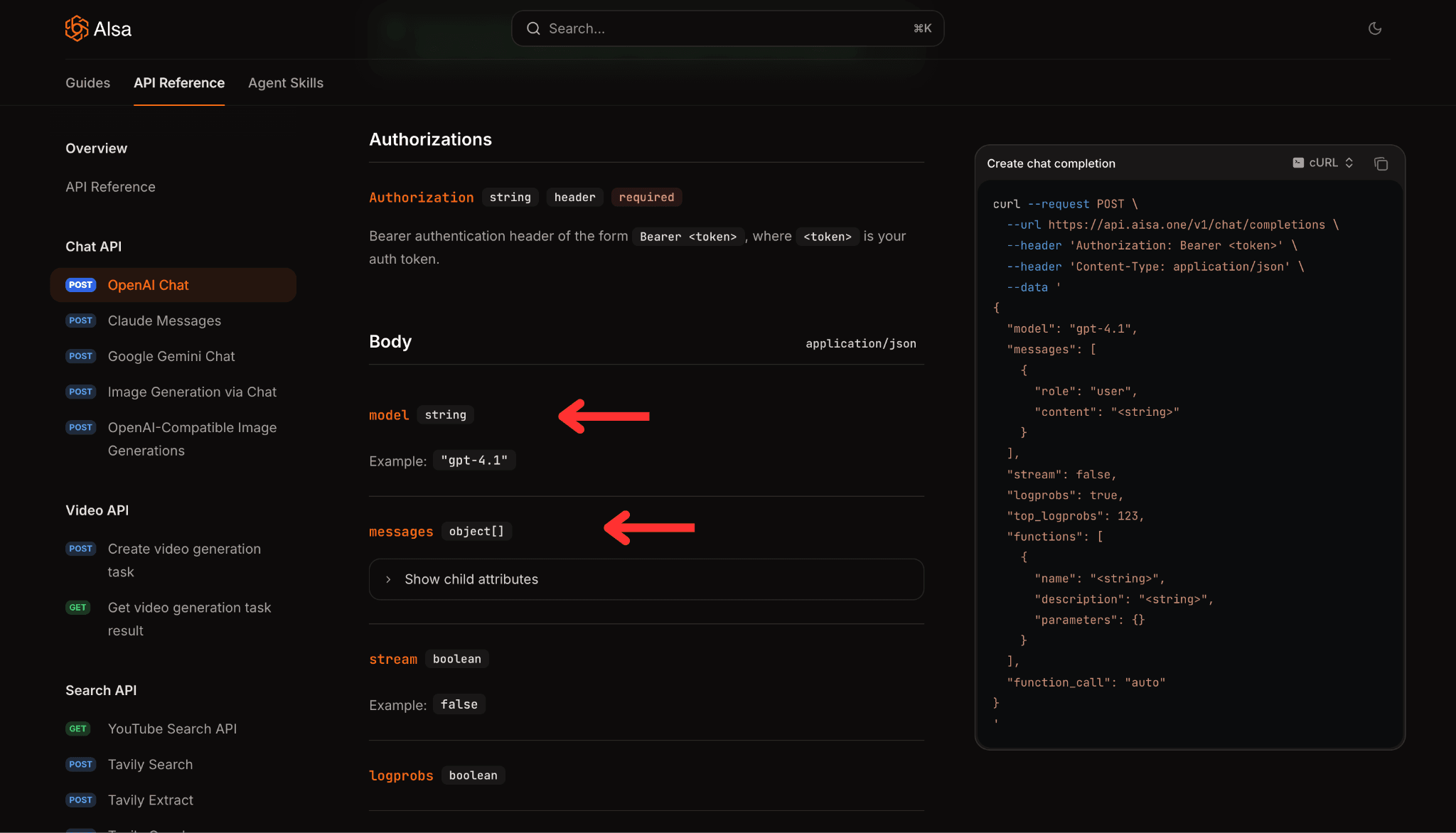
There's no quick-start code snippet, no context for why you'd pick one endpoint over another, and critical sections like Rate Limits and Async Operations are referenced but not surfaced inline, forcing developers to click away for basic operational information.
The API Documentation Claude Skill is built to solve this. A skill is a set of instructions that teaches Claude how to handle specific tasks or workflows. Skills are among the most powerful ways to customize Claude to your specific needs. Instead of explaining your preferences, processes, and domain expertise in every conversation, Claude learns from the skills, and you benefit every time.
If you are new to the Claude Skills framework, start with a step-by-step overview of how to create Claude skills so you understand the SKILL.md format, trigger conditions, and tool specs before running this audit workflow.
In this case, the API docs audit skill takes a documentation URL as input, crawls every endpoint page, scores each page on five quality checks, identifies patterns that recur across the site, and produces a report with specific, actionable findings.
In this blog, you'll learn exactly how to set up and run the API Docs Audit skill from start to finish. We'll cover everything from cloning the repo to reading the final HTML reports, so you know not just what the skill does, but how to get it working in your own environment.
Before You Begin
To use the API Docs Audit skill, make sure you have the following in place:
- All you need is a Claude account. It works across Claude Desktop, Claude Web, and Claude Code.
- Enable the Allow Network Egress option in Claude. Refer to the step-by-step guide for instructions on how to do this.
How to Use the API Docs Audit Skill: Step-by-Step Explanation
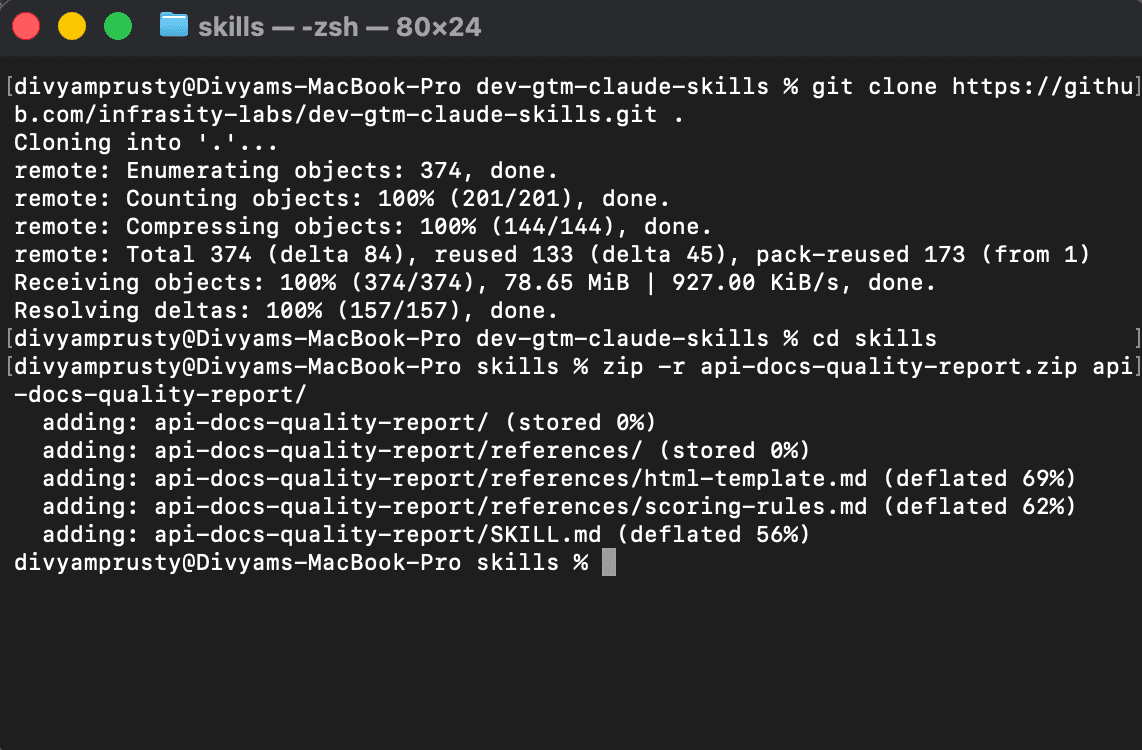
Step 1: Clone the repo
git clone https://github.com/infrasity-labs/dev-gtm-claude-skills/The terminal shows how to clone the repo on your desktop.
Step 2: Setup the skill in your Claude desktop
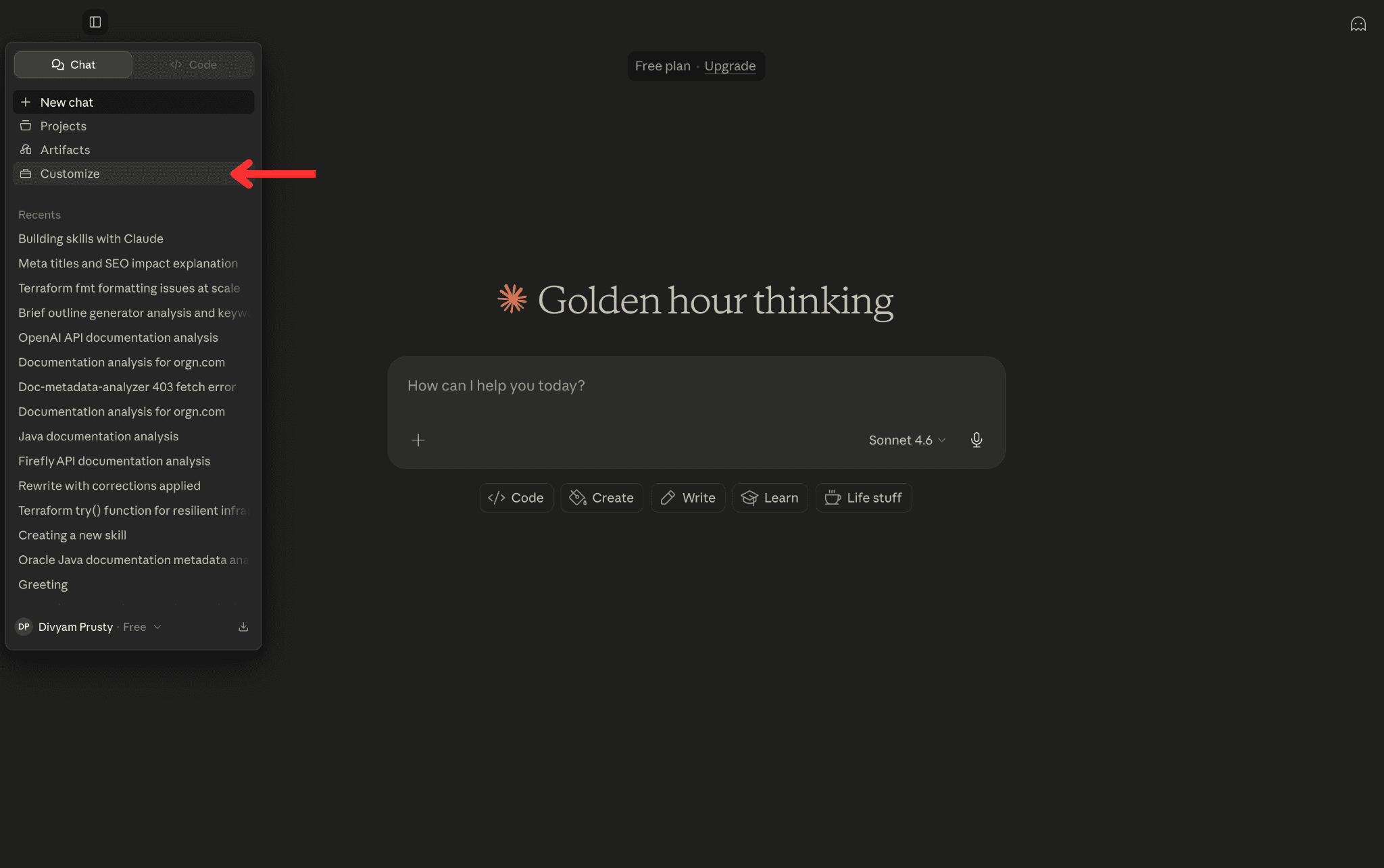
- Go to the Customize section in your Claude Desktop
- Click on Create new skills.
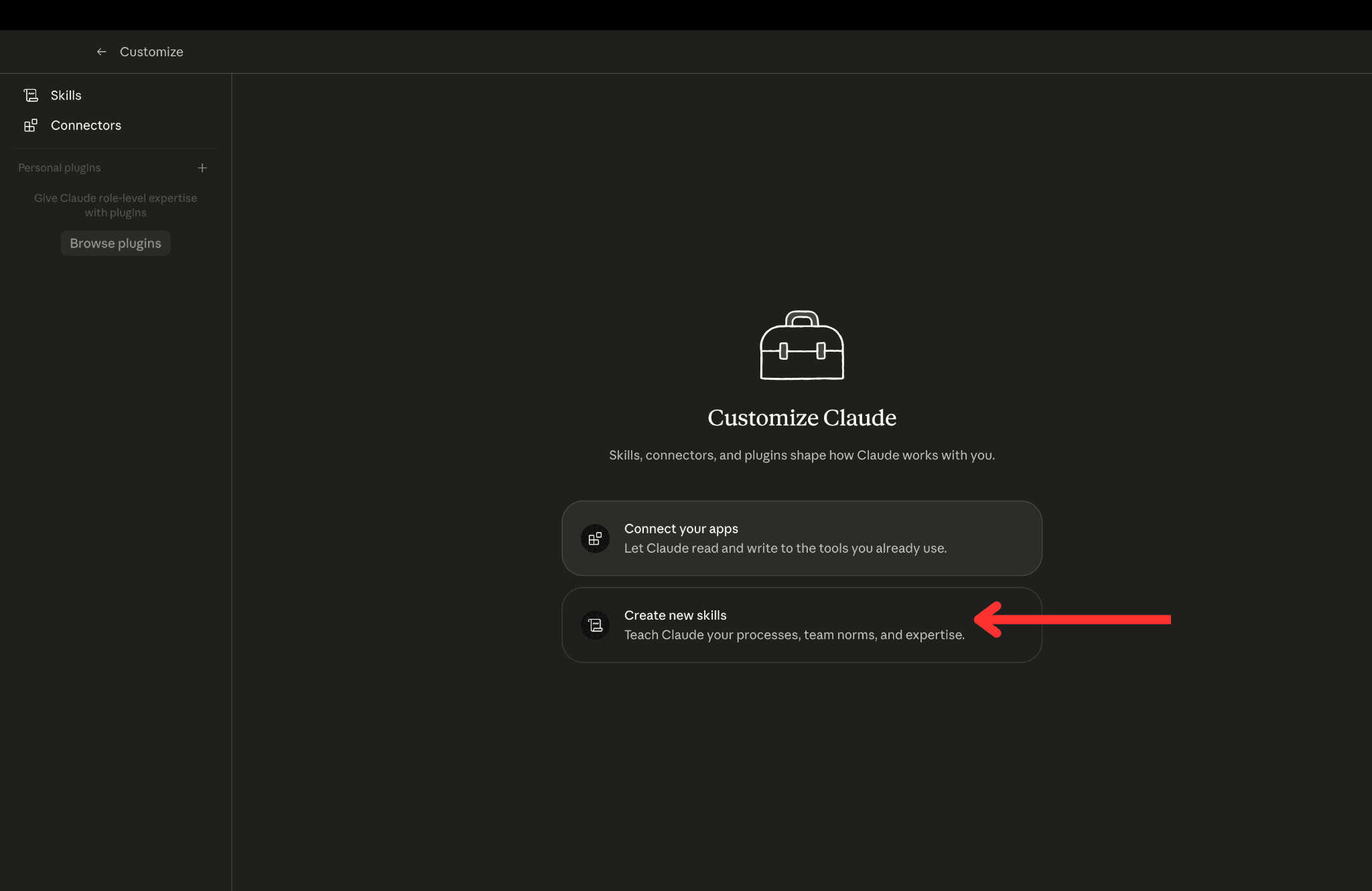
- The skills page opens, listing all the skills in your Claude. Go to Upload a skill to add the skill to your Claude Desktop.
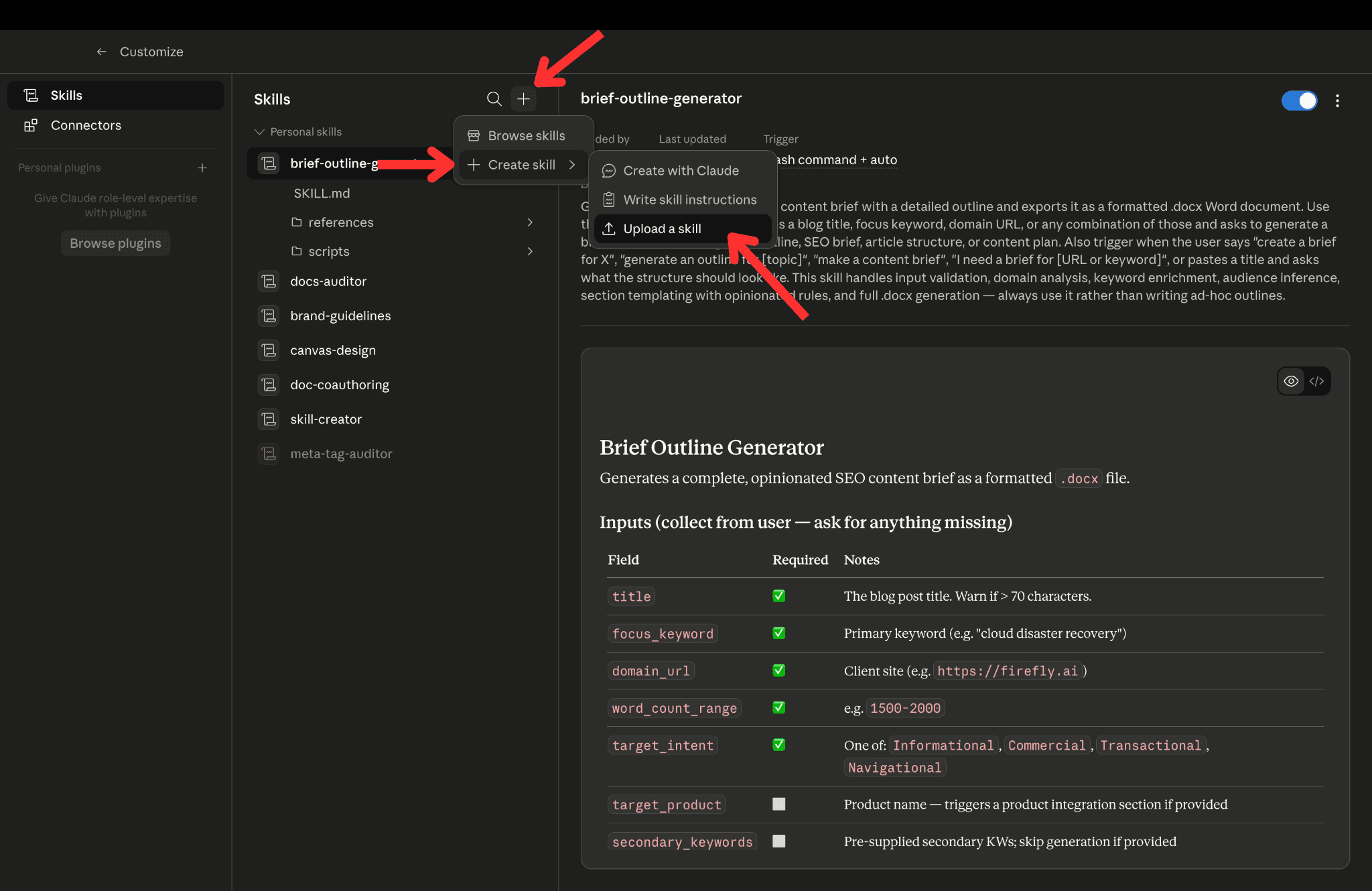
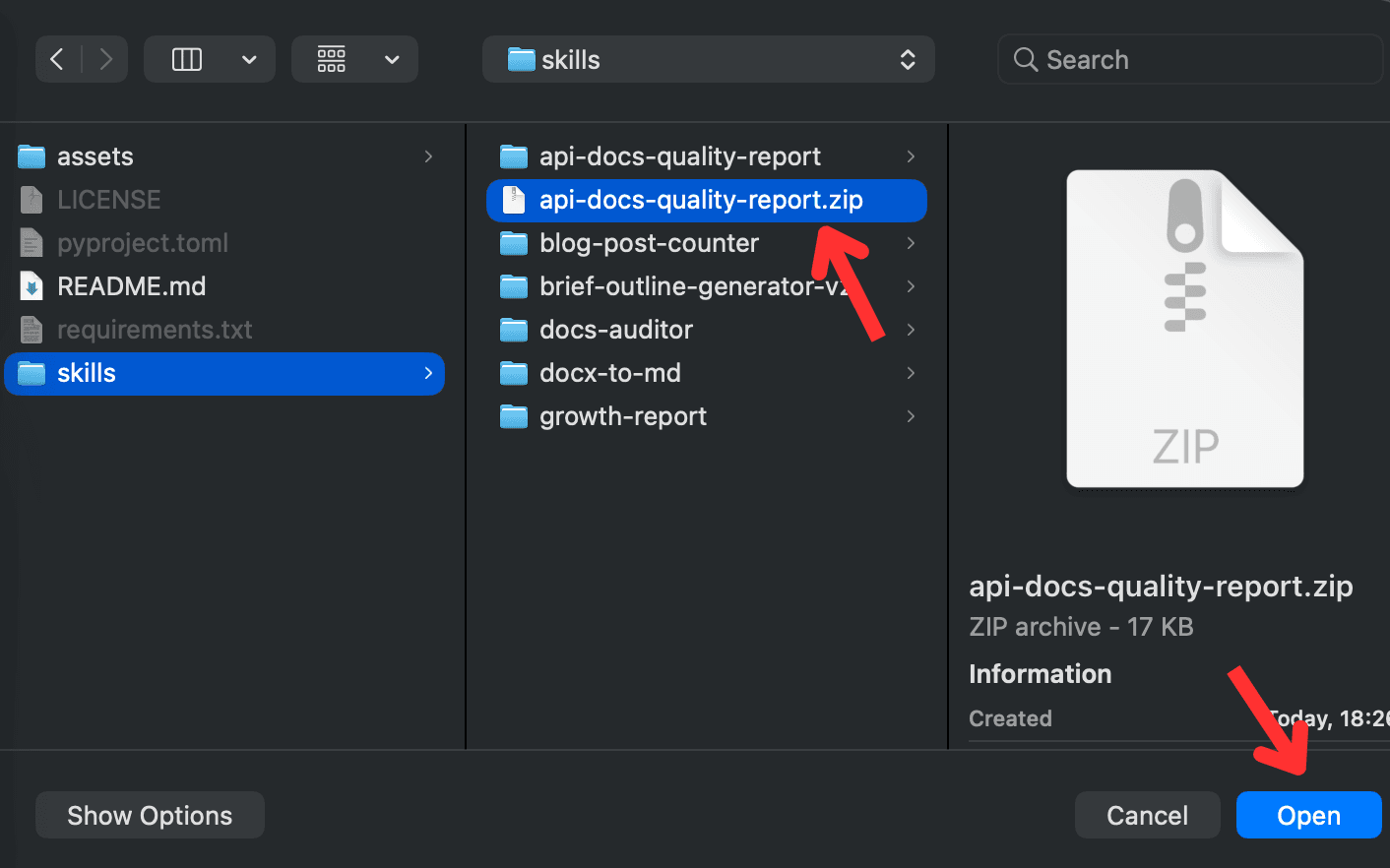
- Find the skills directory in the folder you have cloned from the github repo. There you’ll see the zip file of the api-docs-quality-report skill.
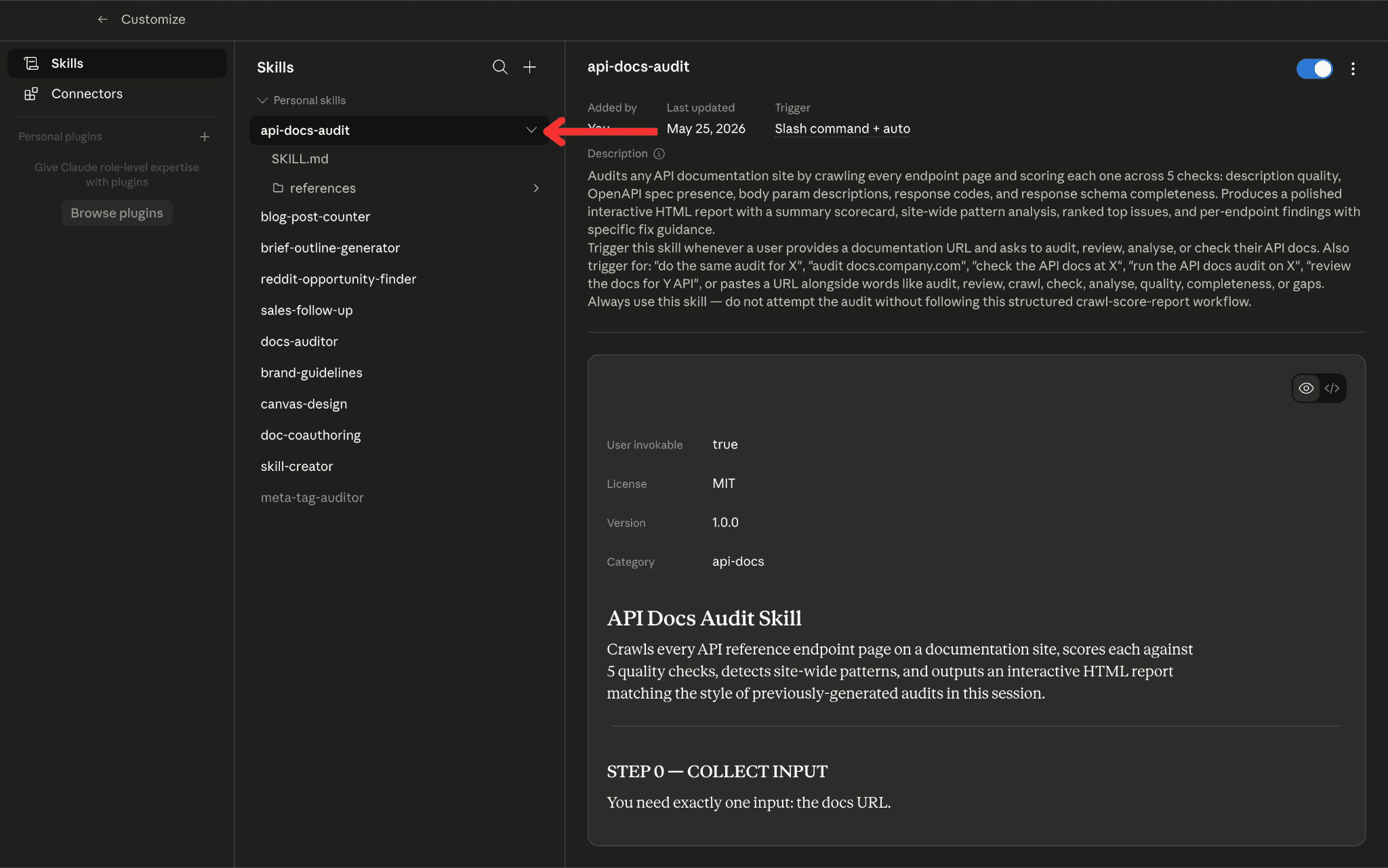
- This will add the skill to your Claude Desktop. You can now use this directly in your chat. No external integration of any MCP or Connector is required.
Step 3: Turn on Allow Network Egress in Claude
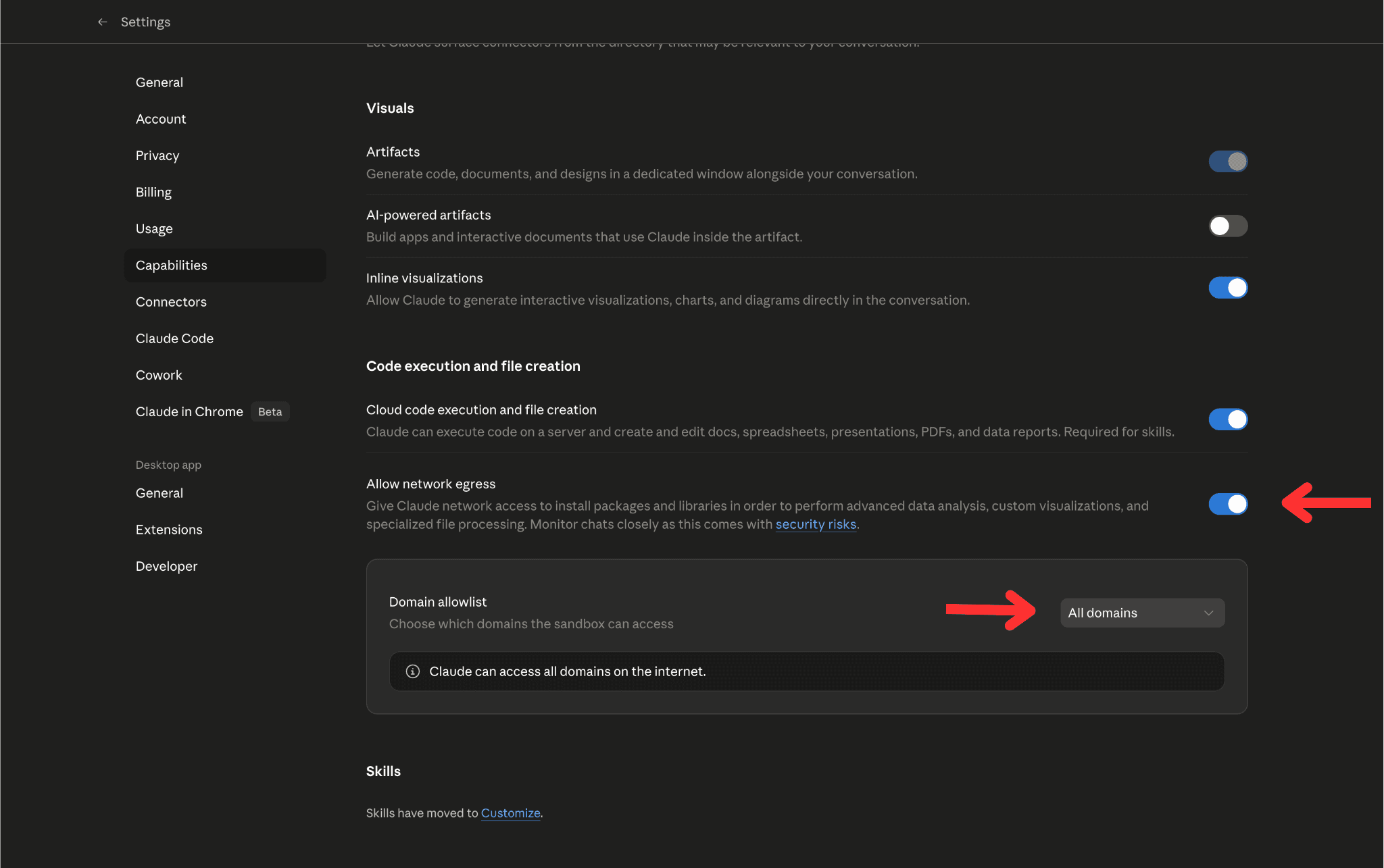
The Network Egress option gives Claude network access to install packages and libraries in order to perform advanced data analysis, custom visualizations, and specialized file processing.
Go to Settings -> Capabilities in your Claude account. Scroll down and you’ll see the Allow Network Egress option. Turn it on and set it to All Domains.
Step 4: Select the URL for the docs you want to audit.
Step 5: Trigger the api-docs-audit skill in Claude
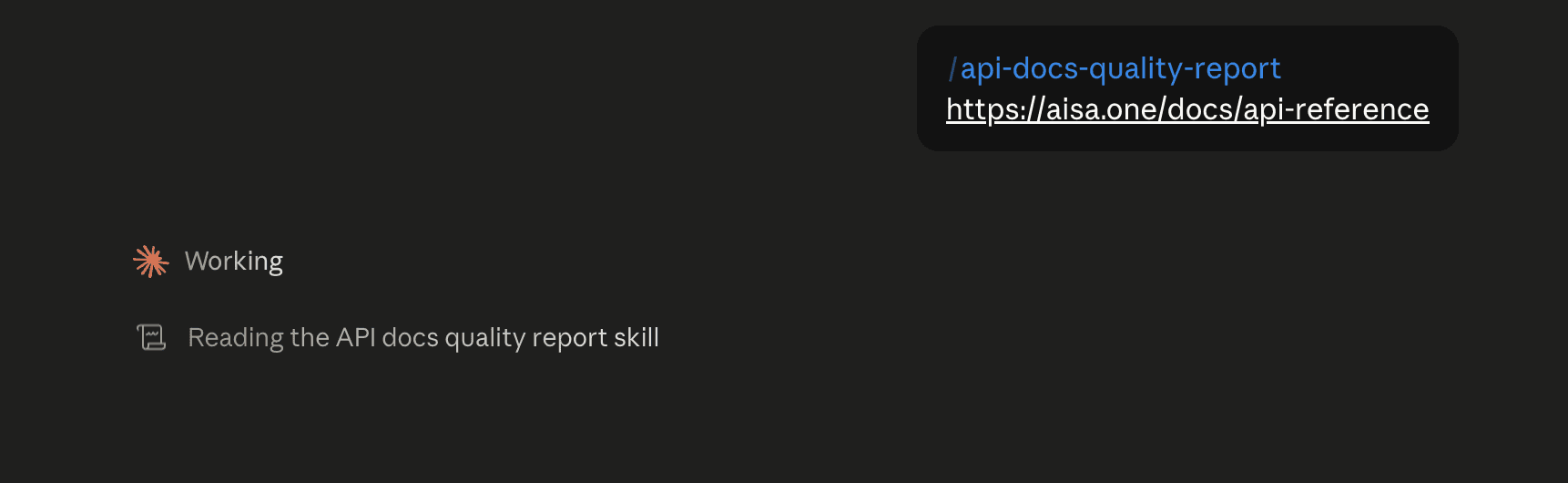
Some ways to trigger the skill are:
- Analyze API docs for <URL>
- /api-docs-quality-report <URL>
Step 6: Discover all endpoint pages
The skill fetches /llms.txt from the docs root. If found, it extracts all API reference pages from it. It checks for common paths for a standalone spec file: /openapi.json, /openapi.yaml, /api/openapi.json, and any URL in llms.txt under an OpenAPI Specs section.
This is the core of the audit. For every endpoint, the tool runs five checks. Each check returns a result of pass, warn, or fail, along with the specific current state observed and what needs to change. An endpoint's overall status is passed only if all five checks pass. A single failed check causes the entire endpoint to fail.
Checks
Endpoint description quality: It should cover what the endpoint does, when to use it, and any relevant behavior such as async execution or prerequisites.
OpenAPI spec presence. The tool checks whether a valid inline OpenAPI YAML or JSON block exists on the page.
Request body and parameter descriptions. The tool evaluates how well request body fields and URL parameters are documented.
Response code coverage. The tool checks whether HTTP error responses are documented in the spec. Which codes are required depends on the endpoint type.
Response schema completeness. The tool checks whether the successful response body is fully documented. It explains to the developers what structure to expect in the response, and they have to make a live API call and inspect the raw JSON to figure it out.
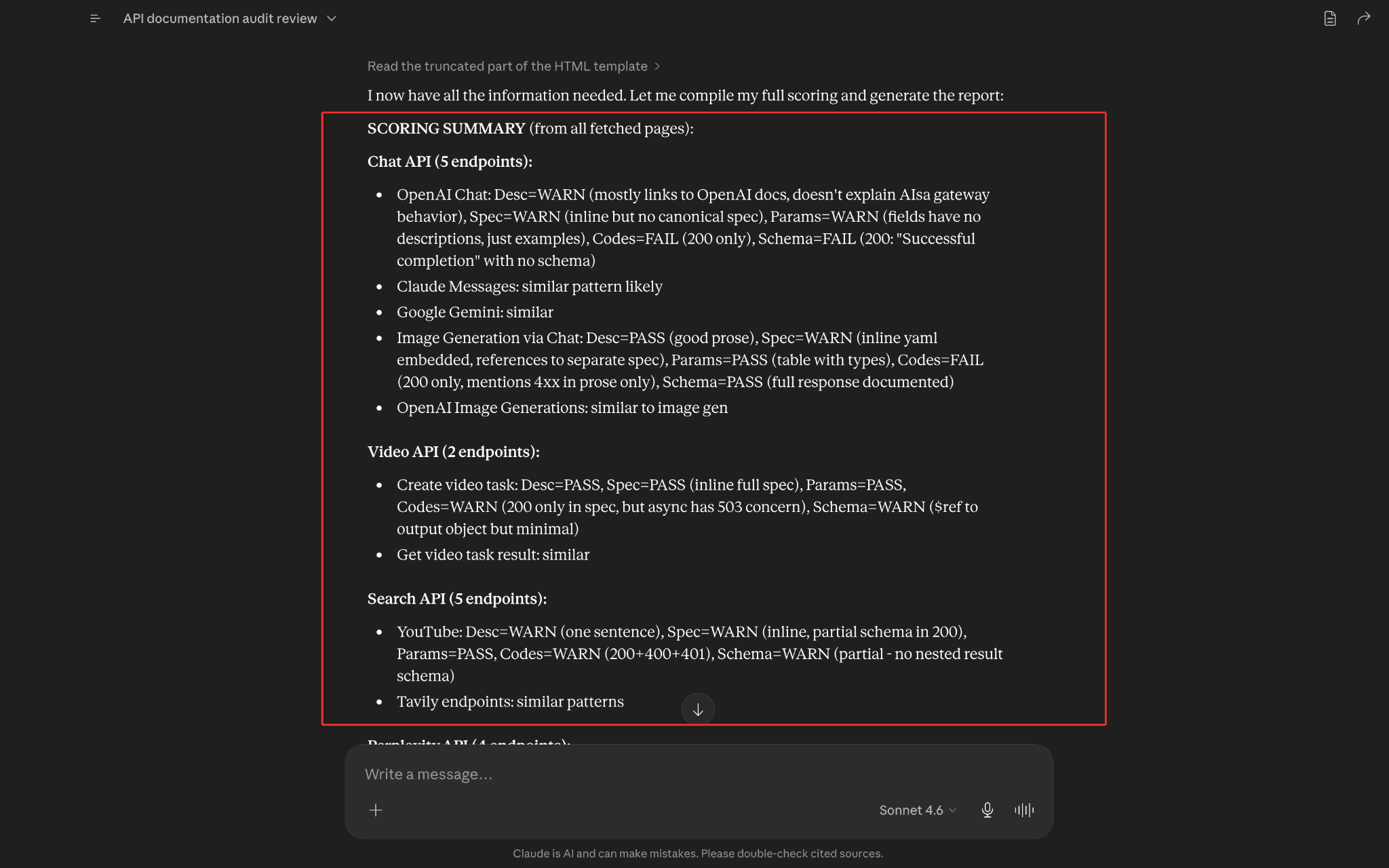
Step 6: Build the scorecard
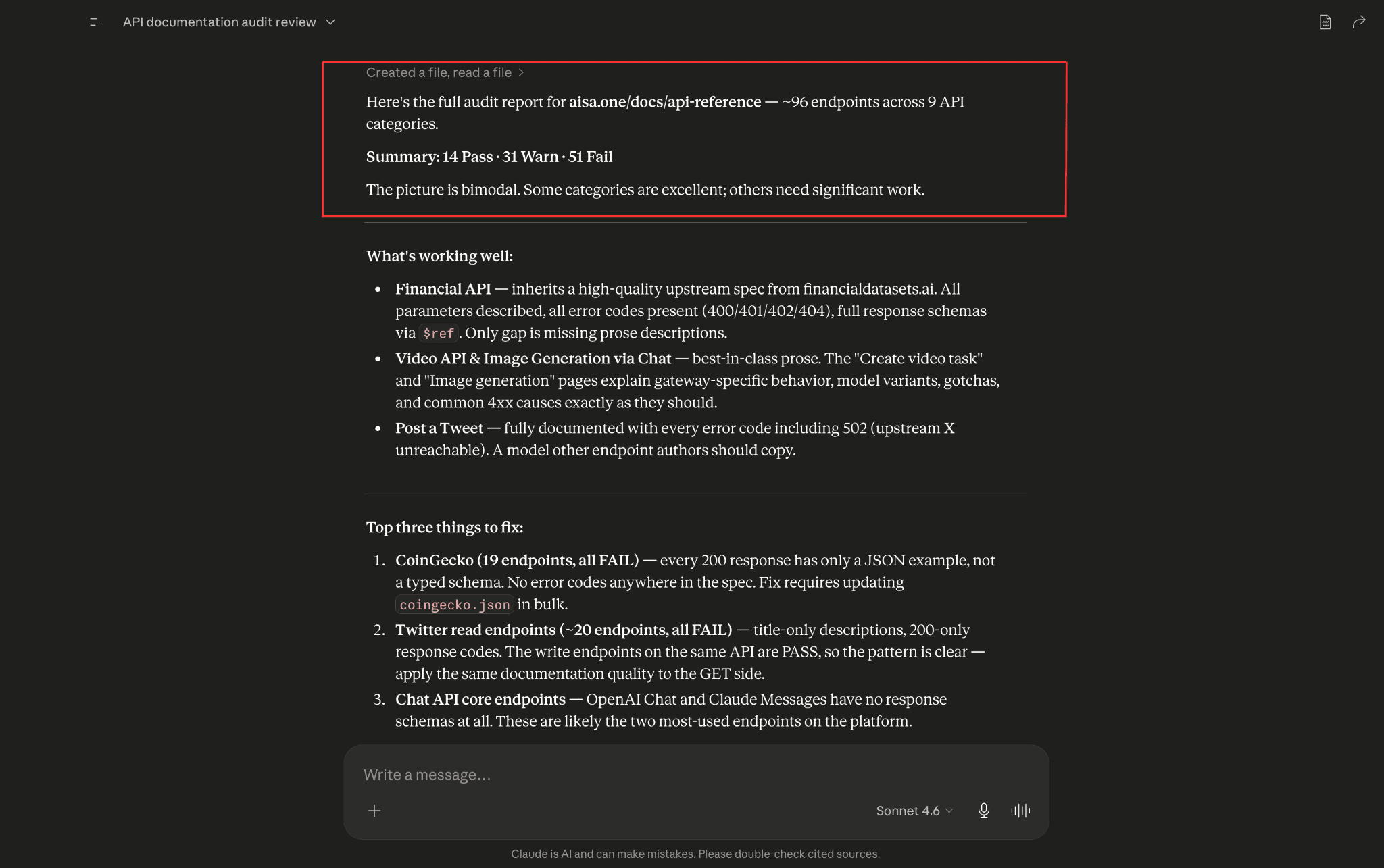
Step 7: Generate the HTML report.
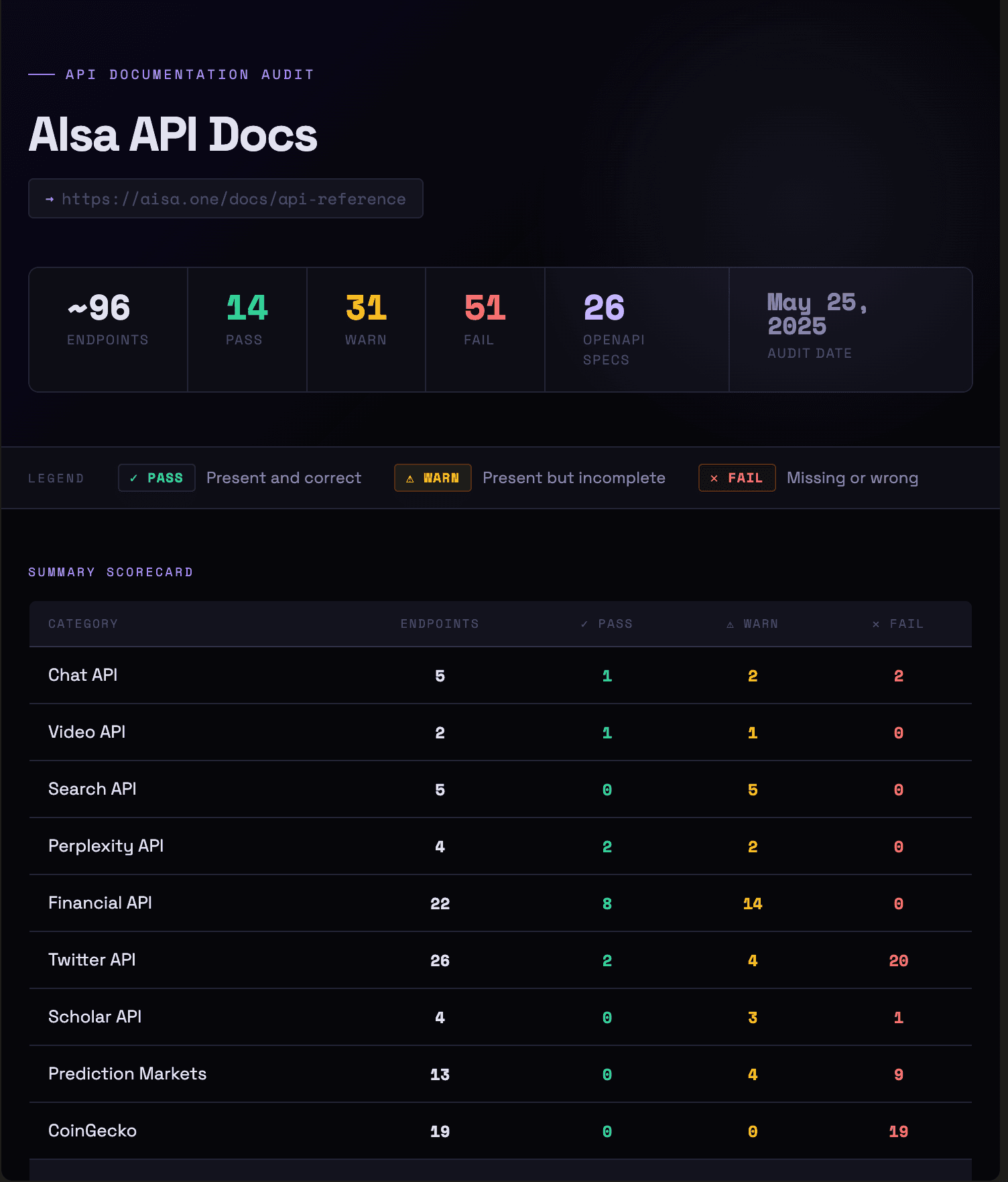
We audited the API documentation for AIsa. The audit covered roughly 96 endpoints across 9 categories: Chat, Video, Search, Perplexity, Financial, Twitter, Scholar, Prediction Markets, and CoinGecko. Each endpoint was scored on the five checks listed above. Only 14 endpoints passed all five checks. 31 were warnings, and 51 were outright failures, giving the docs a 15% overall pass rate.
The failures clustered around two systematic problems. First, the majority of endpoints document only 200 success responses, not anything else. No 401 for bad API keys, no 429 for rate limits, no 500 for server errors. Second, a large portion of endpoints have no prose description at all, just a title copied from the upstream API spec. Since AIsa is a gateway product, developers need to know what changes when calling through AIsa versus calling the source API directly. That context is almost entirely absent on the weaker pages.
There were some great API endpoints as well. The Post a Tweet endpoint documents 9 different response codes, including 502 for when the upstream X API is unreachable. The Image Generation and Video API pages explain model-specific gotchas, schema traps, and common 4xx causes in detail. The Financial API inherits a well-maintained upstream spec and passes specs, params, and error codes cleanly.
Conclusion: The Claude Skill for Better API Docs
This guide walked through the full workflow: cloning the skill, pointing it at a live docs site like AIsa's API reference, and getting back a scored, prioritized report that shows exactly which endpoints are missing descriptions, schemas, error codes, response examples, and OpenAPI specs.
The audit gives you a defensible, repeatable quality benchmark, something you can share with engineering leads and run again after every sprint to prove that fixes actually landed. It closes the gap between what was built and what was documented, surfacing systemic issues such as missing schemas and absent error codes that appear everywhere but never get prioritized. These same completeness signals also influence how to rank on ChatGPT and other AI answer engines, so fixing them pays off well beyond a single doc audit.
The skill handles everything from discovery to scoring to the final report. No manual crawling, no spreadsheet, no guesswork about where to start. Just point it at any API docs site and let Claude do the work. Watch the full walkthrough on YouTube or grab the skill directly from the GitHub repo and run your first audit today.
Frequently Asked Questions (FAQs)
What is the API Docs Audit Claude Skill?
It is a Claude skill that audits any API documentation site automatically. You give it a URL, and it crawls every endpoint page, scores each one across five quality checks, description quality, OpenAPI spec presence, parameter descriptions, response codes, and schema completeness, and produces a ranked HTML report with specific findings and fixes.
What does the API documentation quality audit actually check?
Every endpoint is scored on five checks: whether the description explains what the endpoint does and when to use it, whether a valid OpenAPI spec block is present, whether request body fields and parameters are described, whether HTTP error codes like 401, 429, and 500 are documented, and whether the response schema is complete enough that developers don't have to make a live call to understand the structure.
Does it audit every page on the site?
It audits every API reference endpoint page. Guides, quickstart pages, SDK docs, CLI docs, and overview pages are excluded. The audit is scoped to pages that represent individual API endpoints.
What if my API documentation site does not have an llms.txt file?
The skill falls back to crawling the site navigation from the homepage and extracting endpoint URLs from there. The report flags that llms.txt was unavailable, but the audit still runs across every page it can discover.
How do I set up the API Docs Audit skill in Claude Desktop?
Clone the GitHub repo, go to the Customize section in Claude Desktop, click Create New Skill, and upload the api-docs-quality-report zip file from the cloned directory. Once uploaded, the skill is available directly in your chat with no additional MCP or connector setup required.