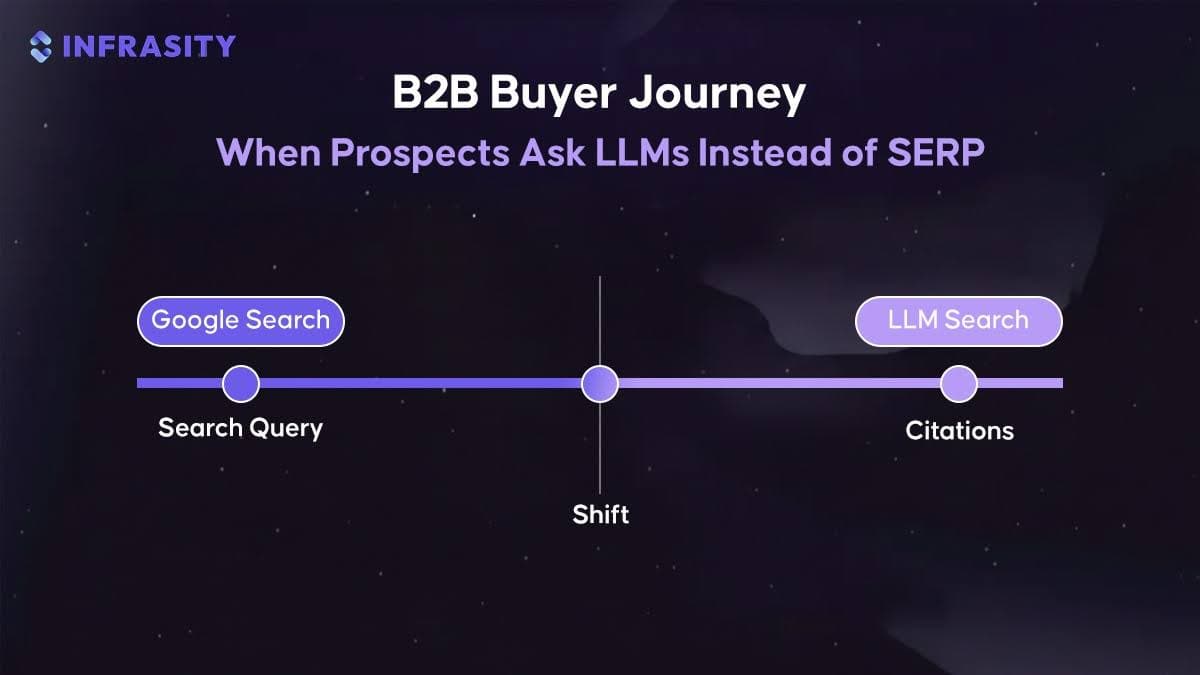

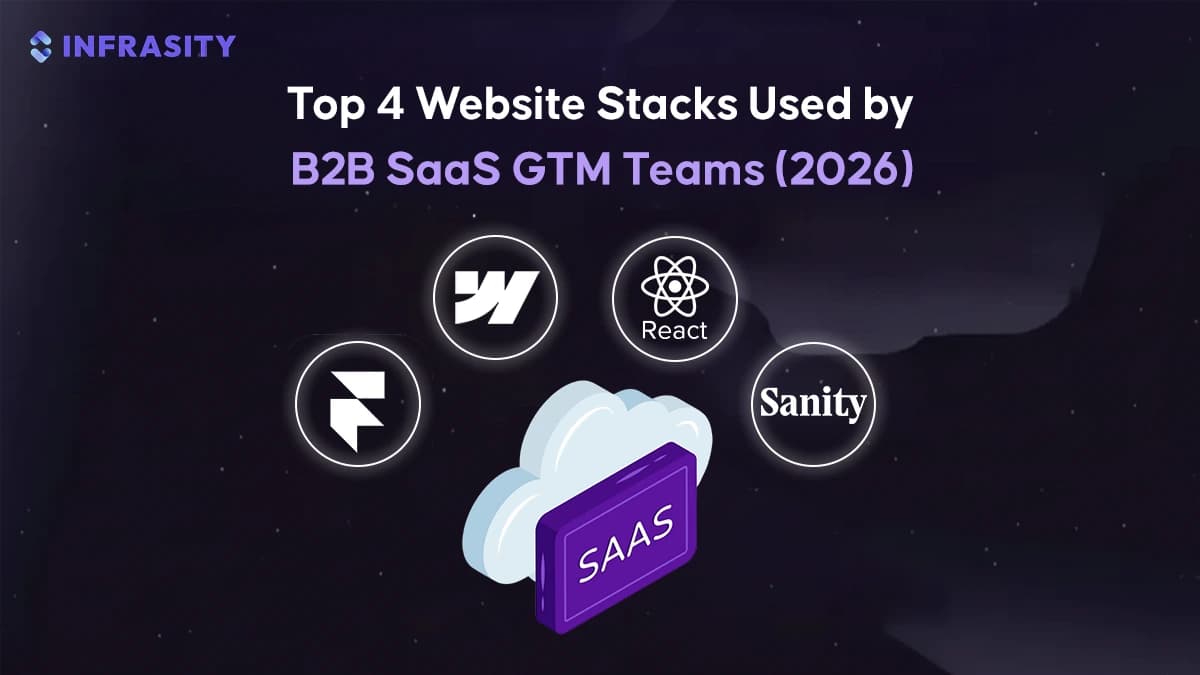
TL;DR
Framer fits teams working on launch pages, announcement sites, and conversion-focused landing pages that evolve separately from product releases. In setups like those used by Superhuman and Height, marketing and launch surfaces change frequently while billing logic, documentation, and onboarding remain handled by other systems.
- Webflow becomes the preferred choice when content volume and organic search traffic start contributing consistently to the pipeline. Teams run blogs, comparison pages, customer stories, and resource hubs with predictable structure and SEO controls. Companies such as Notion and Zapier operate large marketing sites on Webflow without linking them to application code or release workflows.
- React with Next.js comes into play once public pages begin sharing logic, components, or data with the product. Pricing pages pull directly from billing systems, documentation reflects live feature definitions, and updates move through the same repositories and preview environments as application code. Platforms like Stripe and Vercel run websites and documentation alongside their core services for consistent behavior and controlled releases.
- Sanity supports teams that need the same content to appear across websites, documentation portals, and product interfaces. Rather than managing copy page by page, content is modeled once and consumed across multiple surfaces. Companies such as Algolia rely on this approach to limit duplication and keep messaging aligned as teams and products grow.
Website decisions in B2B SaaS are shaped by how often customer-facing pages change and whether those pages rely on live application data such as pricing rules, authentication state, feature availability, or integration configurations.As product-led growth becomes more common, pricing pages, documentation, and onboarding flows increasingly depend on live application data instead of static content. Industry research reflects this direction. Gartner reports that by 2026, more than 70 percent of digital experience platforms will rely on composable and headless content systems to support faster updates without disrupting core applications. This article explains how these stacks appear in B2B SaaS teams, what signals indicate when teams move from one approach to another, and how stack choices support reliability, maintainability, and long-term product quality.
What Do Most B2B SaaS Companies in Y Combinator Use to Build and Maintain Their Websites?
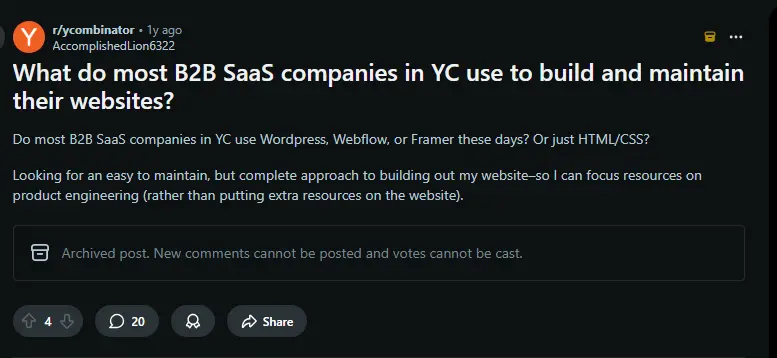
As shown above, there is recurring discussion on platforms like Reddit about how B2B SaaS companies build and maintain their websites, especially in the early and growth phases. The confusion usually arises because the website is treated as a single system, even though different parts of the site serve different purposes and operate under different constraints.
In practice, B2B SaaS websites are shaped by three concrete factors: who maintains each page, how frequently changes are made, and whether the page must stay accurate against live application behavior. Pages that change often and are owned by marketing or design teams prioritize speed and ease of updates. Pages that reflect pricing rules, feature availability, integrations, or documentation must stay synchronized with the product and follow stricter release controls.
Because of this, many B2B SaaS companies organize their websites by responsibility rather than forcing every page into the same delivery model. Content-driven pages such as blogs, landing pages, and customer stories are typically managed on systems optimized for frequent updates. Pages that depend on application logic, such as documentation, pricing details, or integration references, are built in ways that keep them aligned with product releases and internal data sources.
Industry data supports this direction. Gartner reports that by 2026, more than 70 percent of digital experience initiatives will rely on composable and headless approaches, allowing teams to update content frequently while maintaining correctness for pages tied to product behavior. This reflects how modern SaaS companies balance iteration speed with reliability as their websites grow alongside the product.
Top 4 Website Stacks Every B2B SaaS GTM Team Should Know in 2026
Based on the discussion above, most B2B SaaS teams end up using a small set of commonly adopted approaches.These implementations differ in who maintains the pages, how frequently changes are made, and how updates are reviewed and released. The sections below explain four widely used website stacks and describe where each one fits, based on how teams build, manage, and evolve different parts of their websites over time.
Framer: The Design First Website Stack
When B2B SaaS Teams Use Framer
Framer is typically used when website changes are owned by design and marketing teams rather than engineering. This setup appears when growth depends on frequent visual and messaging updates instead of backend coordination.
This is common during paid acquisition, launches, or positioning shifts, where teams iterate on headlines, layouts, and visual emphasis multiple times per week. Framer allows these changes to go live immediately, without requiring pull requests or frontend releases, so product engineers can stay focused on application development.
Several SaaS and technology companies use Framer for high-impact landing pages and campaign surfaces. Products like Superhuman and Height use Framer for polished marketing pages that emphasize visual quality and fast iteration. Startups such as Dynex(AI infrastructure and compute platform) and Artboard Studio(design and creative collaboration platform) rely on Framer for launch and announcement pages that change frequently as messaging evolves, without waiting on traditional deployment cycles.
Common Framer Use Cases in B2B SaaS
- Single-purpose landing pages for paid campaigns
Focused pages with a single conversion goal, where copy, layout, and visuals need to stay aligned with ad messaging. - Short-lived campaign or launch pages
Temporary pages for announcements or events that can be published quickly and removed without affecting the main site. - Homepage and pricing experiments
Used during positioning changes to test messaging, layout, or pricing presentation without involving engineering. - Design-driven iteration
Changes guided by design reviews and qualitative feedback rather than complex experimentation pipelines.
Capabilities That Enable Design-Led Website Updates
- Direct Figma import into production pages
Designs move from Figma to live pages without manual frontend rebuilding. - Canvas-based layout control
Elements are positioned visually with precise spacing and alignment instead of predefined layout components. - Built-in animation and interaction system
Transitions, hover states, and scroll effects are added without custom animation code. - Managed hosting with global edge delivery
Pages are deployed instantly with performance handled by the platform. - Lightweight CMS for repeatable content
Used for testimonials, feature lists, FAQs, and simple blog-style content without a full CMS setup.
Hands-On Workflow: How Design-Led Website Changes Flow in Framer
This section gives an overview of how Framer is used in practice to design, adjust, and release high-conversion pages, it shows how different capabilities of Framer come together in a single workflow, from design handoff to live iteration, and how design teams move changes to production without engineering involvement.
Moving Designs Directly Into a Live Page
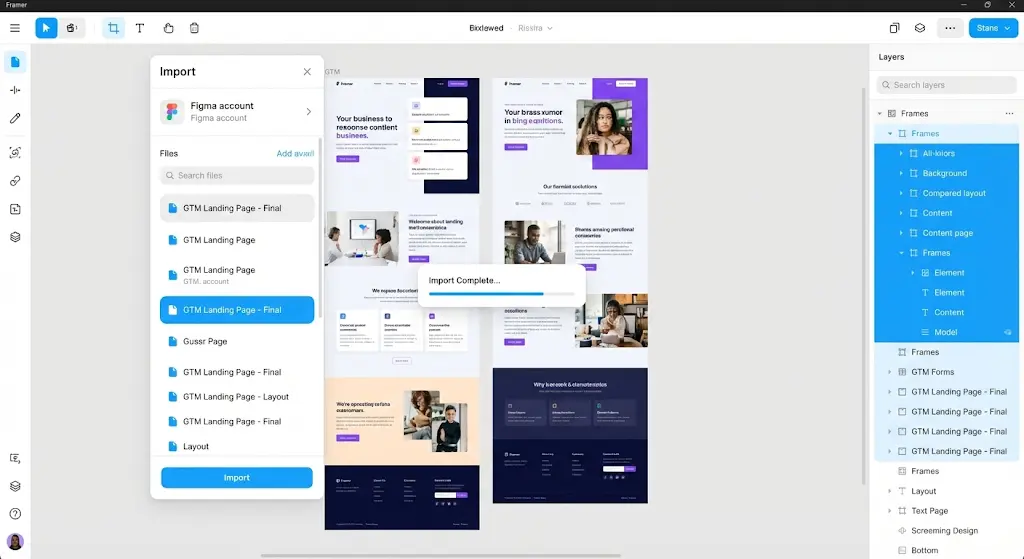
Designers begin with a finalized Figma frame created for paid acquisition or a launch announcement. Layout, spacing, and typography are carried over directly, without rebuilding components or restructuring the page. The imported frame becomes the foundation of the live page rather than a reference for later implementation.
The image below shows how a finalized landing page design is imported from Figma into Framer without rebuilding layout or structure. The design frame becomes the production page, preserving spacing, typography, and component hierarchy. This illustrates how design output moves directly into publishing, removing handoff steps and frontend implementation.
Adapting Layouts Across Devices on the Canvas
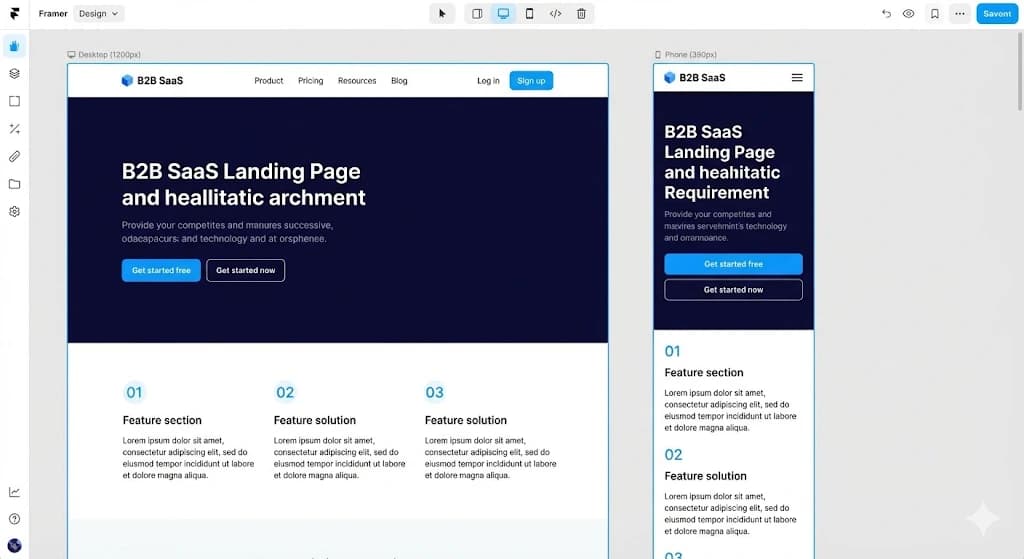
Once the design is in place, responsiveness is handled visually. Tablet and mobile layouts are adjusted directly on the canvas, with breakpoints managed through resizing rather than CSS rules. Designers reorder sections, adjust spacing, and fine-tune layout behavior without producing handoff documents or waiting on frontend updates.
The image below shows how responsive layouts are managed directly inside Framer using visual breakpoints. Desktop, tablet, and mobile views are adjusted on the canvas, with layout changes reflected immediately across devices. This highlights how responsiveness is handled at the design layer rather than through CSS media queries.
Introducing Structured Content Without Changing Layout
With the layout stabilized, frequently updated sections are connected to a lightweight CMS. Testimonials, feature lists, FAQs, or announcement banners are stored as structured entries. Editors update text and assets while the underlying layout remains unchanged, allowing content changes during active campaigns without visual regressions.
This keeps the page structure stable while enabling ongoing copy updates as messaging evolves.
Adding Motion as Part of the Publishing Flow
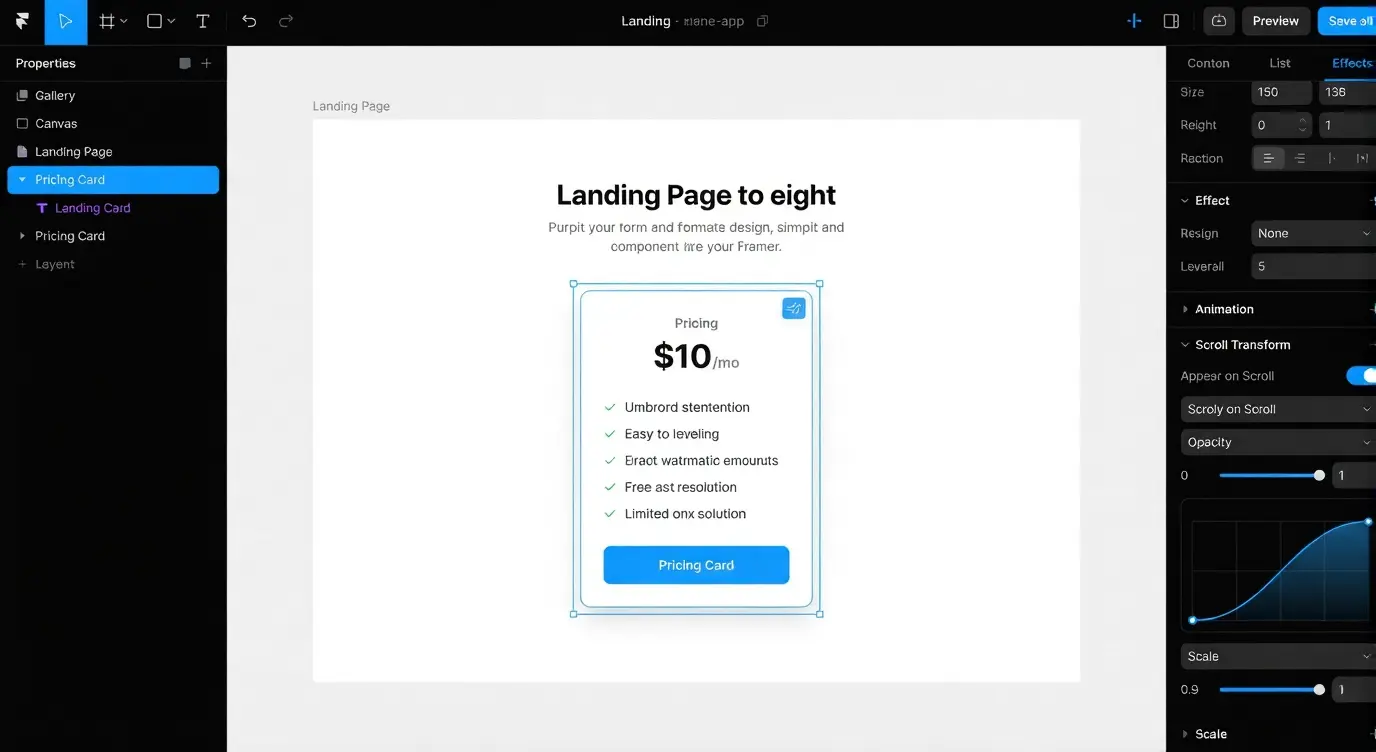
Interaction and motion are layered onto the page directly within Framer. Scroll-based transitions, hover states, and micro-interactions are attached to sections based on user behavior rather than page-load scripts. These interactions are used to guide attention, emphasize key value propositions, and support conversion flow without external libraries.
The below image shows how interactions and motion are configured within Framer for a GTM landing page. Scroll-based transitions and hover effects are attached to page sections without external libraries or scripts. This demonstrates how visual feedback and emphasis are added as part of the publishing workflow rather than post development.
Iterating on Live Pages Without Engineering Releases
Once live, the page is served through Framer’s global edge hosting. Updates apply instantly, allowing designers to adjust copy, layout, or visuals during active campaigns without involving engineering teams or deployment pipelines.
This flow enables rapid iteration on customer-facing pages while product teams continue working independently on the core application.
Where Framer Fits in a B2B SaaS Website
Framer is used when update speed and visual control take priority over shared components or governed release workflows. It fits best when website pages are isolated from application logic and maintained by design-led teams. When pages begin to rely on shared components, internal data, or APIs, teams typically transition to a different website setup better suited for those requirements.
Webflow
When B2B SaaS Teams Use Webflow
Webflow is commonly adopted when the website becomes a long-term marketing asset rather than a short-lived campaign surface. This shift usually occurs once organic search, content volume, and structured navigation start contributing meaningfully to inbound pipeline instead of one-off launches.
Teams move to Webflow when marketing needs direct control over HTML structure, metadata, and CMS relationships, while keeping the site separate from application logic. Engineering involvement is typically limited to the initial setup and integrations, after which marketing teams manage day-to-day updates independently.
This pattern is visible in companies such as Zapier (automation and integrations), and Lattice (HR and performance management). In these cases, blogs, comparison pages, and customer stories evolve continuously without being tied to product release cycles, allowing marketing teams to scale SEO and content operations once positioning stabilizes. Customer stories in particular do double duty here, since case studies and whitepapers used as SEO assets tend to be exactly the kind of structured, evidence-backed content that a CMS like Webflow is built to scale.
Core Capabilities Teams Actually Use
- Visual control over HTML structure and CSS layout
Used to design page structure and layouts visually while maintaining clean, predictable HTML and CSS output. - CMS with relational content models
Used to link content types such as blog posts, case studies, and integrations so they can be reused and managed at scale. - Page-level SEO controls, including schema and metadata
Used to define titles, descriptions, and structured data for each page to support search visibility, the same fundamentals a top LLM SEO optimization agency checks for before it will even take on a citation-building engagement. - Role-based editor access for non-technical contributors
Used to allow marketers, writers, and sales teams to edit content without access to code or layout controls. - Stable publishing workflows without code deployment
Used to publish and update content reliably without relying on engineering deployment pipelines.
Hands-On Workflow: How Structured Marketing Pages Are Built and Maintained in Webflow
This workflow shows how Webflow is used to build and operate structured, long-lived marketing pages. It illustrates how visual design rules, content modeling, and publishing controls work together so marketing teams can scale content safely without involving engineering in day-to-day updates.
Establishing a Consistent Visual System
Teams begin by defining typography scales, spacing rules, color tokens, and reusable components before creating individual pages. These global rules act as the foundation for every layout that follows, ensuring visual consistency as the site grows and more contributors publish content.
The below image shows the global style system defined inside Webflow before page construction begins. Typography scales, color tokens, and spacing rules are centralized so every page follows the same visual system. This setup prevents layout drift as more pages and contributors are added over time.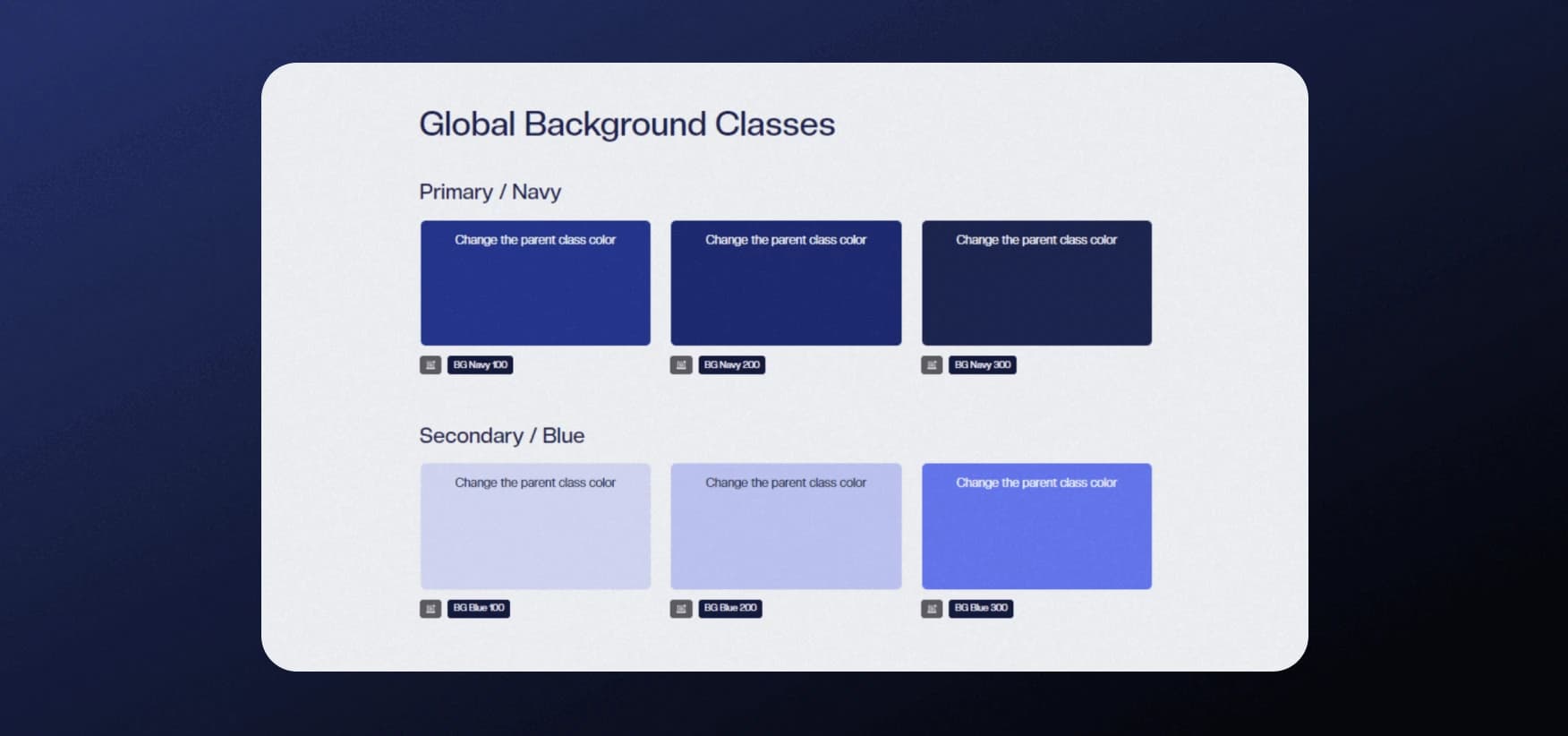
Structuring Content Before Designing Pages
With visual rules in place, content models are defined before layouts are finalized. Blogs, case studies, integrations, and resource pages are created as structured collections with clear fields and relationships. This determines how well the site can scale once content volume grows beyond the initial set of pages.
The below image shows how CMS collections are structured in Webflow to manage large volumes of content. Blogs, case studies, integrations, and resources are modeled as separate collections with defined fields. This structure allows marketing teams to scale content without rebuilding pages.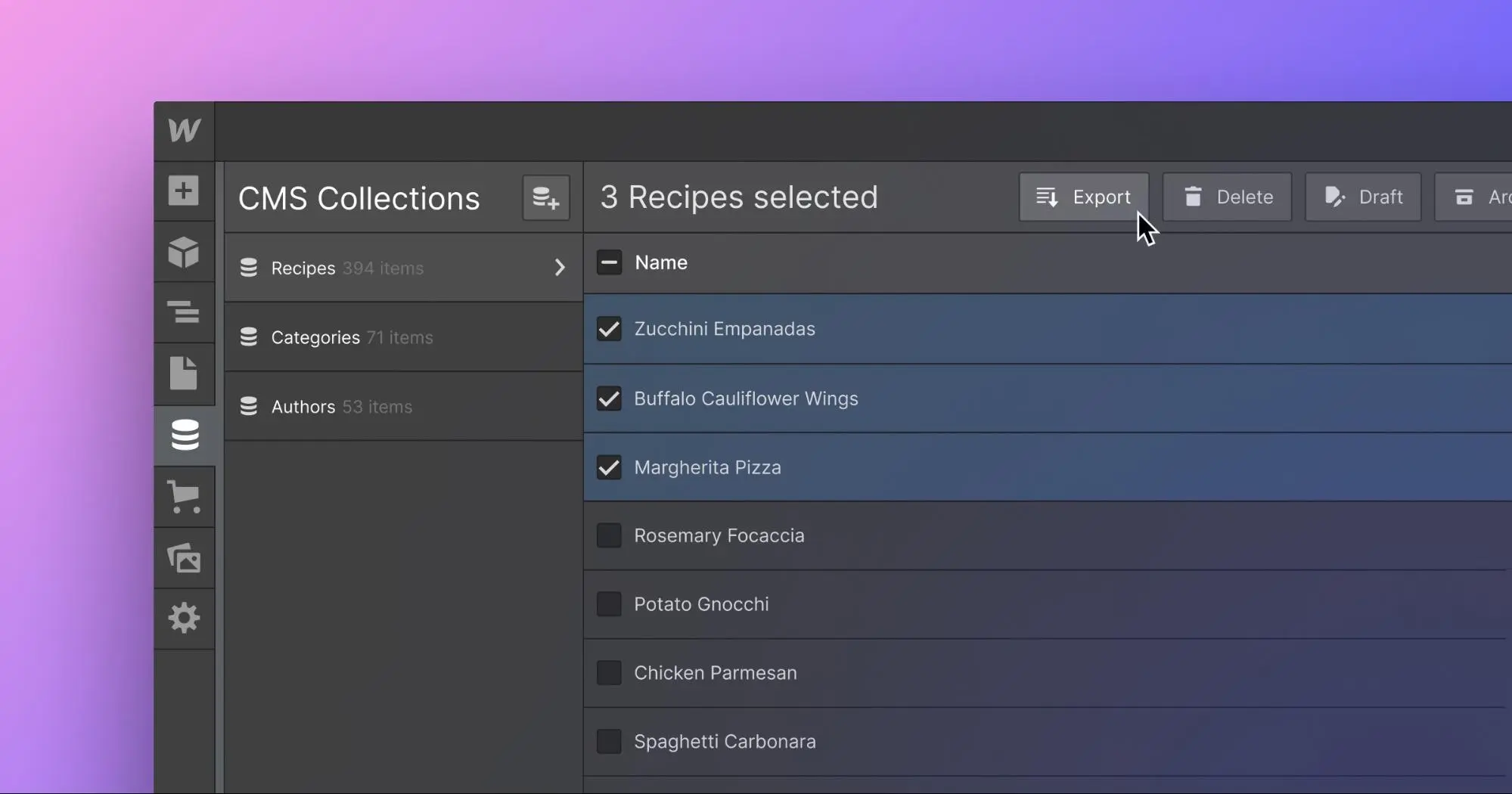
Reusing Layouts Through Dynamic Templates
Once content models exist, template pages are created to render entire categories of content. A single template powers hundreds of pages while maintaining consistent structure and navigation. Content teams update entries through the CMS while layouts remain fixed, allowing scale without repeated design or development work.
Adding Interaction Without Increasing Maintenance Cost
Interactions such as animations, reveal states, and conditional visibility are configured visually. These behaviors improve clarity and usability while avoiding JavaScript maintenance or custom frontend logic that would otherwise require engineering support.
The below image shows how interactions are configured directly in Webflow using the visual interactions panel. Scroll based animations and state changes are attached to elements without writing JavaScript. This highlights how UX polish is handled within the publishing layer while keeping the codebase untouched.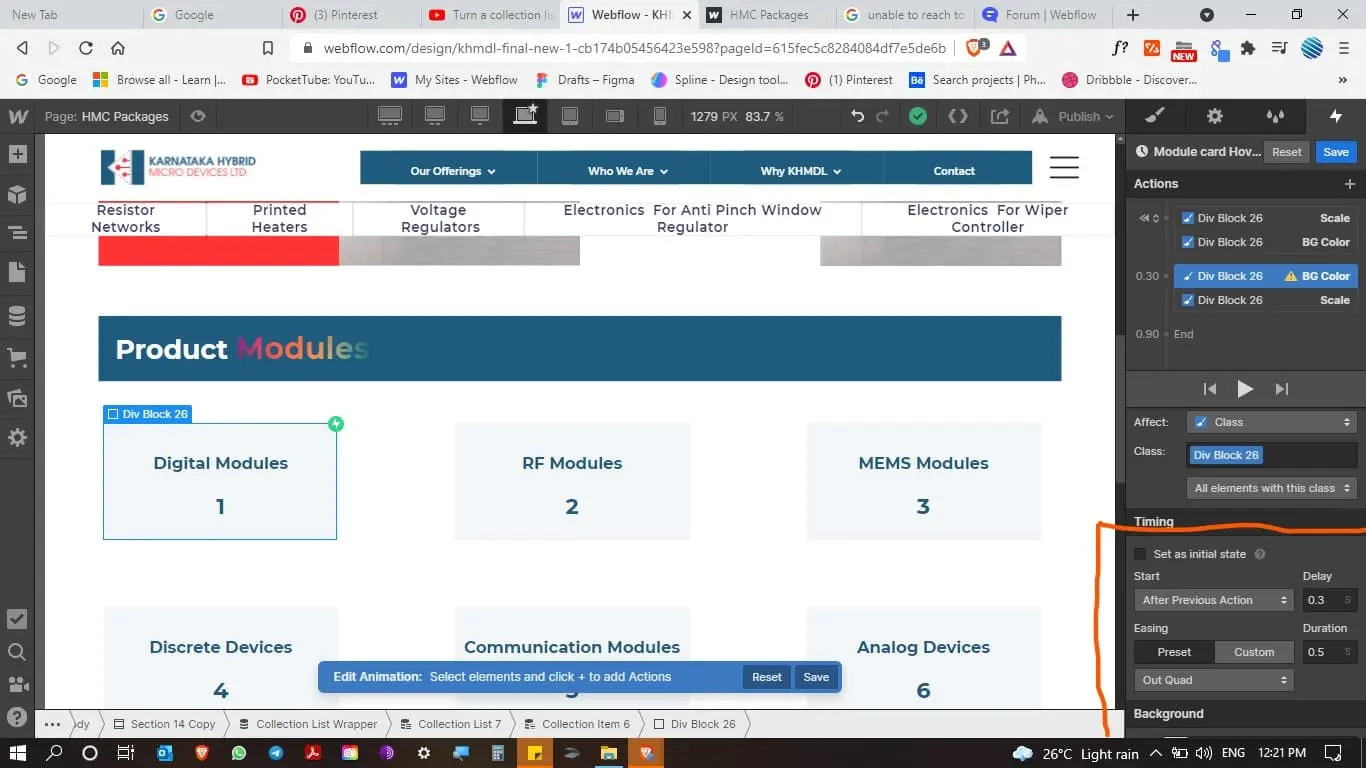
Enabling Ongoing Updates Through Controlled Editing
Once the site is live, editors make updates through the Webflow Editor. Content changes are applied without affecting layout or structure, allowing marketing teams to publish independently while preserving design integrity across the site.
This workflow keeps structure ownership separate from content execution, enabling frequent updates without introducing operational risk.
Where Webflow Fits in a B2B SaaS Website
Webflow fits when teams need SEO scale, structured content, and controlled publishing without making the site part of the application delivery pipeline. It is typically adopted once messaging stabilizes and content production becomes a long-term growth driver rather than an experimental activity.
React and Next.js
When B2B SaaS Teams Use React and Next.js
React with Next.js is used when public website pages are closely tied to how the product works. This typically happens when pages such as documentation, pricing, or onboarding rely on the same systems that handle authentication, billing, feature availability, or integrations, and it's also the point where teams start treating the split between user guides and API documentation as a website architecture decision rather than just a writing one.
At this stage, marketing pages are no longer simple content surfaces. They consume internal APIs, reuse components from the product’s design system, and reflect real application behavior. A change to copy or layout can affect pricing accuracy, documentation correctness, or integration clarity. Because of this, unreviewed production updates introduce risk.
Teams adopt React and Next.js because these pages can be built and maintained using the same engineering workflows as the product. Website changes live in the same repositories, use the same preview environments, and move through the same review and release pipelines as application code. This keeps public pages consistent with the product while maintaining reliability as the system grows.
This pattern is visible in companies such as Stripe (payments and financial APIs) and Vercel (frontend infrastructure and deployment), where documentation, pricing, and integration pages are built with React and Next.js to stay synchronized with live product behavior. In these cases, public pages are treated as an extension of the product rather than a separate marketing surface.
Capabilities That Support Engineering-Owned Website Pages
- Shared component system across product and public pages
UI components used in the product are reused on documentation, pricing, and onboarding pages, ensuring visual and behavioral consistency without duplicating frontend logic. - Server-side rendering and static generation for performance and SEO
Pages are rendered on the server or at build time to deliver fast load times while remaining indexable by search engines. - API routes and middleware for backend integration
Website pages access billing data, feature flags, or integration metadata through controlled API routes instead of hard-coded content. - Preview deployments for every change
Each pull request generates a preview environment, allowing teams to review website updates in context before merging. - CI-driven releases with monitoring and rollback
Website updates follow the same automated release pipelines as the product, with monitoring and rollback in place to reduce risk.
Hands-On Workflow: How Product-Connected Pages Are Built and Released with React and Next.js
This workflow illustrates how React and Next.js are used when public pages must follow the same standards as the product itself. It shows how shared components, live data access, previews, and controlled releases work together so website changes move through the same delivery process as application code.
Establishing a Shared Codebase and Design System
Teams begin by setting up a shared repository that includes common UI components, typography tokens, spacing rules, and layout primitives. Both marketing pages and product surfaces consume the same component library, which prevents visual inconsistencies and duplicated logic as the system grows.
Composing Pages from Reusable Components
With a shared foundation in place, public pages are assembled using the same React components used inside the product. Feature sections, pricing tables, callouts, and navigation elements follow consistent patterns across surfaces. This approach reduces long-term maintenance and ensures behavior remains predictable as features evolve.
Resolving Live Data Through Internal Services
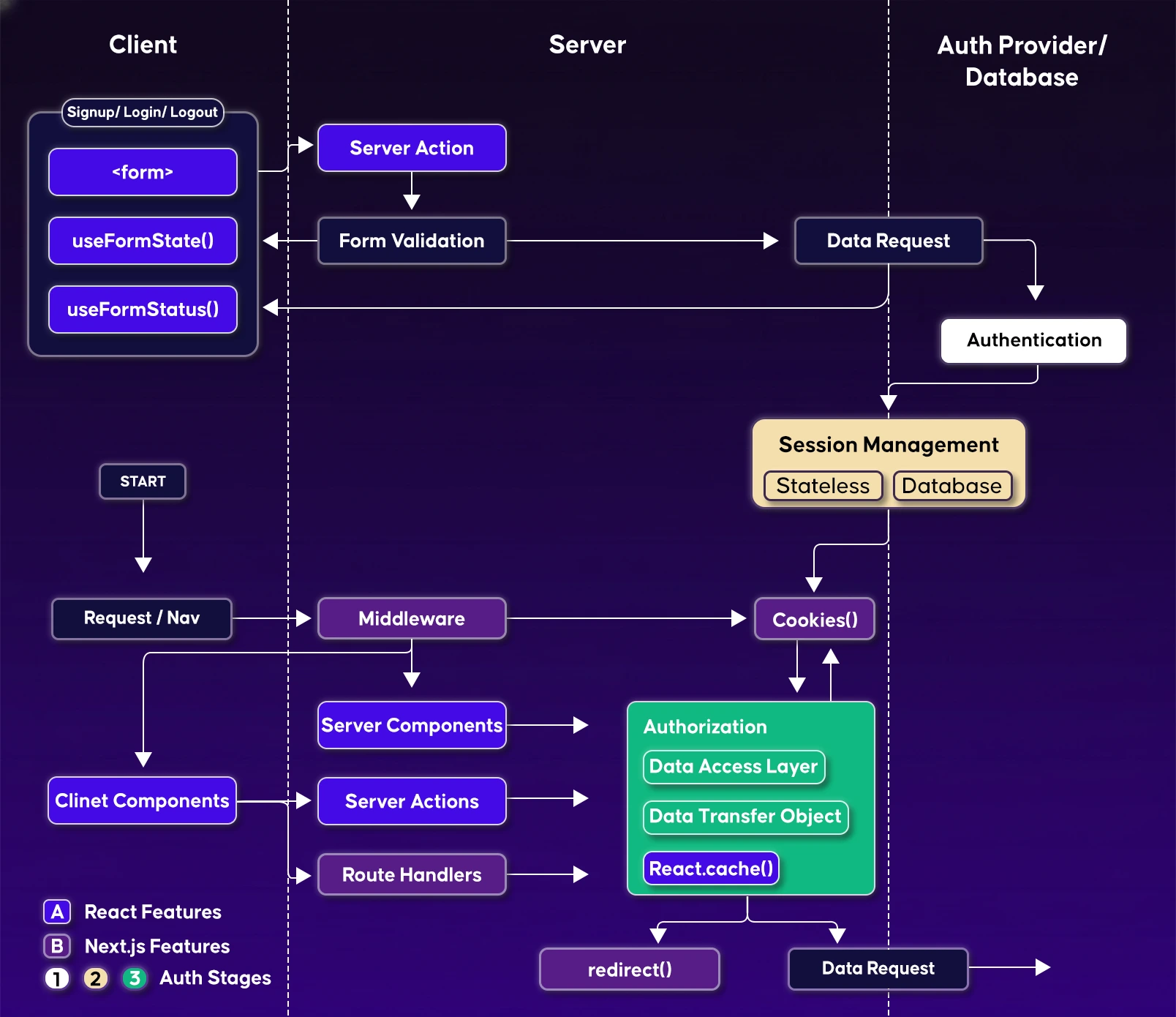
Once pages are component-driven, they are connected to internal services for pricing data, authentication state, analytics signals, and feature availability. Pages render against live application logic rather than static content, which keeps documentation, pricing, and onboarding surfaces accurate.
The image below shows how product logic is integrated into public pages using Next.js API routes and middleware. Pricing data, authentication state, and feature access are resolved at request time, allowing marketing and documentation pages to reflect real product behavior instead of static content.
Reviewing Changes in Isolated Preview Environments
Every change is introduced through a pull request that generates an isolated preview environment. Marketing, product, and engineering teams review updates in context before merging. This review stage catches issues early and prevents incorrect changes from reaching production.
The below image shows a preview deployment generated for a pull request in a Next.js workflow. Each change is deployed to an isolated environment for review before merging, enabling teams to validate updates without affecting production users.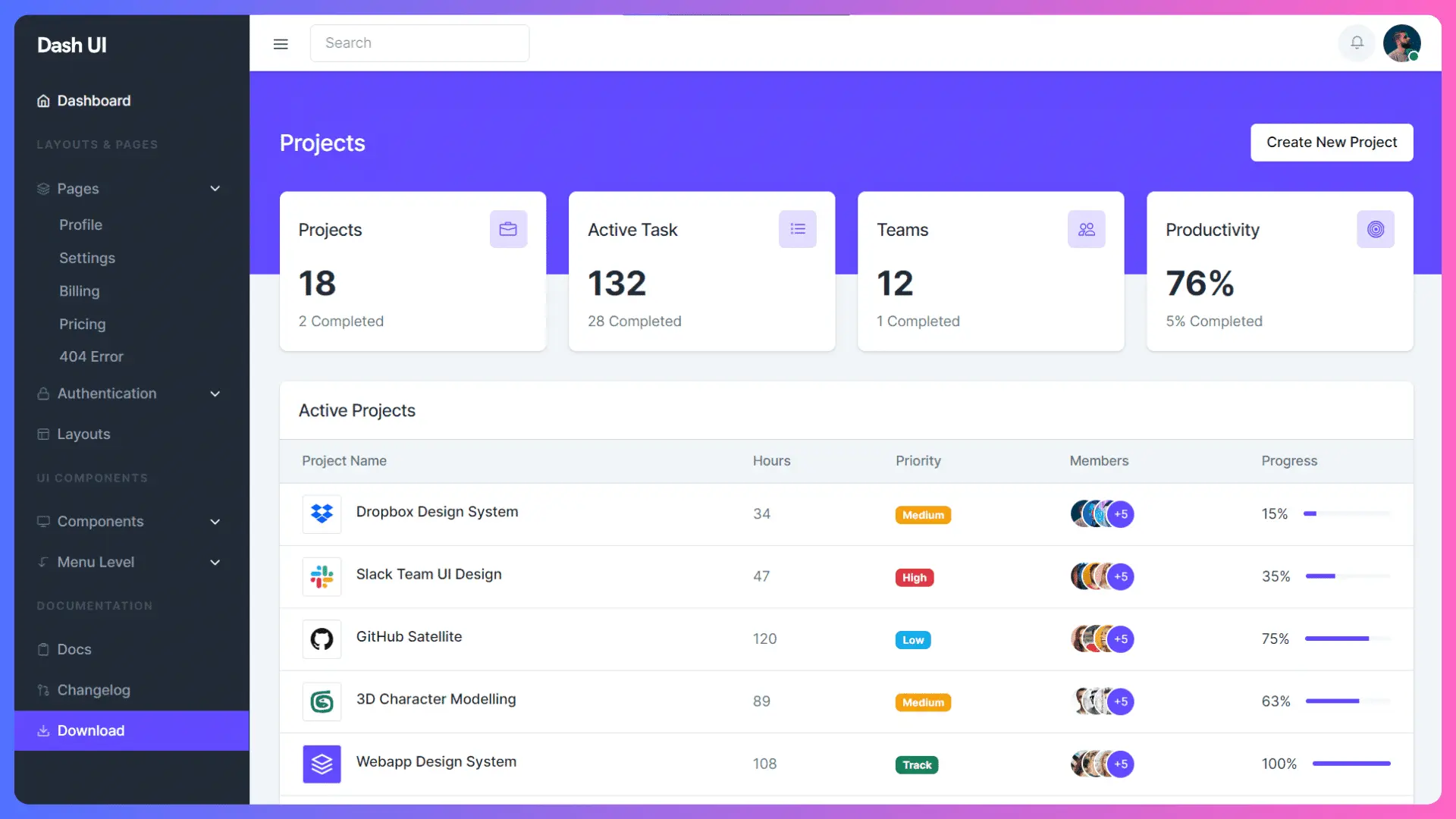
Releasing Updates Through the Product Delivery Pipeline
Approved changes are merged and deployed through CI pipelines. Monitoring, rollback mechanisms, and performance tracking apply to website updates in the same way they apply to application releases. This keeps public pages aligned with the product while reducing operational risk.
Where React and Next.js Fit in a B2B SaaS Website
React and Next.js are used when public pages must follow the same standards as the product itself. Teams adopt this approach when correctness, security, and consistency matter more than direct content updates by non-engineering teams. In these environments, the website is maintained with the same discipline as application code rather than treated as a separate publishing surface.
Sanity: Schema-Driven Content Management for B2B SaaS
When B2B SaaS Teams Use Sanity
Sanity is used when content is no longer managed page by page and instead needs to behave like shared data across the company. This typically happens when the same content must appear in multiple places, such as the marketing site, in-product UI, documentation, and sales enablement materials.
Teams choose Sanity because it separates content from presentation. Content is defined through schemas and queried wherever it is needed, allowing different teams and surfaces to consume the same source of truth without duplicating or rewriting content.
This pattern is visible in startups such as Algolia (developer infrastructure and APIs), where product descriptions, feature documentation, and marketing content are managed centrally and reused across the website and developer documentation. Sanity enables these teams to keep messaging consistent as features evolve, without coupling content changes to frontend deployments.
What Sanity Is Used For in Practice
- Centralized content management across teams
Used to manage content that needs to stay consistent between marketing pages, in-product UI text, documentation, and sales materials, without each team maintaining separate copies. - Documentation content reused across web and product interfaces
Used when the same documentation needs to appear on the public docs site and inside the application, ensuring updates propagate everywhere from a single source. - Feature descriptions shared between sales, marketing, and product
Used to define feature messaging once and reuse it across homepage sections, onboarding flows, docs, and sales enablement assets. - Multi-region and multi-language content operations
Used to manage localized content across regions and languages with structured fields, instead of duplicating pages for each market. - Content consumed by multiple frontends
Used when the same content feeds different interfaces, such as a marketing site, documentation portal, in-product help panels, and internal tools, without rewriting or restructuring content.
Hands-On Workflow: How Shared Content Is Defined, Managed, and Delivered Using Sanity
This workflow shows how Sanity is used to manage content as shared, structured data rather than page-specific text. It explains how content is defined once, edited collaboratively, consumed by multiple frontends, and delivered consistently across all surfaces that depend on it.
Defining Content Models as the Source of Truth
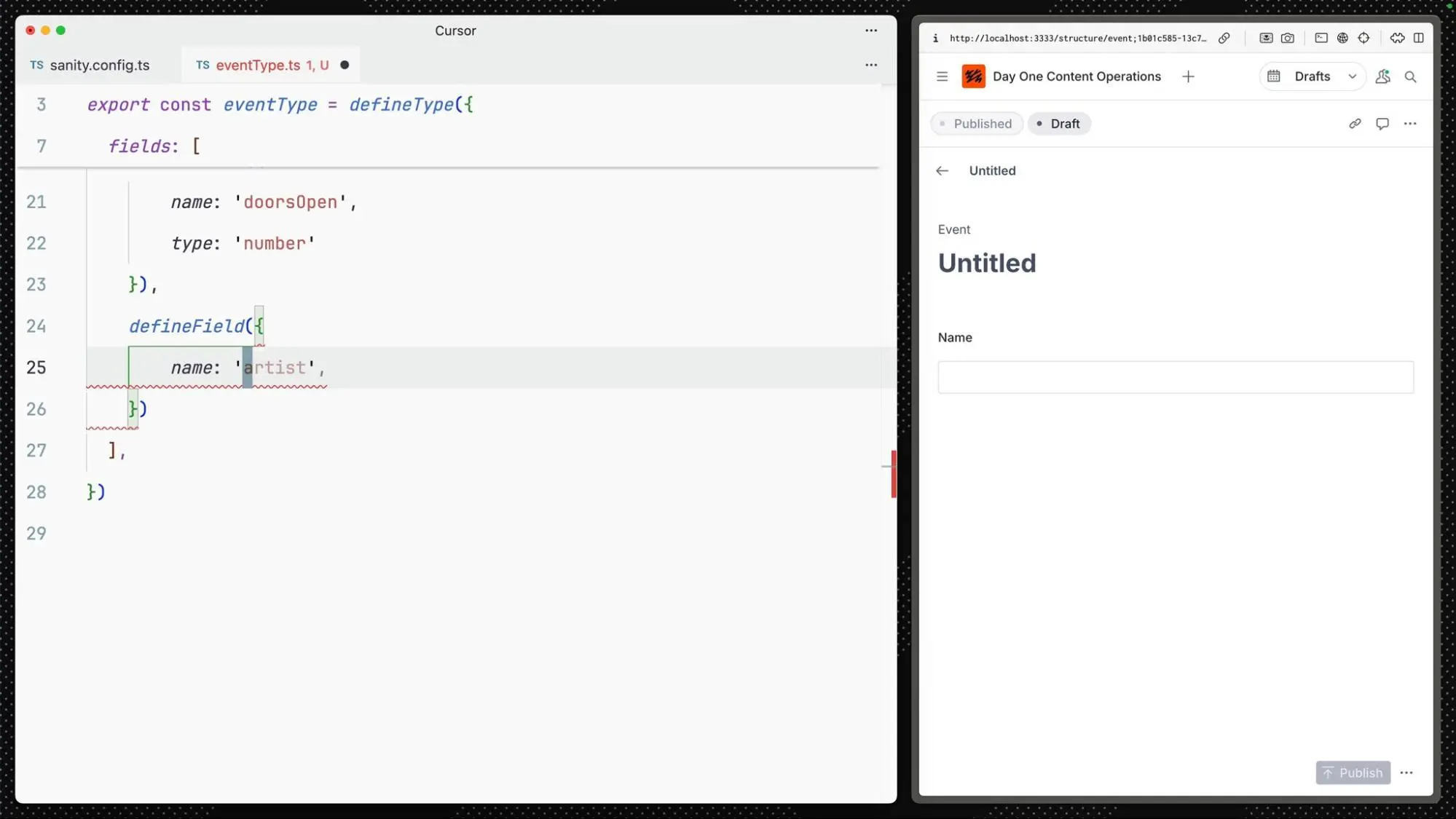
Teams begin by defining content types using code-based schemas. Fields, relationships, validations, and references are modeled explicitly before any content is created. This establishes a clear structure that content must follow, preventing inconsistencies as teams and use cases grow.
The below image shows a Sanity content schema defined in code, where fields, references, and validations are explicitly modeled. This illustrates how content structure is enforced before any data is created.
Managing Content Through a Shared Editing Interface
Once schemas are in place, content and marketing teams work inside Sanity Studio to create and update entries. Editing happens in real time, with support for drafts, revisions, and collaboration. Routine content updates do not require engineering involvement because structure and validation are already enforced.
Consuming the Same Content Across Multiple Frontends
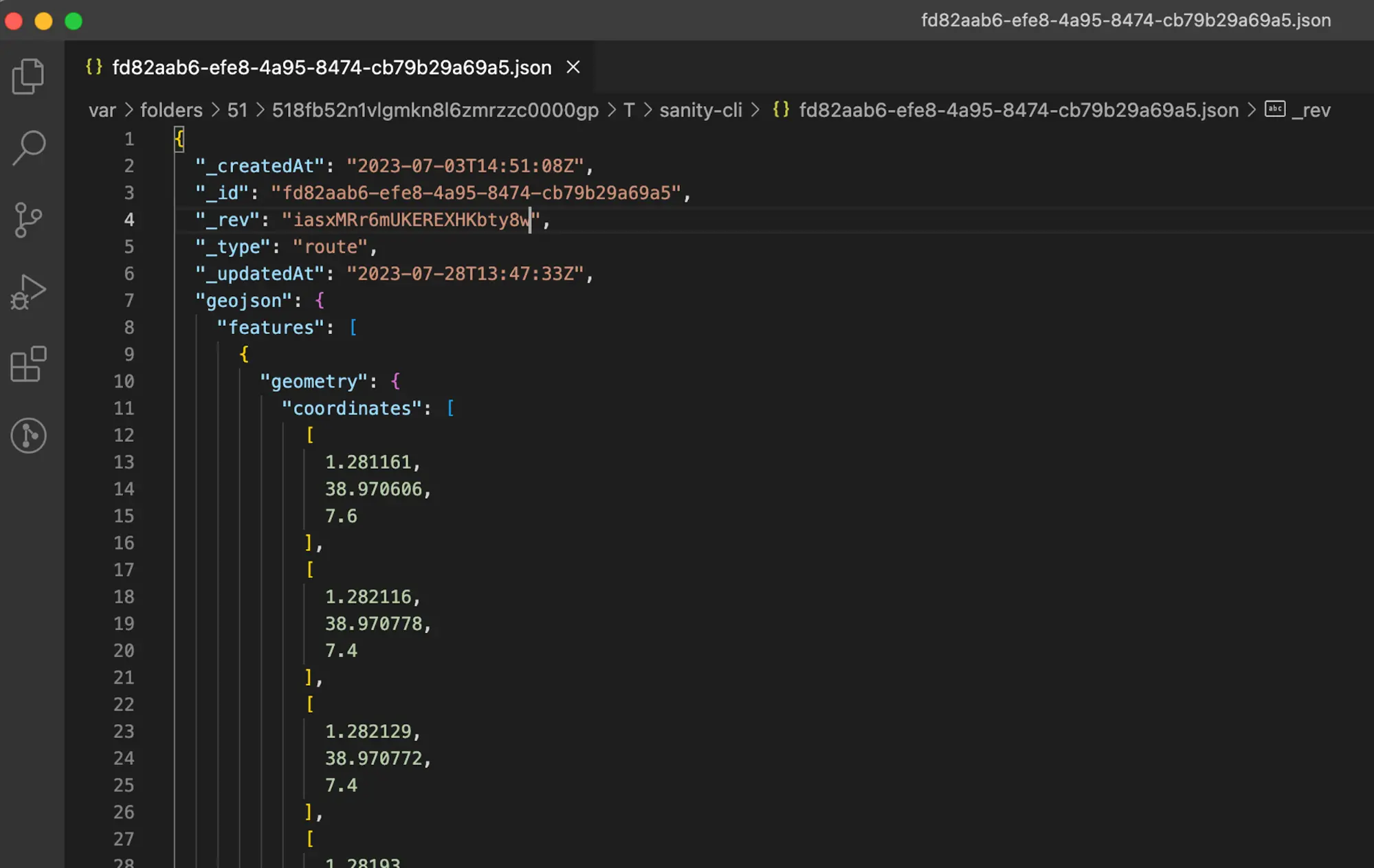
With content stored in a structured form, frontend applications such as Next.js query Sanity using GROQ. Each surface requests only the fields it needs, allowing marketing pages, documentation, and in-product UI to reuse the same content without duplication.
The below image shows how content is queried from Sanity into a Next.js frontend using GROQ. The frontend requests only required fields, allowing different surfaces to reuse the same content without duplication.
Reviewing Changes Across All Affected Surfaces
Before content changes are published, preview modes are used to view how updates will appear across different surfaces. This review step helps catch layout issues or unintended inconsistencies when the same content feeds multiple interfaces.
Delivering Updates from a Single Content Source
Once published, content flows to websites, applications, documentation portals, and internal tools from the same source. Updates propagate automatically, removing the need for manual synchronization and keeping all dependent surfaces aligned.0
Where Sanity Fits in a B2B SaaS Website
Sanity fits when content needs to function as shared, structured information rather than text written separately for individual pages. Teams adopt it when the same descriptions, labels, and messaging must stay consistent across marketing pages, product interfaces, documentation, and sales workflows.
Conclusion
This article examined how B2B SaaS teams build and operate their websites based on ownership, release workflows, and how closely pages need to reflect real product behavior. Through examples like Superhuman using Framer for fast-moving launch pages, Notion running content-heavy marketing surfaces on Webflow, Stripe managing product-connected pages with React and Next.js, and Algolia centralizing shared content through Sanity, we showed how different approaches map to real operating needs.
The main learning is that website decisions are driven by how teams work in practice. As content volume grows and public pages begin relying on live data, teams move from direct publishing models toward more governed release processes. This shift is reflected in industry trends as well. Gartner reports that by 2026, over 70% of digital experience initiatives will rely on composable and headless approaches to support frequent updates while maintaining reliability.
Frequently Asked Questions
1. What is the best website stack for B2B SaaS GTM teams in 2026?
There is no single best stack. The right choice depends on how GTM teams ship changes and how closely the website connects to product systems. Teams with design or marketing owned publishing often use Framer or Webflow. Teams with engineering governed releases typically use React with Next.js and Sanity.
2. When should a B2B SaaS company choose Framer or Webflow?
Framer or Webflow are usually chosen when:
- Landing pages and messaging change frequently
- Publishing is owned by design or marketing
- The website does not depend on internal product APIs
- Engineering time is focused on the core product
These tools are well-suited for teams where iteration speed matters more than system integration.
3. When does React with Next.js make more sense than no code tools?
React with Next.js becomes necessary when the website behaves like part of the product. This includes cases where pricing pages depend on billing logic, documentation pulls from structured data, or public pages share authentication and design systems with the application. At this point, changes must move through version control and reviewed deployments
4. Why do teams pair Sanity with React or Next.js?
Sanity is used when content needs to be shared across multiple surfaces. Teams pair it with React or Next.js when the same content appears on:
- Marketing websites
- Developer documentation
- Product onboarding flows
- Sales and enablement tools
Sanity keeps content structured and centralized while frontend teams control presentation.
5. Can B2B SaaS teams switch website stacks as they scale?
Yes. Many teams start with Framer or Webflow and later migrate to React and Sanity. This usually happens when website changes begin affecting product behavior, revenue systems, or security requirements. Stack changes follow operational needs rather than redesign cycles.