
TL;DR
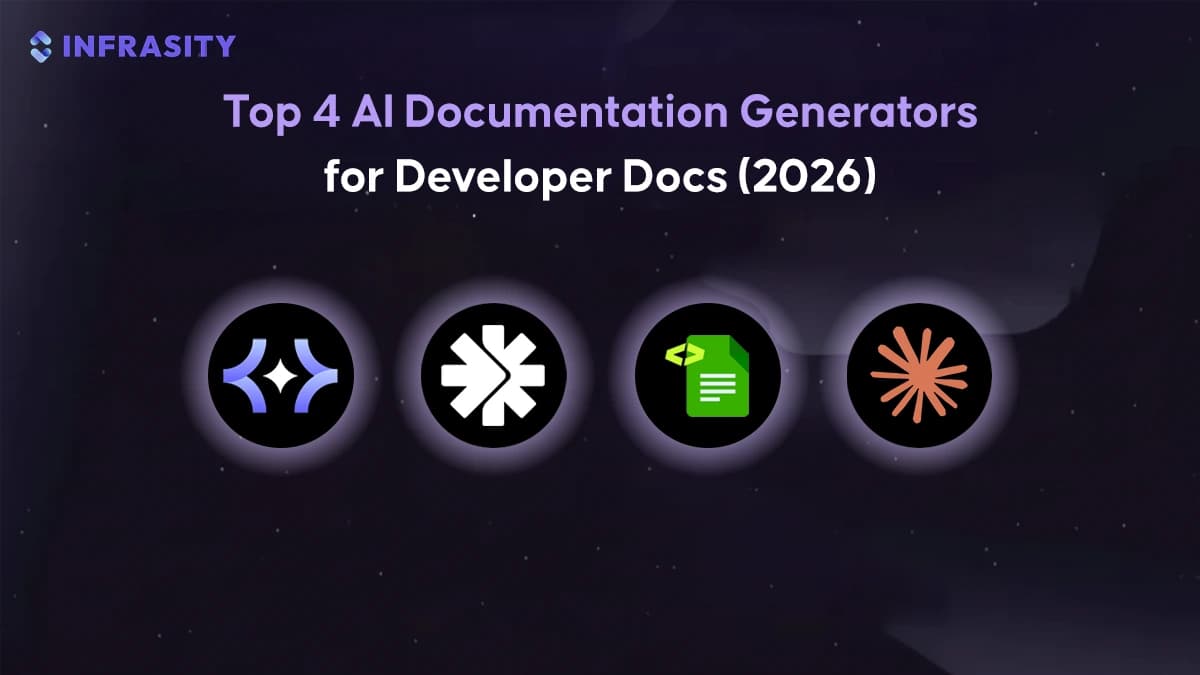
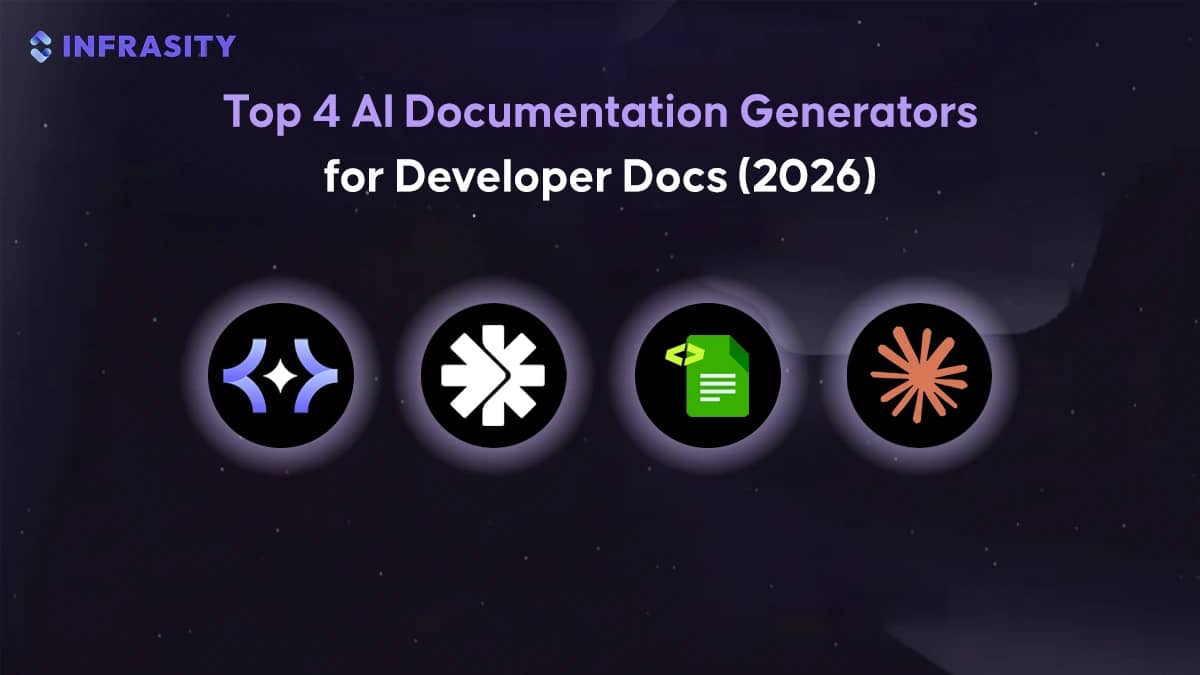
- Theneo focuses on turning existing Postman collections and OpenAPI files into customer-facing API documentation. Teams reach for it when documentation is part of how external engineers evaluate an API during trials, integrations, or partner onboarding.
- Scalar centers on rendering OpenAPI specifications into readable, interactive reference sites. It is typically adopted in workflows where the spec already lives in git and documentation is deployed alongside the product, often in self-hosted or internal environments.
- DocuWriter approaches documentation from the codebase rather than specs. It is used in backend-heavy systems where understanding real runtime behavior matters more than documenting an ideal contract, especially for legacy services or internal platforms.
- Claude Projects operates at repository scale and is used for long-form documentation that spans many files. It shows up in teams writing migration guides, architecture overviews, and onboarding docs that must stay consistent across code, configs, and existing documentation.
Together, these tools reflect how documentation workflows are changing in modern SaaS teams. Instead of writing docs manually after features ship, teams increasingly generate documentation from the same artifacts that define their systems: specs, code, and repositories. The sections below break down how each tool works in practice, where it fits into real engineering workflows, and what trade-offs teams should consider when choosing one approach over another.
How should teams choose the right AI documentation generator for creating API docs and SDK guides in 2026?
Modern AI doc tools start from the artifacts your engineering team already produces — OpenAPI files, Postman collections, and platform config or manifest files — and use those as the single source of truth to generate a documentation site. In practice, this means the tool parses your specs to infer high-level groupings, example requests, and common workflows rather than asking writers to handcraft every page. That matters because teams already maintain those artifacts in git, so generating docs from them keeps the output grounded in the real code and makes the docs easy to reproduce when the API changes.
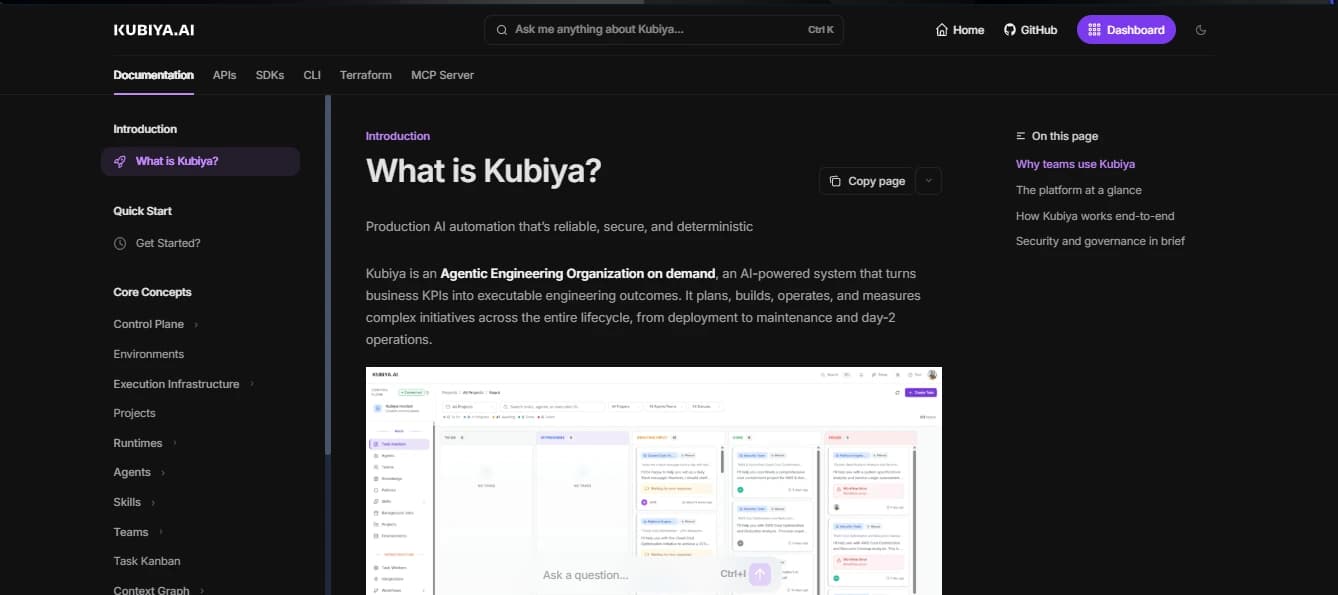
The generated site is organized as a product page: a short hero or introduction that explains what the platform does, a left navigation that groups capabilities into conceptual areas, and scoped sections such as core components, supported environments, and quick-start paths. This structure helps readers form a mental model first and then dive into specifics — for example, an operator can read the high level execution flow before opening the exact API call for creating a job. Showing intent up front reduces the back and forth where integrators try to map vague endpoint names to actual workflows.
Docs produced from specs also include runnable examples and inline request panels so developers can copy a snippet and verify behavior without leaving the page. The concrete benefit is practical: when a doc shows a curl example, a short SDK snippet, and the expected response together, an engineer can validate an integration in minutes instead of hunting through tests and code. That reduces implementation errors during proofs of concept and lowers the time product teams spend on one off integration support tickets.
Finally, this approach folds documentation into delivery pipelines so docs evolve with the product rather than lag behind it. Keep your spec in git, validate or regenerate it in CI, then let the doc generator publish the updated pages automatically. The result is fewer stale examples, simpler audits because documentation reflects actual behavior, and faster onboarding for new integrators because the docs are always tied to the current implementation.
The documentation shown below is a product-style introduction page generated and configuration specs rather than a raw API reference. It explains what the system does at a high level, organizes content by real execution concepts such as environments, agents, and infrastructure, and uses the actual product interface to ground the explanation. This type of documentation is designed to help users understand the platform’s role and workflow before interacting with APIs or configuration details
Identify the right documentation approach
Top 4 AI Documentation Tools Every API-First SaaS Should Know in 2026
Design-first API documentation tools focus on turning existing API artifacts into documentation that feels like part of the product rather than an afterthought. These tools typically start from OpenAPI files or Postman collections that teams already maintain and transform them into structured, navigable portals with examples and workflows baked in. The goal is to reduce the gap between how an API is built and how integrators evaluate it. The tools below approach this problem from different angles, but all prioritize clarity, structure, and trust in API documentation.
1. Theneo
Overview
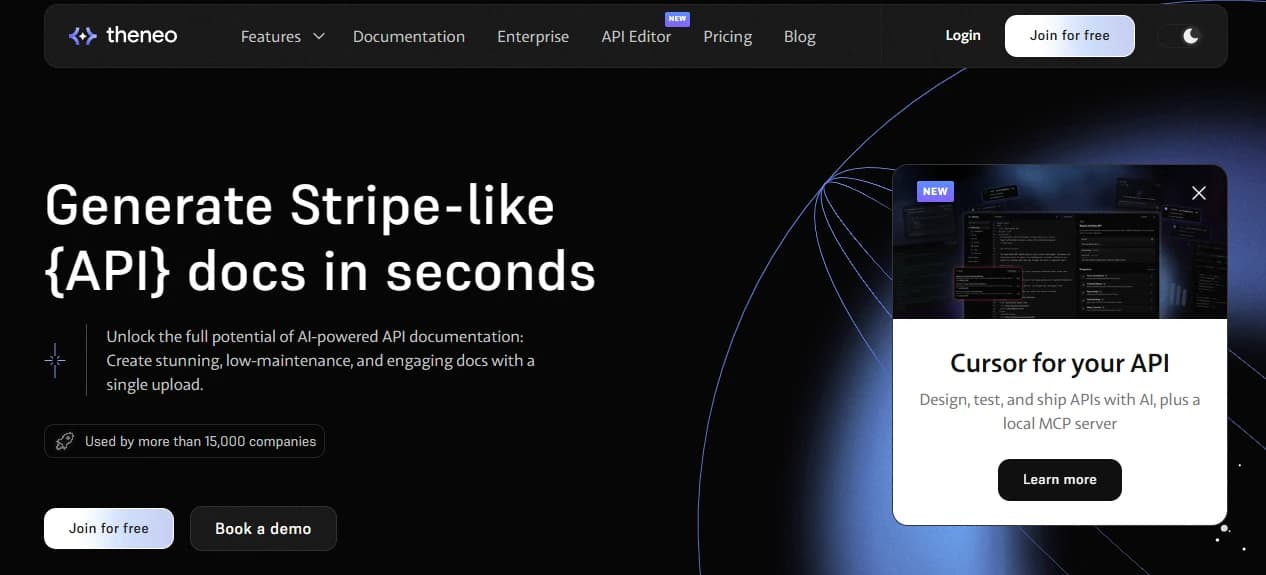
Theneo works in the part of the documentation workflow where APIs already exist, but the docs are not yet product-ready. Most B2B SaaS teams already maintain OpenAPI specs or Postman collections for development and testing. Theneo treats those artifacts as the source of truth and converts them into a documentation portal that looks intentional, structured, and trustworthy.
This matters because for public or partner-facing APIs, documentation is often the first thing integrators evaluate. Before latency, edge cases, or pricing, teams assess whether the docs explain what the system does, how it is structured, and how much effort integration will require. Theneo is designed for that evaluation moment, turning internal API definitions into a clean, navigable entry point for external developers.
Key Capabilities
- Spec-driven documentation generation
Builds documentation directly from OpenAPI or Postman without requiring manual rewriting. - Intent-aware content enrichment
Adds readable summaries, consistent naming, and example payloads on top of raw specs. - Product-style API layout
Uses a three-column reference layout with navigation, explanations, and runnable examples. - Built-in API explorer
Allows developers to execute requests and inspect responses directly from the docs.Intent-based search
Helps users find endpoints by what they want to do, not by method names.
Hands-on Usage Guide
Generating product-grade API documentation with Theneo
Step 1: Import existing API artifacts
Teams start by importing an OpenAPI file or a Postman collection that already exists in the development workflow. No restructuring is required upfront. The API definition is treated as authoritative and remains versioned in git.
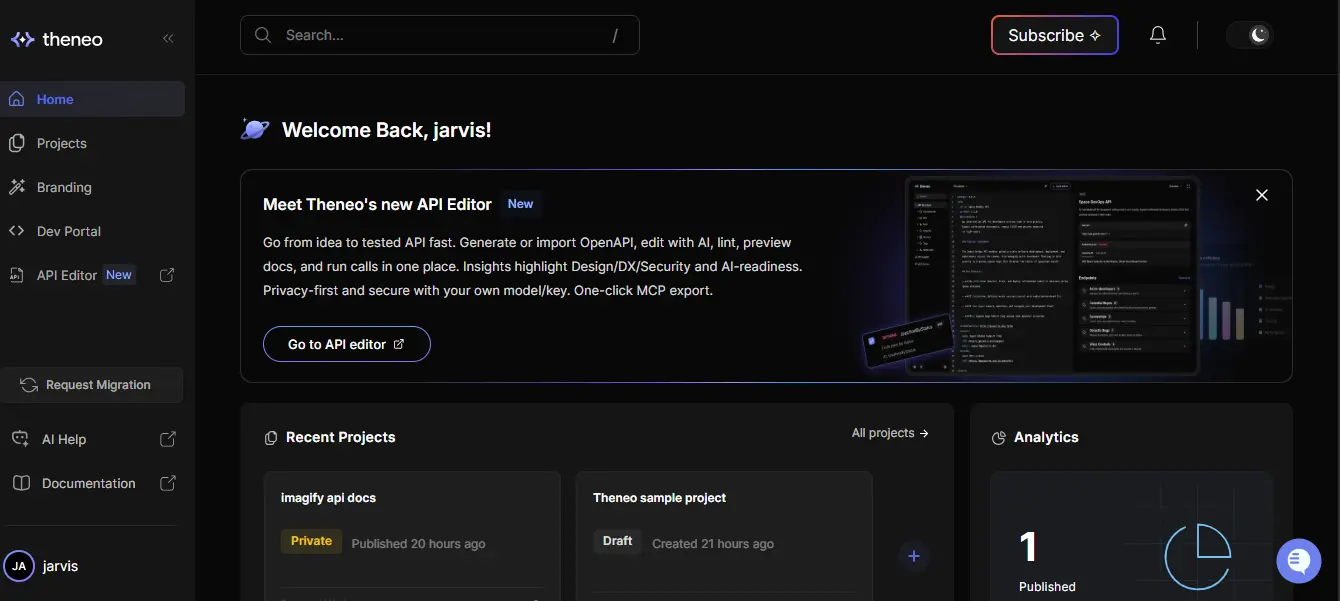
The image below represents the documentation landing experience generated from an imported API. It opens with a high-level overview of the API's functionality, followed by a structured navigation tree. This is the entry point integrators see instead of a raw list of endpoints.
Step 2: Generate structured documentation from the spec
Once the spec is ingested, Theneo organizes endpoints into logical sections based on capability rather than HTTP paths. Authentication, core resources, and operational actions are grouped to help readers understand workflows before diving into individual calls.
For example, a billing API that exposes authentication, invoice creation, and reconciliation endpoints will appear as clearly separated sections rather than a flat list of POST and GET routes. This reduces cognitive load during early evaluation.
Step 3: Enrich raw specs with readable explanations
Most API specs are written for machines and internal testing. They often contain shorthand naming, missing descriptions, and inconsistent grouping. Theneo analyzes these specs and generates intent-driven summaries that explain why an endpoint exists and how it fits into a workflow.
Engineers review and refine this output instead of writing everything manually. This keeps documentation aligned with implementation while significantly reducing authoring time.
Step 4: Provide runnable examples alongside explanations
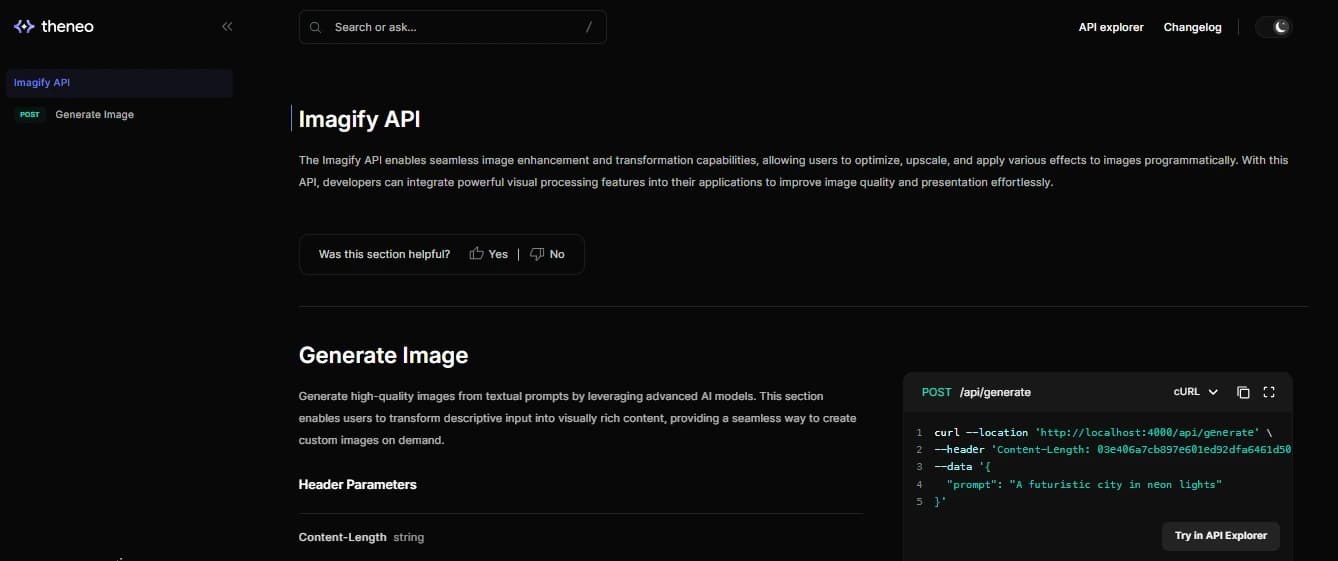
Each endpoint page follows a familiar pattern. Explanations appear in the center, while example requests and responses are shown alongside them. Developers can copy requests or execute them directly without leaving the page.
The image below demonstrates an inline API explorer embedded in the documentation. It shows request parameters, headers, and a live response panel, turning the docs into a lightweight sandbox for testing endpoints.
Step 5: Help users find functionality using intent-based search
As APIs grow, keyword search becomes unreliable. Developers typically search by intent rather than endpoint names. Theneo supports intent-based search so queries like “stop a job” or “generate an image” surface the relevant endpoint along with usage context.
This improves discoverability and reduces basic support questions during onboarding.
2. Scalar
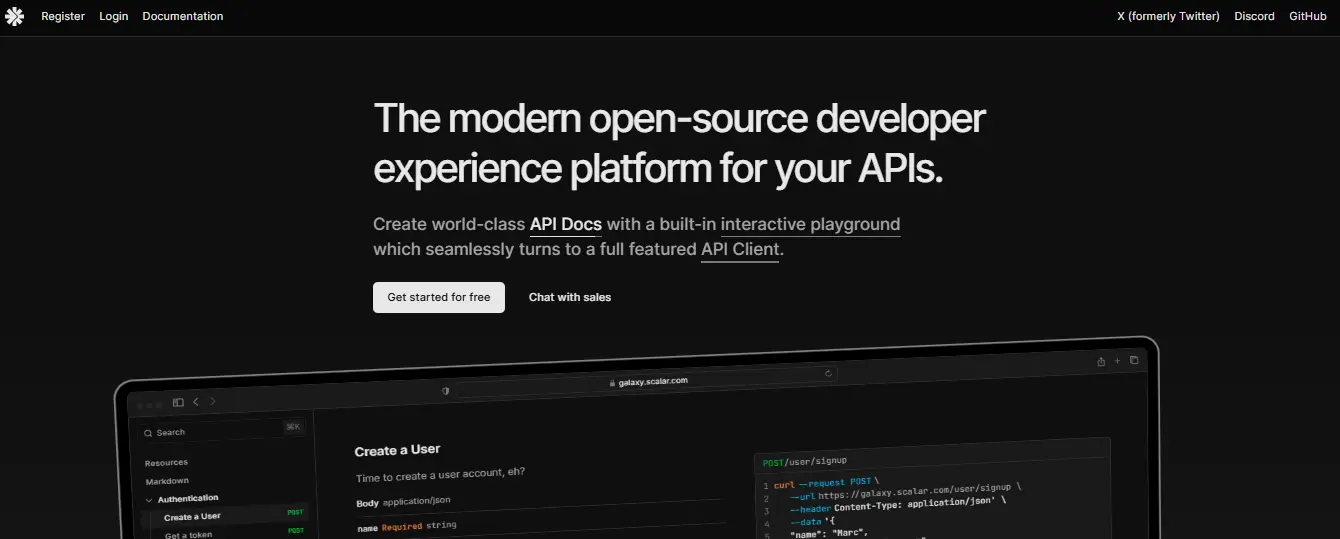
Overview
Scalar is built for teams that already treat OpenAPI as a first-class artifact and want documentation to stay tightly coupled to that spec. Instead of generating prose or rewriting endpoints, Scalar focuses on rendering existing OpenAPI definitions into documentation that feels like a product surface rather than a raw reference.
This approach is common in platform and infrastructure teams where the API contract is stable, versioned in git, and shared across multiple consumers. Scalar fits naturally into these environments by turning a verified OpenAPI file into a navigable, interactive documentation site without introducing a separate hosted documentation system.
Teams adopt Scalar when documentation needs to be deployed alongside the product, reviewed like code, and usable inside restricted or offline environments.
Key Capabilities
- Spec Driven Rendering
Uses OpenAPI or Swagger files as the single source of truth and renders them directly into documentation without duplicating content. - Readable, Product Style Layout
Groups endpoints by capability and workflow rather than HTTP paths, making it easier to understand what the API does before diving into details. - Interactive Request Panels
Allows developers to inspect request schemas, required fields, and example payloads inline while browsing the documentation. - Self Hosted by Design
Documentation output can be deployed on internal infrastructure, static hosting, or private cloud environments without relying on external SaaS.
Hands-On Usage Guide
Publishing API Documentation with Scalar
The walkthrough below shows how teams typically use Scalar to publish OpenAPI documentation as part of their delivery workflow.
Step 1: Prepare the OpenAPI specification
Teams start by keeping their OpenAPI file in Git, either manually authored or generated from code. This file defines the authoritative API contract and is typically validated in CI before publication.
The goal at this stage is correctness, not presentation. Scalar assumes the spec is already accurate and focuses on rendering.
Step 2: Load the spec into Scalar
Once the spec is ready, it is passed into Scalar through configuration or a starter setup. Scalar reads the OpenAPI file and immediately renders the documentation structure.
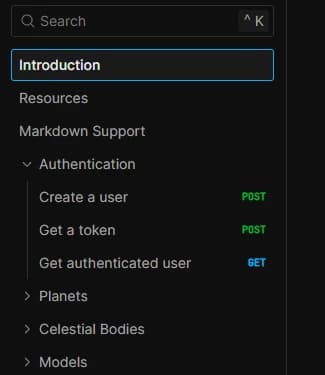
The snapshot below shows the left navigation generated from an OpenAPI spec, where endpoints are grouped into logical sections like authentication and resources. This view helps readers understand API scope without reading individual endpoints.
Step 3: Explore endpoints in a readable reference layout
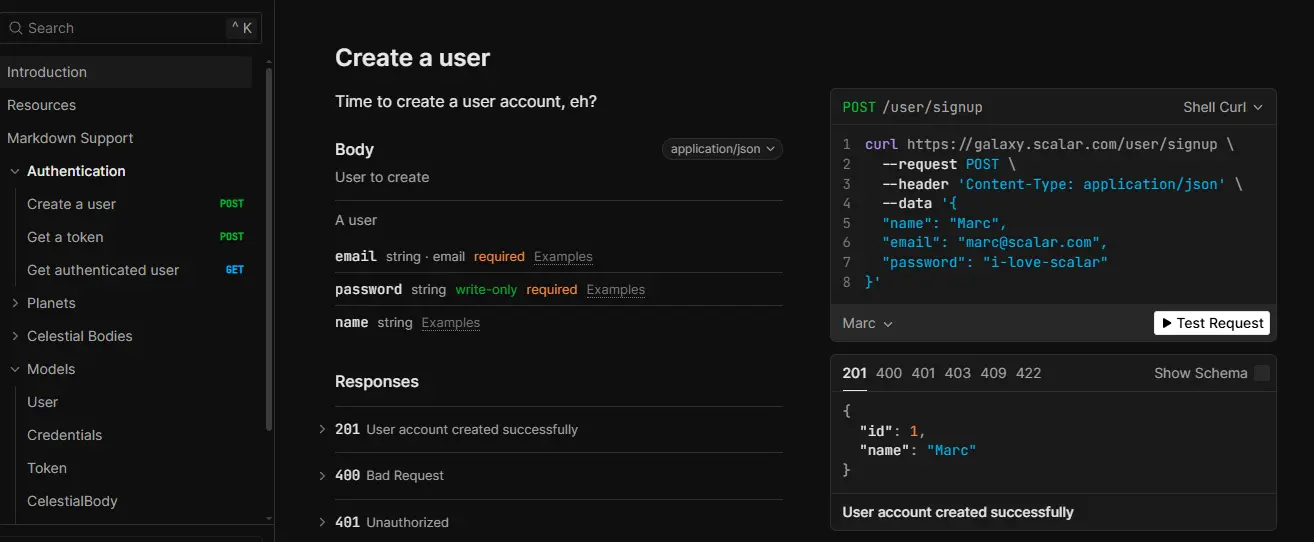
Each endpoint page presents request details, required parameters, and responses in a clean, readable layout. Instead of scrolling through YAML or JSON, developers see clearly labeled fields and example payloads.
The snapshot below shows a single endpoint page with request body fields, required attributes, and response status codes displayed side by side. This makes it easy to reason about inputs and outputs without leaving the page.
Step 4: Validate behavior using inline examples
Scalar surfaces example requests and responses are directly next to the documentation. Developers can inspect schemas, copy example payloads, and validate expected responses while reading.
Step 5: Deploy documentation as part of CI
Because the documentation is derived entirely from the OpenAPI file, teams usually wire Scalar into CI. When the spec changes, the docs are regenerated and redeployed automatically alongside application releases.
This ensures documentation reflects the real API surface instead of lagging behind implementation.
How Enterprise Teams Use Scalar in Practice
Platform and infrastructure teams often use Scalar to document APIs that power automation, internal tooling, or open source projects. In these environments, documentation must be accurate, versioned, and accessible inside restricted networks.
By keeping OpenAPI in git and rendering it through Scalar, teams maintain a clear separation between API definition and presentation while ensuring both evolve together. The spec remains authoritative, and the published docs become a reliable interface for developers consuming the API.
Why Enterprises Choose Scalar
Enterprises choose Scalar when documentation needs to be owned, audited, and deployed like any other service. It fits organizations that value OpenAPI as a contract, want full control over hosting and access, and need documentation that remains usable even without external tooling.
For teams documenting internal platforms, Kubernetes automation APIs, or shared services, Scalar provides a predictable way to turn specs into documentation that developers can actually navigate and trust.
3. DocuWriter
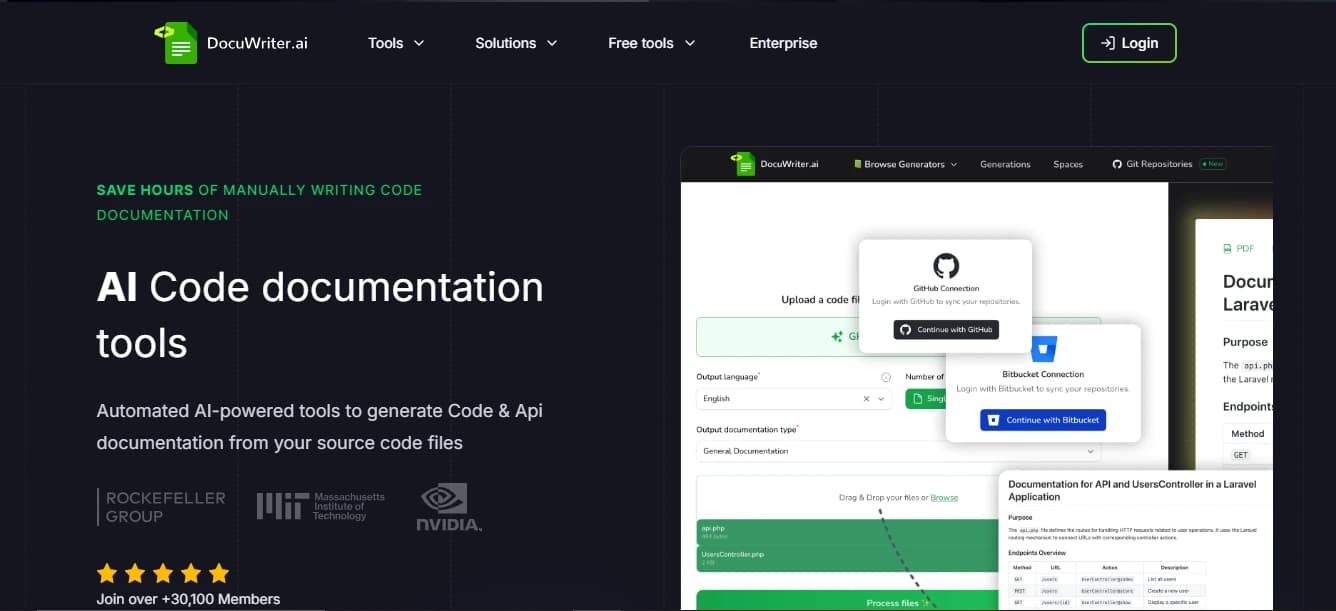
Overview
DocuWriter is built for teams that want documentation to be derived from the same source that actually defines system behavior: the codebase. Instead of relying on manually written specs, outdated READMEs, or tribal knowledge, DocuWriter reads real source files and generates documentation that mirrors how services behave in production.
This approach is common in backend-heavy and platform teams where APIs, background workers, and internal services evolve quickly. In these environments, documentation written after the fact often drifts from reality. DocuWriter reduces that gap by making documentation an output of the code itself, which makes it easier for engineers, support teams, and auditors to trust what they are reading.
Teams adopt DocuWriter when documentation accuracy matters more than polish and when understanding behavior is more important than presenting a marketing-friendly interface.
Key Capabilities
- Code to Documentation Engine: Reads implementation files directly and generates module-level overviews, function and class explanations, and behavioral descriptions based on real execution paths.
- Implementation Aligned Explanations: Documentation reflects what the system actually does, including validation rules, state changes, and side effects, rather than what the API contract intended to do.
- Suggested Tests and Validation Hints: While generating docs, the system can surface example tests and highlight unclear or fragile logic, turning documentation into a secondary review signal.
Multi-Language Support: Works across common backend languages, which allows platform teams with mixed stacks to maintain a consistent documentation surface.
Hands-On Usage Guide
Generating Documentation from a Repository with DocuWriter
This walkthrough shows how teams typically use DocuWriter to turn source code into reviewable, publishable documentation.
Step 1: Connect a repository or upload source files
Teams start by connecting to a repository or uploading a specific set of source files. This can be a full-service, a folder within a monorepo, or even a standalone extension or worker.
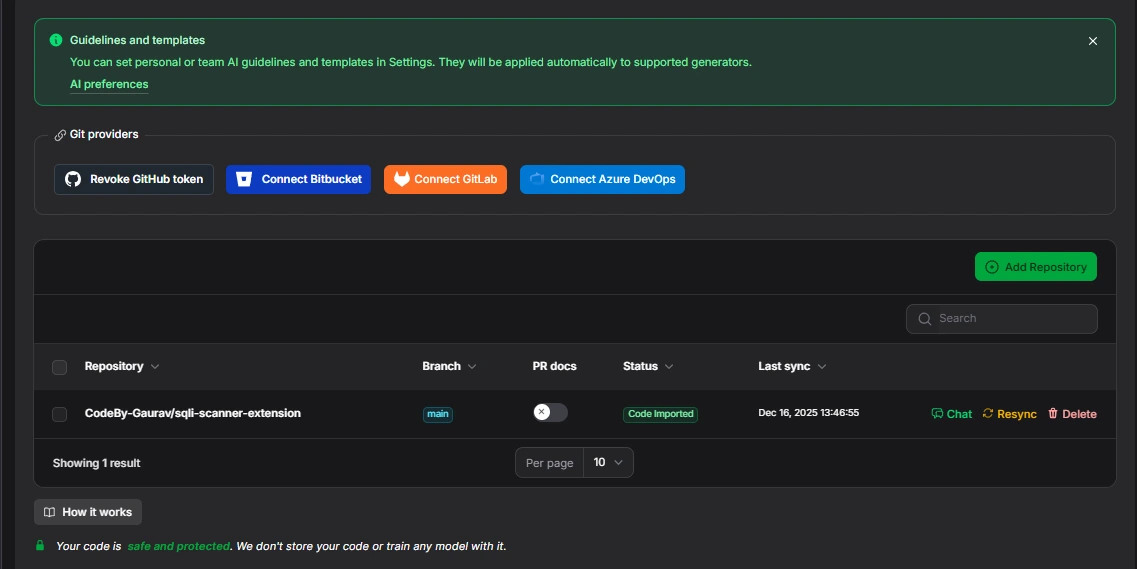
The snapshot below shows the repository connection screen, where source control providers are linked, and a specific repository is selected. This is the entry point where DocuWriter gains read-only access to the code it will analyze.
Step 2: Generate an initial documentation draft
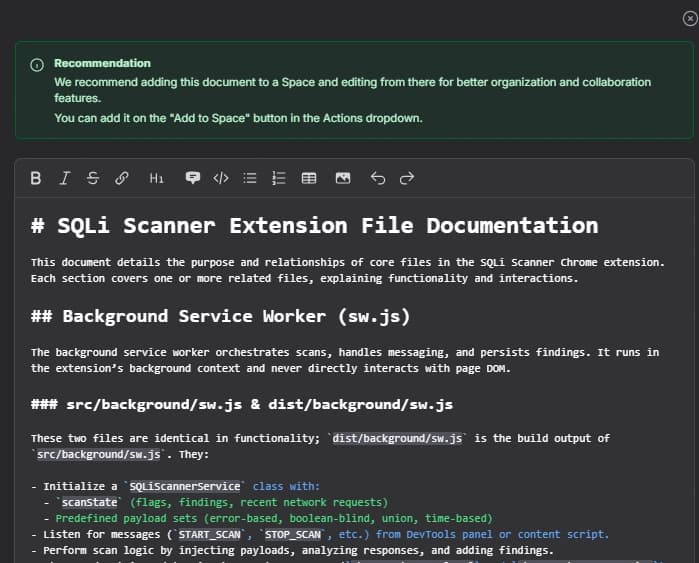
Once the repository is connected, DocuWriter scans the codebase and identifies modules, background services, entry points, and exposed functions. It then generates a structured documentation draft with sections mapped to the code layout.
The snapshot below shows a generated documentation editor with a structured outline on the left and detailed explanations in the main panel. This view demonstrates how raw source files are converted into readable sections instead of exposing file trees or code blocks directly.
Step 3: Review function and service level explanations
Each documented section explains what a service or function does, how it interacts with other components, and what inputs and outputs are expected. These explanations are derived from implementation logic, not comments or naming alone.
For example, a background worker that processes messages will have its execution flow, message handling, and persistence behavior explained in plain technical language.
Step 4: Validate behavior with examples and responses
Generated documentation often includes example inputs, outputs, and response structures that mirror runtime behavior. This helps engineers and support teams reason about edge cases without stepping through code.
In practice, teams use this during onboarding or incident reviews to quickly understand how a specific function behaves under certain conditions.
Step 5: Review, refine, and publish
After generation, engineers review the draft, adjust terminology where domain language matters, and decide which suggested tests or clarifications to keep. The finalized documentation is then committed to the docs repository or published to an internal portal.
Many teams wire this step into CI so documentation is regenerated when code changes, keeping docs versioned alongside implementation.
How Generated Docs Map to Enterprise Documentation
In enterprise platforms, documentation often needs to combine reference accuracy with operational guidance. Generated documentation can include configuration examples, lifecycle explanations, and verification steps alongside function descriptions.
This structure mirrors how internal platform and automation documentation is written, where engineers need both low-level details and step-by-step understanding in the same place.
When This Approach Fits B2B SaaS Teams
Code-driven documentation works best for systems with long-lived services, complex workflows, or significant internal usage. Typical scenarios include onboarding new engineers, preparing materials for audits or compliance reviews, documenting internal platforms, and supporting large-scale refactorings or migrations.
Because documentation is grounded in absolute code paths, it remains useful even as systems grow and change.
Why Enterprises Choose DocuWriter
Enterprises choose DocuWriter because it produces documentation that scales with engineering complexity. It shortens onboarding by giving new engineers an accurate picture of system behavior. It supports audits by tying explanations back to implementation. It reduces risk during refactors by exposing coupling and side effects early.
Most importantly, it turns documentation into a reproducible engineering artifact. Instead of being a manual task that gets postponed, documentation becomes part of the same workflows that ship code, keeping knowledge accurate and reviewable over time.
4. Claude Projects
Overview
Claude Projects is designed for documentation tasks that require understanding an entire repository rather than isolated files. Instead of prompting against individual snippets, teams upload a full codebase or documentation directory into a project. Claude maintains a persistent context across all files, allowing it to reason about structure, dependencies, naming conventions, and historical changes over time.
This model fits documentation work that typically breaks down in large SaaS systems: migration guides, architecture overviews, onboarding manuals, and release documentation. These documents often span APIs, configuration files, infrastructure definitions, and existing docs. Claude Projects reduces fragmentation by treating the repository as a single source of narrative context rather than a collection of unrelated inputs.
Teams adopt Claude Projects when documentation must reflect system reality across many files and when consistency matters more than generating single pages in isolation.
Key Capabilities
- Repository-Scoped Context
Maintains long-running context across an entire repository or docs folder, allowing documentation to reference multiple files accurately. - Cross-File Reasoning
Can compare versions, read diffs, and pull related examples from different parts of the codebase into one coherent document. - Rendered Artifacts
Generates diagrams, tables, configuration snippets, and UI components alongside text, ready to be embedded into documentation sites. - Long-Form Drafting
Produces migration guides, architecture explanations, and onboarding docs that read as a single narrative rather than stitched fragments.
Hands-On Usage Guide
Writing Long-Form Documentation with Claude Projects
This walkthrough shows how platform and product teams typically use Claude Projects for repository-level documentation tasks.
Step 1: Create a project and upload the repository
Teams begin by creating a new project and uploading the repository or documentation directory. This establishes a persistent workspace where all future prompts reference the same codebase.
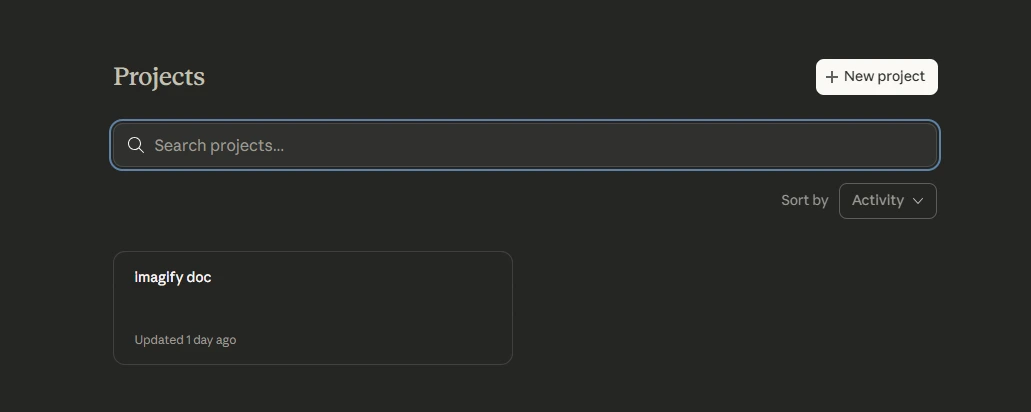
The snapshot below the Claude Projects dashboard shows an existing project listed. It represents the project-level entry point where repositories are managed and reused across documentation tasks.
Step 2: Establish repository context
After upload, teams usually provide a short prompt describing the repository structure and documentation goal. For example, identifying which folders contain APIs, infrastructure, or configuration files.
This initial context helps the model align its output with how the system is actually organized.
Step 3: Generate long-form documents with cross-file awareness
Once context is set, teams issue targeted prompts such as writing a migration guide, producing an architecture overview, or assembling onboarding documentation. Claude pulls relevant examples, configuration keys, and code snippets from across the repository.
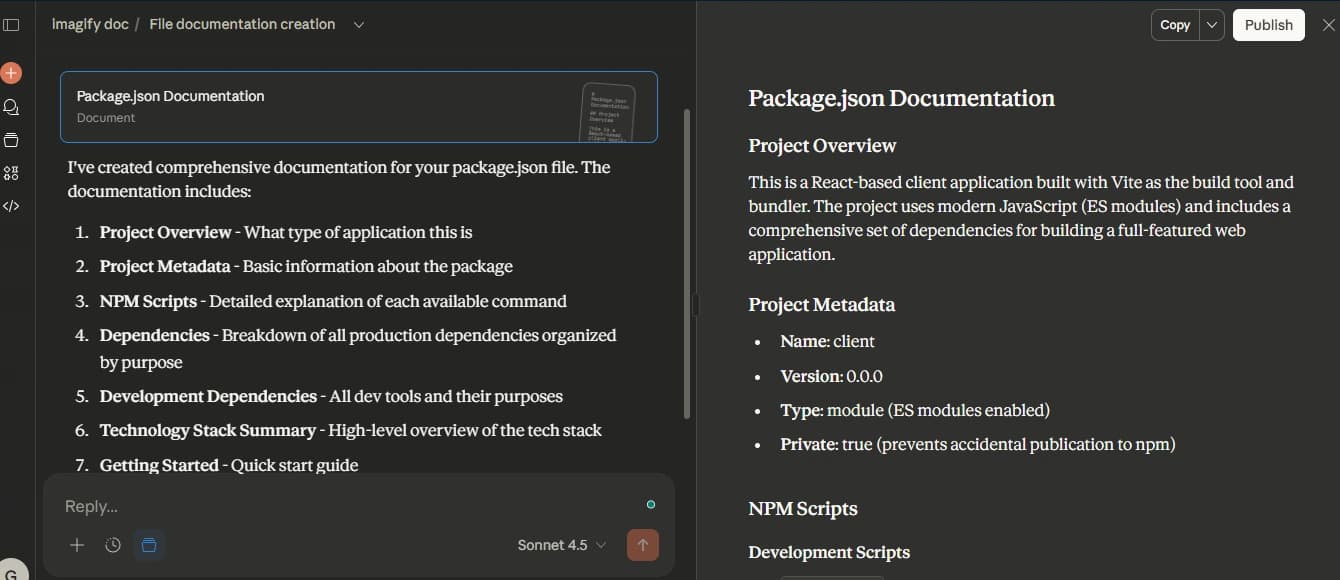
The snapshot below is a generated long-form document inside a project, such as package-level or migration documentation. It demonstrates how information from multiple files is assembled into a structured, readable document with clear sections.
Step 4: Produce artifacts alongside documentation
In addition to text, Claude can generate rendered artifacts like diagrams, tables, and configuration examples. These artifacts are immediately usable in documentation systems and reduce the need for manual diagramming or formatting.
This is particularly useful for explaining workflows, service relationships, or configuration changes that are hard to convey through text alone.
Step 5: Review, refine, and publish
Teams treat the generated output as a high-quality draft. Engineers and technical writers review wording, adjust organization-specific policies, and refine diagrams where precision matters. Accepted content is then copied into the docs repository and committed like any other documentation change.
For major releases, some teams rerun the same prompts to regenerate migration sections or architecture diagrams, keeping documentation aligned with code changes over time.
When This Approach Fits B2B SaaS Teams
Project-scoped documentation works best when content must reference multiple files and concepts simultaneously. Typical cases include migration guides spanning multiple services, architecture documents covering APIs and infrastructure, and onboarding playbooks combining READMEs, ADRs, and examples.
Large repositories benefit most because a single narrative document reduces fragmentation across scattered doc sources. Support and security teams also benefit because documentation explains not only how something works, but where that behavior originates in the codebase.
Identify the right documentation approach
Why Enterprises Choose Claude Projects?
Enterprises choose Claude Projects because it scales documentation with system complexity. It reduces the effort of tracking changes across large repositories, lowers the risk of missing critical updates, and produces documentation grounded in real code and configuration.
When platforms introduce breaking changes or new architectures, this approach enables teams to generate accurate migration guides, architecture overviews, and onboarding materials in a single pass. The result aligns with how mature SaaS platforms document agents, workflows, and system behavior across large documentation sets.
Conclusion
What this guide really shows is how develooper teams are changing the way they think about documentation. We learned that modern documentation is no longer written from scratch or maintained as a separate task. Instead, it is generated from the same sources engineers already rely on every day: OpenAPI specs, Postman collections, source code, and full repositories. When documentation is tied to these artifacts, it stays closer to real system behavior and doesn’t fall apart as APIs, services, and workflows evolve.
We also saw that different tools solve different documentation failures. Design-first tools improve how public APIs are understood and evaluated. Code-driven generators explain what backend systems actually do, not what they were meant to do. Project-level models enable long-form guides that span multiple services without losing context. The common thread is that documentation works best when it is produced alongside delivery, not after it.
This is where Infrasity fits in. Infrasity works with agentic B2B SaaS companies to turn evolving platform behavior into usable developer documentation. We structure product docs, task-driven guides, and release notes around real workflows agents, policies, execution steps, and context graphs so developers can find, understand, and apply them as the product changes. Instead of static pages that age quickly, teams get documentation that evolves with the platform and remains useful as systems grow more complex.
The main takeaway is simple: good documentation in 2026 is not about writing more content. It is about connecting documentation to how your product is built, shipped, and operated. Teams that do this end up with docs that scale naturally with their systems rather than becoming another thing to maintain.
Frequently Asked Questions
1. Which AI documentation generator should I buy for building API docs and SDK guides?
It depends on where your documentation breaks today.
- Public API evaluation: Theneo performs well when customers judge your API based on documentation quality. It turns OpenAPI or Postman into clean, product-style portals with examples and quickstarts.
- SDK accuracy issues: DocuWriter is useful when SDK docs drift from real behavior, because it generates explanations and examples directly from source code.
- Long onboarding or tutorials: Claude Projects fits best when guides span many files and services, since it reasons across an entire repository.
2. How should I compare AI documentation generators for OpenAPI-to-SDK workflows?
Start with how each tool treats OpenAPI.
- Scalar: Assumes OpenAPI is the single source of truth and focuses on rendering accurate, interactive references.
- Theneo: Enriches specs with AI-generated descriptions and examples when specs are correct but not reader-friendly.
The real test is whether SDK snippets stay in sync after spec version changes and how much manual cleanup is needed.
3. Which AI documentation generator integrates best with CI/CD?
Look for tools that treat docs as build artifacts.
- Scalar: Commonly used with OpenAPI in git to regenerate and publish docs on every merge.
- DocuWriter: Can run in CI to regenerate internal service docs whenever backend code changes.
Strong CI/CD integration means docs regenerate from versioned inputs, not manual UI edits.
4. What features should I prioritize when buying an AI documentation generator?
Prioritize features that remove manual work.
- API references: Direct OpenAPI ingestion and automatic regeneration (Theneo, Scalar).
- SDK docs: Examples generated from real code, not summaries (DocuWriter).
- Complex guides: Repository-level context for multi-file docs (Claude Projects).
Good tools reduce rewrites, not just improve wording.
5. Which AI documentation generator is worth buying in 2025?
Buy tools that match how you ship software.
- Spec-driven teams: Scalar or Theneo keep API docs aligned with OpenAPI.
- Undocumented or legacy services: DocuWriter creates a reliable baseline from code.
- Frequent migrations or onboarding: Claude Projects saves time by assembling long-form docs from many files.
6. How should teams evaluate the total cost of ownership?
Don’t look at license cost alone.
- Hosted tools (Theneo): Lower writing effort, but still need review cycles.
- Self-hosted tools (Scalar): Lower long-term cost when OpenAPI already exists.
- Code-driven tools (DocuWriter, Claude Projects): Reduce human effort during onboarding, audits, and migrations.
The real savings show up in how much manual documentation work disappears over time.