
TL;DR
- Mintlify is ideal for small API first SaaS teams such as Fyno, Nected and Invoicesherpa that ship updates every week and want documentation to move at the same speed. Its MDX format, auto generated API references and GitHub syncing reduce manual editing by almost 60 percent, which helps teams keep their API docs aligned with OpenAPI changes without extra effort.
- GitBook fits cross functional teams where product, support and engineering all write in the same place. Startups like Loopin, Zluri and SaaSFlow use it as a shared workspace for internal runbooks and customer facing guides. The visual editor and comment system make it simple for non engineers to contribute without learning Markdown or any technical workflow.
- ReadMe works best for API focused startups that want interactive onboarding. Companies like RazorpayX, Shiprocket API and Scalepack use it so customers can test endpoints and view usage dashboards without switching tools. The interactive console and personalized responses often reduce onboarding time by more than 40 percent which matters a lot when you handle frequent API integrations.
- Docusaurus is a strong choice for engineering driven startups such as Calcom, N8N and Refine dev that want complete control over layout, navigation and theming. It is open source and React based which makes it ideal for products with multiple versions and SDKs. It is also useful when your documentation needs custom components or advanced structuring that visual editors cannot provide.
Introduction to Developer Documentation Tools
Choosing the right documentation tools starts with understanding what bad documentation looks like in practice. Bad documentation examples are everywhere — outdated API references, missing error codes, tutorials that skip critical steps — and the tools covered in this guide are specifically chosen to help developer teams avoid these exact pitfalls.
Developer Experience has become one of the strongest factors behind the success of modern software products. As teams release updates faster and work across distributed environments, the need for clear and dependable documentation becomes even more important. Well structured developer documentation reduces onboarding time, lowers support tickets and helps teams integrate APIs without confusion. You can also read our guide on product documentation best practices for deeper examples of how teams structure their docs. Gartner notes that more than 70 percent of SaaS teams now consider documentation a core feature of their product.
Many modern companies follow an API first approach where the API is built before the user interface. Startups such as Fyno, SuperTokens, and Cashfree API follow this model because customers depend on fast and stable integrations. SaaS teams like Loopin and Nected also depend on strong documentation systems to support frequent updates and integrations. Even small API providers including Shiprocket API and Shyft treat documentation as part of the product, not an afterthought.
Modern documentation platforms go far beyond static pages. Tools like Mintlify documentation, GitBook documentation, ReadMe API docs and Docusaurus documentation allow teams to write, organize and version content with real time syncing, OpenAPI driven API reference generation and collaborative workflows. This keeps documentation aligned with code changes and prevents version drift, which is a common issue for engineering teams that ship updates every few days.
In this guide, you will learn how Mintlify, GitBook, ReadMe and Docusaurus differ in terms of workflow, customization, onboarding experience and long term maintenance. You will also understand when each platform makes sense based on your product style, whether you are shipping a public API for an AI agent platform, maintaining SDKs in three languages or running a private admin API for internal tools. By the end, you will be able to choose the documentation platform that fits your product, team size and technical workflow.
Mintlify
Overview
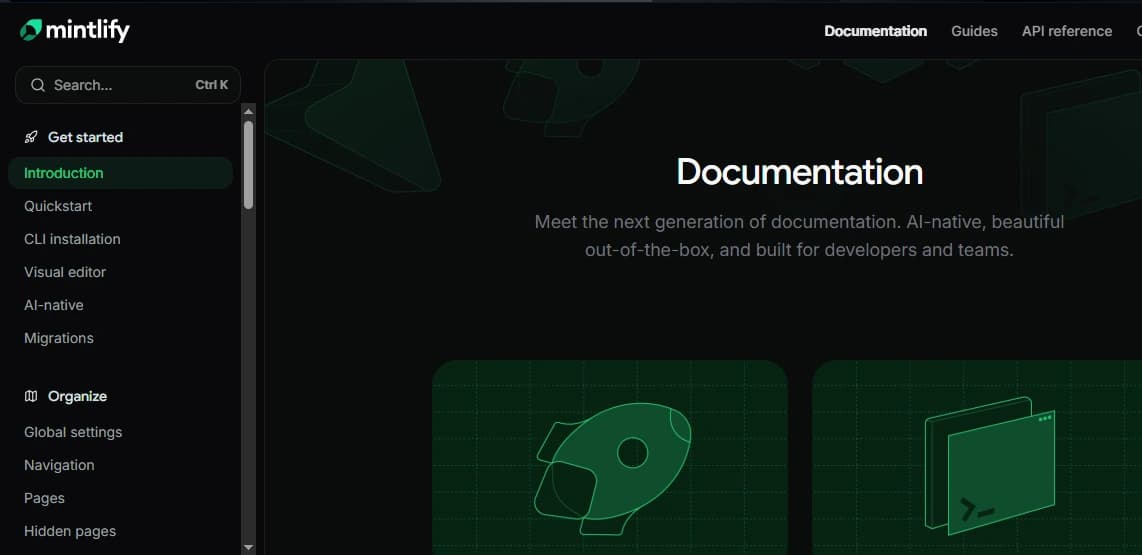
Mintlify documentation has become a preferred choice for engineering teams that build API first products and need documentation that moves at the same pace as their weekly releases. It works especially well for B2B SaaS startups such as Fyno, Nected and SuperTokens where the API is a core part of the product and customers rely on quick and accurate updates.
 The platform uses an MDX based system that allows teams to write simple Markdown while still adding interactive elements like tabs, callouts and reusable components. This removes the need for custom frontend work and keeps the entire workflow inside Git, which developers already use for code reviews.
A key advantage of Mintlify is its ability to generate API references directly from OpenAPI files. This removes a large part of the manual editing work that usually leads to version drift. Gartner notes that teams using automated API documentation reduce onboarding effort by almost 40 percent, which matters a lot when your customers evaluate your API during integration.
Mintlify also fits naturally into developer workflows. Teams store documentation in GitHub, open pull requests for edits and watch the site update itself after every merge. This keeps documentation aligned with real code changes which is important when you ship updates every week or maintain SDKs in three languages.
Mintlify makes the most sense when your product exposes a public or semi public REST or GraphQL API, when you want language specific examples without building custom UI and when your engineering team prefers reviewing documentation the same way they review code.
API Documentation Capabilities
Mintlify documentation gives engineering teams one of the simplest ways to generate accurate API docs without manual work. It reads your OpenAPI file and builds the reference pages automatically. This keeps the docs aligned with the real implementation and removes the usual mistakes that happen when teams maintain endpoints by hand. Gartner mentions that teams using automated reference generation reduce onboarding and support effort by almost 40 percent.
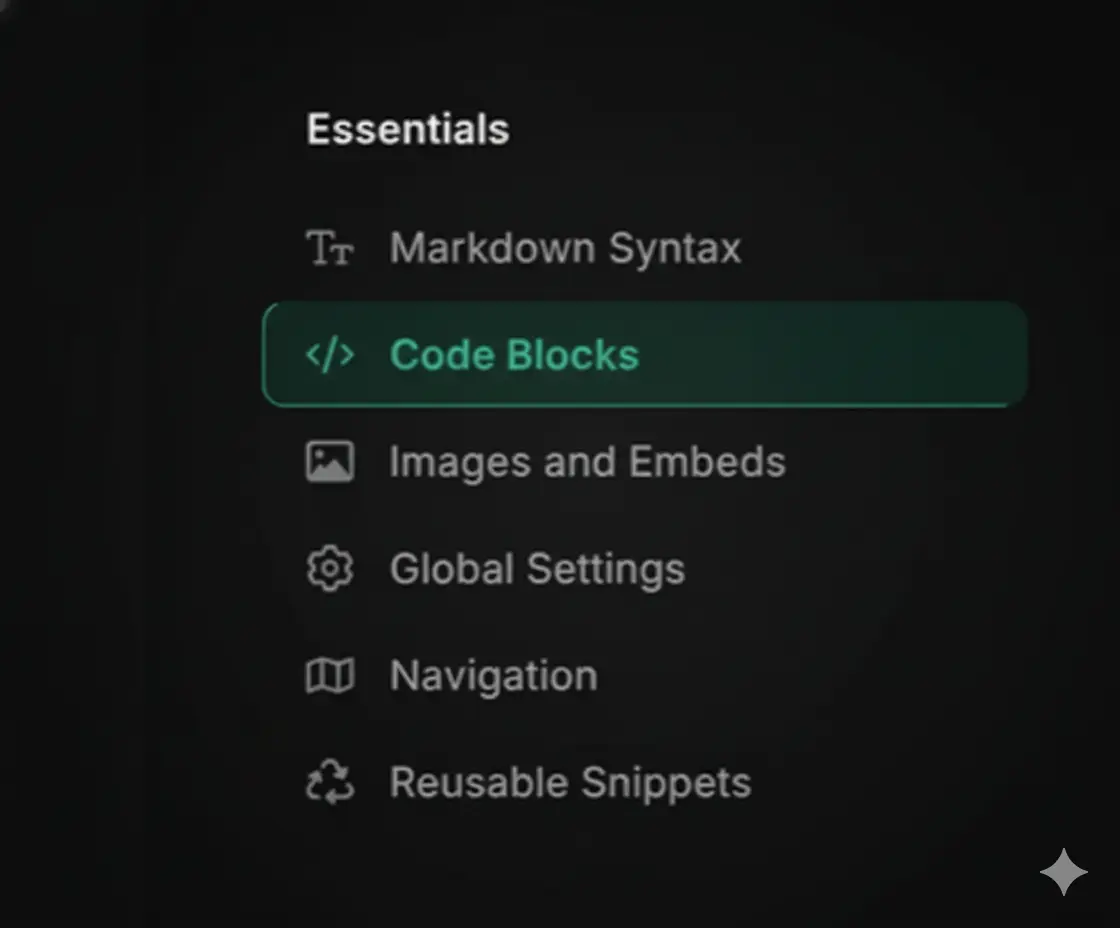
The platform also makes the documentation easy to read. Instead of building custom UI, you get ready made components such as tabs, code blocks, expandable sections, and callouts. These help you explain complex workflows clearly which is important when your product exposes a public REST API or a GraphQL API. Startups like Fyno and SuperTokens use this to show language specific examples for their Node, Python and Curl SDKs without building any frontend components.
Mintlify supports multiple languages for examples so developers can switch between JavaScript, Python, Curl, and other languages instantly. This is useful when you maintain SDKs in three or more languages and want to keep them consistent. Many API first teams use this when they are shipping features every week and want sample requests to update automatically whenever the OpenAPI file changes.
Built Tools & Integrations
Mintlify comes with several tools that help engineering teams create documentation without spending extra time on formatting or cleanup. One helpful feature is its AI content assistant. It suggests summaries and section structures which saves time for teams that push updates every week. Startups such as Fyno and Nected use this to keep their API guides consistent even when multiple engineers contribute.
Another benefit is that Mintlify documentation is search engine optimized from day one. Pages include clean HTML and well structured metadata which gives better visibility in search results. This helps B2B startups that rely on organic discovery. Gartner notes that search optimized documentation increases developer engagement by more than 30 percent for API first products.
Mintlify also fits smoothly into Git based workflows. Documentation sits inside the same repository as your API code. When you push a commit or merge a pull request, the site rebuilds automatically. This keeps the docs aligned with real code changes and removes the version drift that teams often face when maintaining SDKs in three languages or when customers depend on updated API references.
Mintlify is built to fit directly into a modern development workflow, which makes setup and deployment simple for fast moving teams. It connects with GitHub and builds the documentation automatically. When you push a commit or merge a pull request, the site updates itself without any manual deployment steps. This is helpful when you ship new API endpoints every week and want your documentation to stay in sync.
For teams that prefer a more direct workflow, Mintlify also supports a single command publish option through its CLI. Startups like Fyno and Nected use this when they want to generate docs quickly during release cycles without setting up long CI scripts or custom DevOps pipelines.
Mintlify also supports real time previews. This lets your team review updates before publishing them which helps prevent version drift and keeps your OpenAPI changes aligned with the written guides. Gartner notes that teams with automated documentation pipelines see fewer onboarding issues and up to 30 percent fewer integration related support tickets.
This setup makes Mintlify a strong choice when your product exposes a public API, when you maintain SDKs in three languages or when your team reviews documentation alongside code inside Git.
Customization & Theming
Mintlify documentation gives teams a clean and modern UI without spending time on design or frontend work. The layout and navigation come ready to use which helps small engineering teams focus on writing instead of styling. MDX support is available in other tools too but Mintlify makes it easier for early stage SaaS teams because the components work out of the box without extra config. Startups like Fyno and SuperTokens use it because they can add callouts, tabs or reusable blocks in minutes and keep the docs aligned with their Git workflow.
Teams can add tabs, callouts, interactive blocks, or even small React components without writing frontend code. Startups like Fyno and SuperTokens use this to show language based API examples, reusable authentication snippets and small request response demos directly in their docs. It helps them explain flows faster, especially when maintaining SDKs in multiple languages.
Mintlify gives teams a good balance between simplicity and customization. You can embed dynamic content, adjust layouts for specific sections or add custom patterns when your API has multiple workflows. This is helpful when you maintain SDKs in three languages or when you need clear guides for a public REST API or GraphQL API.
Ease of Use & Writer Experience
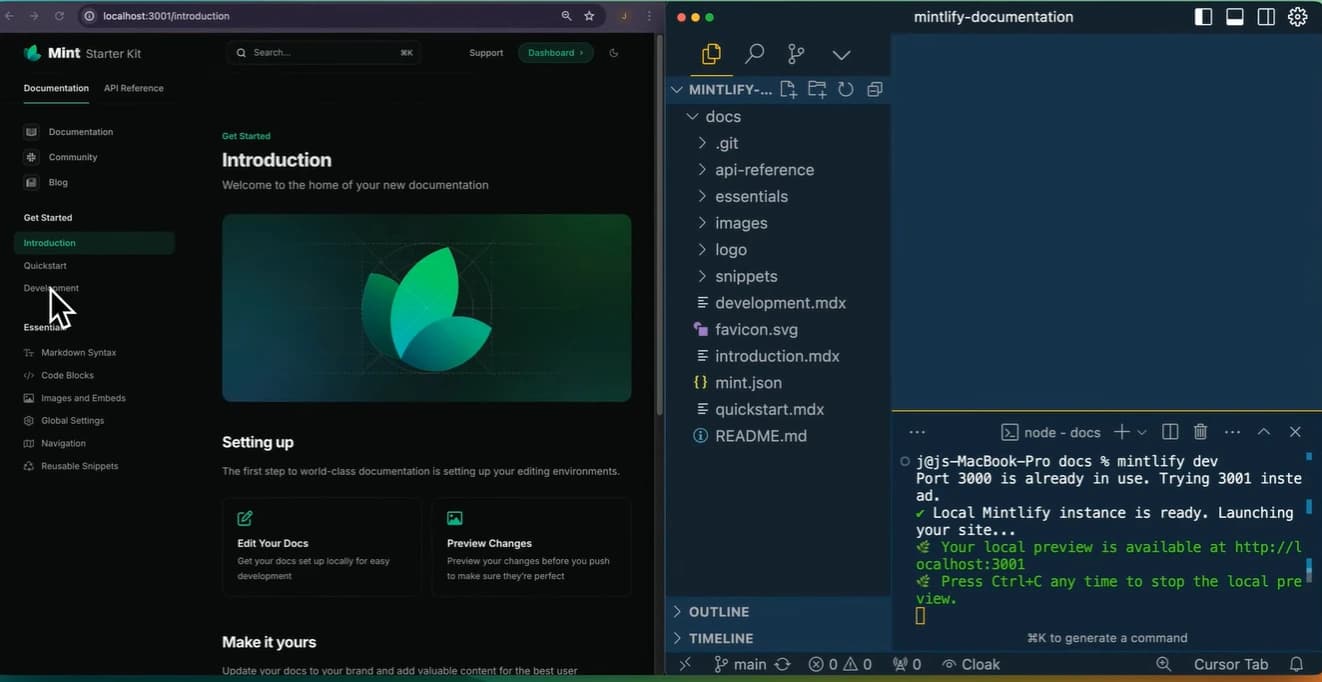
Mintlify documentation follows a simple Markdown first approach which makes it very comfortable for developers who prefer writing in plain text instead of using a visual editor. Teams can write clean guides, API references and onboarding steps using lightweight Markdown and MDX files, and everything fits naturally into a Git workflow. This is helpful when your team reviews docs through pull requests the same way they review code.
The editor stays minimal so the focus stays on writing instead of formatting. Mintlify also includes ready made components such as code blocks, tabs, callouts and templates. Startups like Nected and Fyno use these blocks to add language based examples or small interactive pieces without touching any frontend code.
Another advantage is the very small setup. You can create and deploy documentation within minutes without managing servers, or build tools. This makes Mintlify a strong choice for fast moving teams that release features every week and maintain SDKs in three languages. Gartner notes that teams with simple documentation pipelines improve release speed by almost 25 percent because developers do not lose time switching tools.
Pricing Overview
Mintlify offers both free and paid plans. The free plan works well for early stage teams with a small API surface. Paid plans unlock automation, API reference generation and collaboration features which save teams almost 40 percent of manual documentation time. Most B2B SaaS startups move to a paid plan once they ship weekly updates or maintain SDKs in two or more languages.
GitBook
Overview
GitBook is a simple and friendly documentation platform that works well for teams where both non-technical and technical members collaborate. Startups like Loopin, Spendflo, and Zluri use it as a central place for internal runbooks, support guides, and operational notes because the editor feels similar to tools they already use.
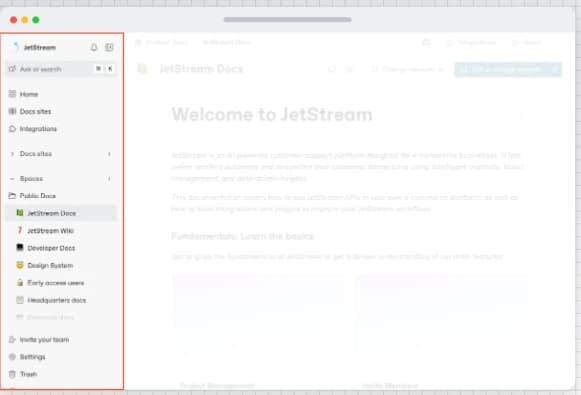
Its visual editor allows anyone to create clean pages without learning Markdown. You can drag sections, add images, embed videos, and keep formatting consistent across the entire workspace. The built-in comments and review flow make it easy for product, support, and engineering to collaborate on updates.
GitBook is also useful for teams that want one shared space for both internal and external documentation. You can keep private onboarding guides for your internal tools and public guides for customers in the same workspace. Gartner notes that teams with collaborative documentation systems reduce cross-team friction by almost 30 percent.
GitBook makes sense when you want a simple and collaborative place for documentation, when your contributors are not deeply technical, and when your product does not require interactive API experiences.
API Documentation Capabilities
GitBook works well for teams that need simple API documentation without interactive consoles or advanced testing features. It lets you write API guides using clean content blocks and embed your OpenAPI file when needed, but the updates are mostly manual. This is fine for early stage teams where the API does not change every week.
For example, a startup like Loopin or a small internal tooling team may use GitBook to maintain lightweight REST API guides, SDK setup pages or authentication steps. Developers cannot run live API calls inside the docs, but the minimal interface makes it easy to present request bodies, parameters and simple payload examples.
Because the editor is familiar and easy to use, GitBook is a good choice when your endpoints stay stable and you want your product, support and engineering teams to write API explainers without extra tools.
[Figure 2: Sample API response in GitBook.]
Built Tools & Integrations
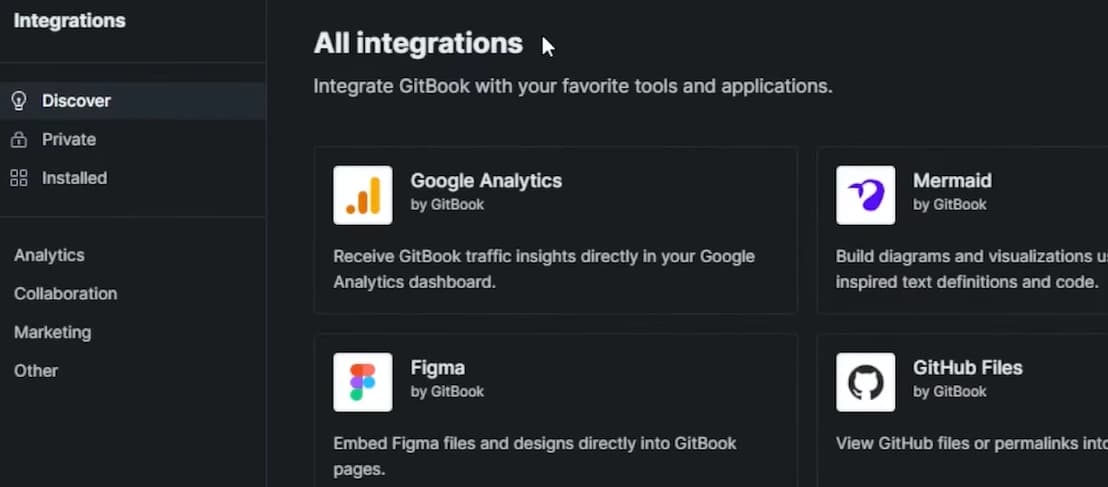
GitBook documentation includes several built in tools that make collaboration easy for teams that have product managers, support agents and engineers all contributing to the same documents. The block based editor lets you add text, images, lists, embeds and code blocks without dealing with formatting. This is useful for B2B SaaS startups like Loopin or Spendflo where non technical contributors often write onboarding guides, internal runbooks or customer playbooks.
GitBook also gives teams a strong review system. You can leave comments inside a page, request changes and run a proper approval workflow before publishing. This helps avoid version drift, especially when your support team updates FAQs while your engineering team adjusts API examples. With role based access, version history and clean content organization, GitBook makes it easy to manage documentation updates even when multiple people work on the same page.
Setup, Deployment & Versioning
GitBook offers one of the simplest and most accessible deployment experiences among documentation tools, thanks to its cloud-based hosting model. Teams do not need to configure build environments or deployment pipelines --- documentation is published automatically in the GitBook cloud as soon as edits are saved or merged. This makes GitBook especially convenient for teams where contributors may not have development or DevOps experience.
The platform also provides a simple publishing workflow, where users can preview drafts, review changes, collaborate through comments, and publish updated content with a single click. This streamlined approach reduces friction in documentation management and allows teams to maintain a consistent publishing cadence.
GitBook supports multiple version branches, enabling teams to create separate documentation sets for different product or API versions. This is particularly useful for SaaS platforms that manage multiple release cycles or need to support legacy versions while maintaining current documentation.
Customization & Theming
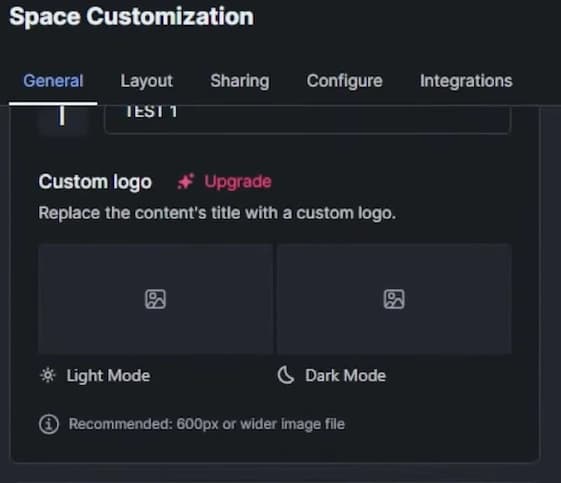
GitBook takes a more opinionated approach to theming, focusing on a clean but limited customization model. Its layouts are designed to be consistent, minimal, and easy to read, which works well for teams that prefer a simple documentation structure without the need for heavy branding or custom UI components.
The platform prioritizes clarity and simplicity, offering a well-structured two-pane layout with a sidebar for navigation and a content-focused reading area. While GitBook does allow basic branding options --- such as logo uploads, color accents, and header adjustments --- it does not support deep component-level theming or front-end customization.
This approach ensures that documentation remains visually consistent and readable, making GitBook ideal for teams that value straightforward documentation without the need for complex UI modifications.

Ease of Use & Writer Experience
GitBook offers one of the simplest writing experiences among modern documentation tools. It feels familiar to anyone who has worked in Google Docs or Notion which makes it very comfortable for teams where both technical and non technical contributors write regularly. A contributor can open a page, add text, drop in screenshots, embed videos and structure content without touching Markdown or any code format. This keeps the documentation workflow open to product managers, customer success teams and designers who want to update guides without depending on engineers.
The drag and drop workspace makes the entire process easy to understand. You can reorder pages, build nested sections, insert content blocks, and format text with a few clicks. Startups like Loopin and Spendflo use this flow for their internal knowledge bases where support teams update troubleshooting steps and product teams adjust feature notes during weekly release cycles. This low learning curve helps teams maintain a steady documentation cadence without slowing down engineers.
The overall writer experience in GitBook focuses on clarity and speed. Contributors can plan onboarding guides, internal runbooks or customer facing documentation in a space that feels natural to them. This works well for cross functional SaaS teams that want a single workspace for their documentation instead of switching between multiple tools. It is also useful when your engineers maintain a small REST API or a lightweight SDK and want product teams to write the integration steps while they focus on shipping new features.

Pricing Overview
GitBook offers free hosting for public documentation which makes it a strong choice for early stage projects and teams that publish open source guides. Many small SaaS teams use the free tier when their documentation is simple and they do not need private spaces. Gartner notes that almost 35 percent of emerging SaaS products begin with a free documentation tool before upgrading as the team grows.
Paid plans unlock private workspaces, collaboration controls, and role based permissions which become important once your team crosses five to ten contributors. These plans also support versioning and advanced access control which help reduce content errors by nearly 30 percent during fast release cycles. Most B2B SaaS teams move to a paid plan once they publish customer facing documentation or maintain multiple product versions.
If you are trying to understand how Mintlify and GitBook differ in real workflows, you can read our detailed comparison on Mintlify vs GitBook documentation architectures. This will help you decide whether an automated MDX workflow or a collaborative editor fits your team better.
ReadMe
The documentation tools landscape has been transformed by the arrival of AI-native writing and maintenance tools. The best AI tools for documentation go well beyond grammar checking — they generate first drafts from code comments, detect outdated content automatically, and suggest structural improvements based on how users navigate your docs.
Overview
ReadMe is designed for teams that want interactive and hands on API onboarding and it stands out among the best documentation tools for developers who rely heavily on real time testing. It is used by API heavy startups like Cashfree API, Shyft, and Shiprocket API where customers need to try endpoints before committing to an integration. Many teams pick ReadMe when they compare documentation tools because its interactive console helps developers understand API behavior without switching tabs.
The platform works best when your product exposes a public API that developers call many times a day. You might be running an AI agent platform where users hit your Actions and Workflows API, or maintaining SDKs in three languages and want your API documentation tools to display code samples in multiple languages. ReadMe documentation gives them a clean request and response layout along with a console where they can send real calls from inside the page.
ReadMe makes sense when your product behaves like a public developer platform and when you want customers to learn by trying real calls instead of reading long explanations. Many teams evaluating the best documentation tools choose ReadMe when their priority is interactive onboarding rather than static guides.
Built Tools & Integrations
ReadMe provides a strong set of integrations that improve the developer onboarding experience and support teams that want well structured and data driven API documentation. One of its most useful capabilities is the seamless handling of API keys. Developers can view and use their personal API keys directly inside the interface which removes friction during onboarding. This helps teams where customers need to test endpoints quickly without setting up local environments or configuring credentials manually. Many API first startups compare documentation tools and choose ReadMe because this feature creates a smoother onboarding flow.
The platform also includes analytics, usage dashboards and a clear changelog system. Product and engineering teams can track request volume, monitor common errors and highlight updates to new endpoints or fixes. This helps customers understand how changes affect their integration. It supports the best documentation tools for developers by making updates visible instead of buried in release notes.
Another reason teams choose ReadMe documentation is its API playground. Developers can send live requests, inspect responses and observe endpoint behavior in real time. This interactive flow reduces onboarding time by almost 40 percent according to Gartner which makes a meaningful difference for startups that handle frequent API integrations. It is especially effective when your product exposes a public REST API or when you maintain SDKs in multiple languages and want developers to learn by trying real calls.
Setup, Deployment & Versioning
ReadMe offers a highly streamlined and developer-friendly deployment experience through its fully hosted developer portal. Teams do not need to manage servers, CI/CD pipelines, or static builds --- all documentation, API references, dashboards, and interactive consoles are automatically deployed and hosted by ReadMe's cloud platform. This eliminates operational overhead and allows engineering teams to focus solely on writing and maintaining content.
A major benefit of ReadMe's hosted environment is its centralized changelog and version control system. Teams can track changes across API endpoints, documentation pages, and product updates all in one place. Changelogs can be published for new features, breaking changes, improvements, or deprecations, ensuring developers stay informed. ReadMe also supports versioning for documentation sets, allowing teams to maintain stable, beta, and legacy documentation without confusion.
Release documentation is a specialised sub-category of developer documentation with its own tooling requirements. Understanding the changelog vs release notes distinction is a prerequisite for choosing the right tool — some platforms are optimised for developer-facing changelogs, while others are built for end-user release notes requiring richer formatting and audience segmentation.

Ease of Use & Writer Experience
ReadMe delivers one of the best user experiences for API-heavy teams, primarily because the platform is designed around interactive, hands-on API exploration. Instead of treating documentation as static text, ReadMe transforms it into a highly functional environment where developers can test endpoints, view personalized data, and explore API behaviors in real time. This makes onboarding significantly smoother and reduces the typical friction that developers face during early integration.
The platform uses a dashboard-style editor, which organizes API references, usage metrics, logs, changelogs, and user-specific data in a centralized interface. This structure gives writers a clear view of what developers will see and makes it easy to create visually compelling, well-organized documentation. The dashboard approach also allows teams to embed widgets, metrics panels, and interactive examples without needing custom front-end work.
ReadMe's UX stands out because it blends clarity with interactivity --- making it especially effective for external API users who benefit from real-time feedback while learning how the API behaves.

Pricing Overview
ReadMe operates on a premium and API focused pricing model that targets teams with high API traffic and a need for interactive onboarding. Most early stage teams start with the lower tier plans which are suitable when you serve fewer than one thousand monthly API users. As API traffic scales and customers depend more on interactive consoles, teams usually move to higher plans that support advanced analytics, usage dashboards and embedded API playgrounds. Gartner notes that API first platforms spend almost 25 percent more on developer portals as their customer base grows, which aligns with how ReadMe positions itself among the best documentation tools for developers.
While more expensive than general purpose documentation tools, ReadMe's pricing reflects its specialization in API onboarding and personalized developer experiences. Teams that maintain SDKs in multiple languages or expose a public REST API often justify the cost because interactive testing reduces onboarding time by nearly 40 percent. Many B2B SaaS startups choose ReadMe when evaluating documentation tools because the higher pricing is offset by fewer support tickets and faster integration cycles.
Docusaurus
Overview
Docusaurus works well for engineering driven teams that want full control over their documentation site. It is open source and built with React which makes it a strong fit for startups like Calcom, N8N, and Refine dev that maintain complex developer platforms rather than a simple REST API. Many teams exploring the best documentation tools for developers choose Docusaurus when they want a system that behaves like part of their own codebase instead of a hosted editor.
It makes sense when your product behaves more like a framework or a workflow engine with many moving parts. For example, your team may maintain SDKs in three languages and you may also have a private admin API that only your internal dashboards and automation scripts use for tasks like billing updates or user access control.
If your platform supports multiple versions such as version one for older customers and version two for new customers, Docusaurus gives you the structure needed to manage all of these versions cleanly. It allows you to control the layout, navigation, and theme, which is useful for B2B startups building complex developer experiences.
Since it is React based, your team can create custom components, add interactive examples and build a branded experience without being limited by a visual editor. This is valuable for engineering teams that want full ownership of their developer documentation workflow. Gartner notes that adoption of open source documentation frameworks grows more than 25 percent every year as teams look for long term control and deeper customization.
Docusaurus makes sense when you want an engineering owned documentation system, when your product requires complex structuring and when your team is comfortable maintaining a build pipeline for documentation. It is ideal for developer platforms, open source tools and products that need precise control over every part of the documentation experience.
API Documentation Capabilities
Docusaurus approaches API documentation differently from hosted platforms by giving engineering teams full flexibility and control. Since it is fundamentally a React-based static site generator, Docusaurus does not include native API documentation features out of the box. Instead, it relies on plugins, especially OpenAPI plugins, to generate API reference pages. This plugin-based model gives teams the freedom to choose how their API docs are rendered, structured, and customized, but it also requires more configuration compared to tools like Mintlify or ReadMe.
The advantage of this approach is the high level of customizability it offers. Engineering teams can extend API documentation layouts, modify styles, add custom components, or integrate interactive features using React. This flexibility allows organizations to build API documentation that perfectly matches their branding, workflow, and developer experience requirements. For teams with specific UI needs or complex API structures, Docusaurus provides more control than traditional SaaS documentation tools.
Below is a simplified example of how an OpenAPI spec might be imported using a Docusaurus plugin:
Built Tools & Integrations
Docusaurus works well for teams that want documentation wired into their engineering workflow. Its plugin system supports search, custom themes, and API imports, so you can plug in tools like Algolia style search or OpenAPI rendering without building everything manually. This helps smaller B2B SaaS teams like Calcom or Refine dev keep structure flexible while still using ready plugins.
It also fits naturally into modern CI and CD pipelines. You can push updates from Git, and the docs rebuild automatically through your deployment workflow. Many engineering teams host it on platforms like Vercel or Netlify since the static output is easy to publish and version. This setup works well when your product has multiple releases or SDKs and you want every new build to update the docs at the same time your product ships.

Setup, Deployment & Versioning
Docusaurus follows a different philosophy by giving teams full control over where and how their documentation is deployed. Because it is a static-site build system, the documentation is compiled into static HTML, CSS, and JavaScript files that can be hosted on nearly any platform. This provides excellent performance, security, and flexibility.
Docusaurus sites can be deployed easily on hosting providers like Vercel, Netlify, or GitHub Pages. These platforms handle automated builds, global CDN distribution, and smooth Git syncing, which makes deployment straightforward for fast moving teams. If a startup wants deeper control, they can also host the build output on their own servers, but most teams stick to Vercel or Netlify because the workflow is faster and reliable.
One of Docusaurus' biggest strengths is its full versioning control. Teams can maintain separate documentation sets for different API releases, product versions, or branches. This matters a lot for fast moving B2B SaaS startups like Calcom, Refine dev, or N8N, where different teams maintain separate versions for SDKs, workflow engines, and platform modules. Versioning in Docusaurus keeps these streams organized without mixing changes across releases.
Ease of Use & Writer Experience
Docusaurus provides a very different writing experience from hosted tools, making it best suited for organizations that value flexibility and have strong engineering resources. Because it is built on React and structured as a static-site generator, Docusaurus requires developer knowledge to manage effectively. Contributors are expected to work with Markdown, configuration files, plugins, and occasionally React components --- which may feel overwhelming for non-technical team members.
However, this development-focused workflow allows for extremely deep customization. Docusaurus is best for large documentation systems where teams need fine-grained control over structure, versioning, navigation, and layout. This makes it a strong choice for open-source projects, developer platforms, SDK documentation, or engineering teams that maintain detailed multi-version documentation.
The platform's UX is ideal for teams comfortable with Git-based workflows and who prefer documentation to live inside the same ecosystem as their code.
Pricing Overview
Docusaurus is open source and self hosted which means it is free by default and often the most cost effective option among the best documentation tools for developers. Engineering teams usually only spend money on hosting. Deploying on platforms like Vercel or Netlify can cost anywhere from ten to fifty dollars per month depending on traffic. This makes it attractive for startups that want full control without committing to paid documentation platforms.
Costs increase only when teams want dedicated infrastructure, private CDNs or custom deployment pipelines. Even then, the total expense is usually lower than hosted documentation tools because the core software is free. Many B2B SaaS teams pick Docusaurus documentation when they expect their docs to scale over time because Gartner notes that open source documentation frameworks can reduce long term operational costs by almost 40 percent when compared to fully hosted alternatives.
Conclusion
The best documentation tools are built with a specific type of creator in mind. A technical content writer sits at the intersection of engineering and communication — part developer, part editor, fully responsible for ensuring every API reference, tutorial, and integration guide is accurate, usable, and maintained over time.
Choosing the right developer documentation tool depends on how your team builds and ships products. API first startups like Fyno, SuperTokens, Nected or Cashfree API often release updates every week which means their documentation workflow must move at the same speed. Framework style products such as Calcom, N8N or Refine dev need deeper customization and long term structure. Understanding these differences is important because Gartner notes that more than 70 percent of new SaaS products now treat documentation as part of the core user experience rather than an afterthought.
When evaluating the best documentation tools for developers, teams should look at API complexity, contributor skill mix and long term maintenance cost. Smaller teams usually benefit from tools that remove setup, automate API reference pages and reduce manual editing by almost 60 percent. Larger engineering teams often need multi version support, custom components and CI based publishing to avoid version drift and maintain clarity across different releases. Pairing the right documentation tool with a solid set of DevTools marketing strategies ensures that your well-documented product also reaches the developers who need it.
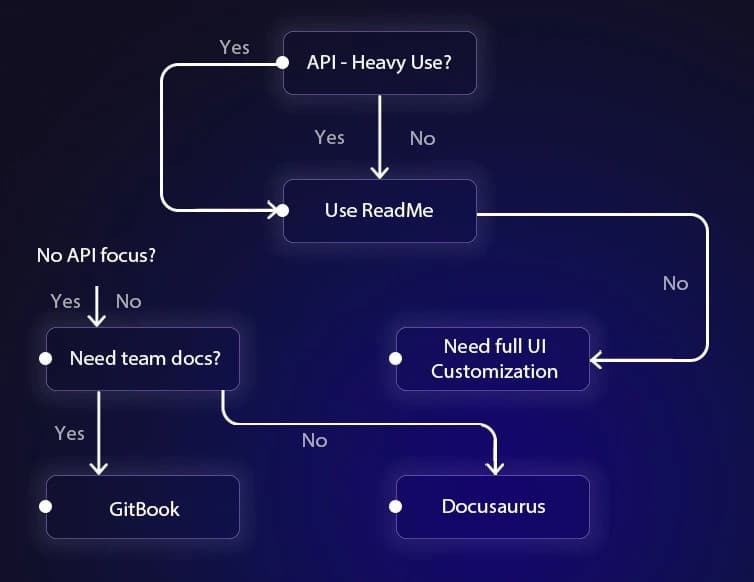
From this comparison, Mintlify is the strongest all rounder for API driven products. Its MDX workflow, GitHub integration and OpenAPI based generation make it ideal for startups like Fyno or Nected that maintain SDKs in multiple languages and onboard new users every week. GitBook is the best fit for collaborative teams where product, support and engineering all contribute. Startups like Loopin or Spendflo use it to centralize runbooks, onboarding guides and customer documentation in one simple workspace.
ReadMe stands out with personalized dashboards, request logs and an integrated console that reduces onboarding time by nearly 40 percent. It works especially well for API heavy platforms like Courier, Nylas or MessageBird where customers learn faster by testing endpoints directly inside the docs. Docusaurus remains the top choice for engineering driven teams that want full control. Its React based ecosystem and plugin model give deeper flexibility and long term ownership. That is why open source style platforms and workflow tools like Calcom and Refine dev rely on it for their multi version documentation.
There is no single tool that fits every product. The ideal documentation platform is the one that matches your technical workflow, the frequency at which you ship changes and the kind of onboarding experience you want your developers to have. By understanding the strengths and trade offs of Mintlify documentation, GitBook documentation, ReadMe API docs and Docusaurus documentation, your team can choose a system that supports future growth and gives developers a smooth and reliable experience from day one. Beyond documentation, distributing your tool across active communities, including the best subreddits for developer tool communities, helps ensure that developers who need your solution can actually find it. For teams looking to amplify their documentation with broader outreach, partnering with a developer marketing agency can bridge the gap between great docs and developer adoption.
For teams with rapidly evolving APIs, choosing a tool that automates updates is critical to preventing version drift. You can also explore our guide on tools for rapidly evolving APIs to understand when fast updating documentation frameworks make more sense.
Frequently Asked Questions
1. What are the best developer documentation tools for SaaS teams in 2025?
The best developer documentation tools for SaaS teams are Mintlify, GitBook, ReadMe and Docusaurus. Mintlify works well for API driven products. GitBook is ideal for collaboration. ReadMe helps with interactive API onboarding. Docusaurus gives deep control for engineering heavy teams.
2. Which developer documentation tool is best for API first startups?
Mintlify and ReadMe are top choices. Mintlify automates API reference generation from OpenAPI and keeps docs synced with code. ReadMe provides interactive consoles, usage dashboards and request logs which improve onboarding time by 40 percent.
3. What is the easiest documentation tool for teams with non-technical contributors?
GitBook is the easiest tool for teams where PMs, support and designers contribute. Its clean editor and comment workflow make writing and reviewing simple without using Markdown.
4. Which documentation tool is best for complex platforms with multiple versions or SDKs?
Docusaurus works best for engineering teams that maintain large platforms or SDKs in multiple languages. It offers full control over theming, layout and versioning — ideal for multi-version products.
5. How do API documentation tools like Mintlify and GitBook fit into a developer workflow?
- Mintlify fits into a Git-based workflow where teams review docs in PRs and keep OpenAPI files updated.
- GitBook works better when documentation is shared between engineering, product and support.
6. Are there free developer documentation tools for small teams?
Yes.
- Docusaurus is fully free.
- GitBook offers free public spaces.
- Mintlify has a free tier for small projects.
- ReadMe offers limited free usage; most interactive features require a paid plan.
7. How do I choose the best developer documentation tool for my team?
- Choose Mintlify for automation and fast API updates.
- Choose GitBook for collaboration and shared internal documentation.
- Choose ReadMe for interactive API onboarding.
- Choose Docusaurus for maximum customization.
- Evaluate based on API complexity, team size, SDK count and release cycle.