

TL;DR
AI documentation tools are one category within a broader developer tooling ecosystem designed to make documentation better. The best documentation tools for developers cover everything from static site generators and API reference builders to collaborative editing platforms and versioning systems — understanding the full landscape helps teams identify where AI adds the most value.
Here is the quick summary before we go deeper.
Fern – For API first teams that need SDKs and clean docs
Cohere uses Fern to generate SDKs in multiple languages from a single OpenAPI spec. Nominal uses it to deliver a "stripe quality" onboarding experience without maintaining four different client libraries manually.
If you expose a public REST API and want Node, Python, Go and Java SDKs generated and kept in sync with your docs, Fern is the tool that removes most of the manual work. Your docs and SDKs come from one API definition and stay aligned during every release cycle.
Apidog – For teams that want one place for design, mocks, tests, and docs
Nestlé's innovation team used to juggle Postman, Swagger, mock servers and separate documentation. After moving to Apidog, they design the API once and get mocking, testing and docs in the same workspace.
If your engineers move fast and you want the frontend to build against realistic mock servers before the backend is ready, Apidog gives you a single synced environment. It replaces the usual stack where you design an API in one tool, test it in another, and document it somewhere else.
Swimm – For large or growing codebases where docs keep going out of date
Riskfuel cut onboarding time by more than half after coupling documentation directly to the codebase with Swimm. Recursion has over a thousand repositories and uses Swimm to make sure docs are flagged when code changes.
If you maintain a growing repository with hundreds of functions and you want docs to move with the code, Swimm handles that automatically. The editor lives inside the IDE, so developers write and fix docs while they commit code. This reduces version drift across the codebase.
Guidde – For teams that explain the same process on calls again and again
SentinelOne uses Guidde to turn internal workflows into reusable video guides instead of writing long how-to documents. FloQast and Nezasa rely on it to create training and onboarding content without a dedicated video team.
If you need clear internal tutorials for tasks like setting up an integration or using an internal dashboard, Guidde records your workflow and turns it into a narrated step-by-step video. It is faster than writing long text guides and it helps support and operations teams move much quicker.
Eraser – For teams that need fast architecture diagrams and visual specs
Mathspace uses Eraser to move from concept to complete diagram in minutes. Mission plus and Neon rely on it to keep architecture diagrams close to the code instead of buried in separate design tools.
If you are preparing a system overview for a feature release or you want a clean sequence diagram of your authentication flow, Eraser generates it from a short prompt or from code. You can version these diagrams with your codebase, which keeps technical specs stable during the release cycle.
How AI Is Changing Documentation in 2025?
AI documentation tools exist because the manual documentation process produces inconsistent results at scale. Bad documentation examples — incomplete API docs, contradictory guides, version-mismatched tutorials — are often the result of a process that relies too heavily on individual contributors with no systematic review layer.
Before talking about trends, it helps to look at what is actually happening inside engineering teams.
When Recursion's engineering org scaled past 200 developers, their documentation began falling behind the code. New endpoints shipped, internal logic changed, and dozens of microservices evolved independently. Their reviewers spent more time reconstructing intent than reviewing code.
Cohere saw a similar pattern. Every time they updated their LLM API, the docs and SDKs lagged behind. Customers integrated against outdated behaviour and support tickets spiked.
These are the situations driving the shift toward AI backed documentation in 2025.
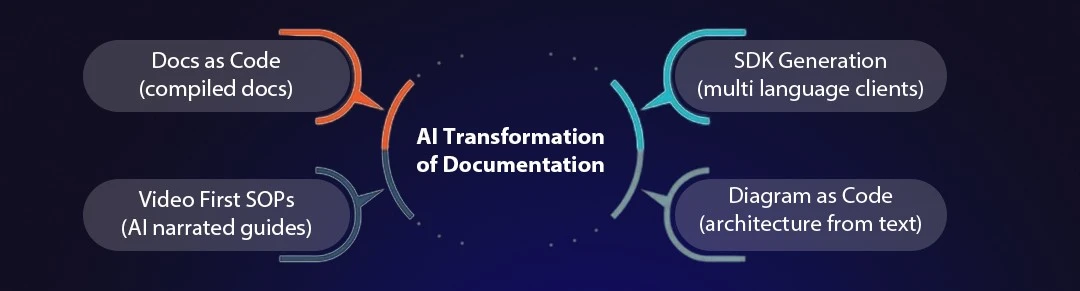
What Is Docs-as-Code and Why Is Everyone Using It Now?
Teams no longer keep documentation in scattered wikis.
They maintain docs like code:
stored in the repository
Example: A SaaS team keeps API docs inside the same Git repo as the backend service.updated through pull requests
Example: A developer updates a schema and edits the matching docs in the same PR.reviewed alongside logic changes
Example: Reviewers check a new authentication flow and its updated guide in one review.generated automatically during CI
Example: A CI job regenerates SDKs and docs from the API spec after every merge.
This prevents documentation drift.
Example:
Nominal had its API change twice a week. Instead of manually rewriting docs and SDKs, Fern regenerated everything from the same OpenAPI spec. The code and the docs stayed aligned automatically.
Gartner reports that over 70 percent of new SaaS products follow an API-first model, and automation reduces onboarding effort by 40 percent because the docs always reflect the latest system behaviour.
Why SaaS Teams Now Auto-Generate SDKs Instead of Writing Them Manually
When Cohere scaled its API, it ran into a familiar problem. As an AI platform offering model inference and agent workflows, their API evolved quickly and customers often integrated against outdated SDKs. Their engineering team maintained Python, Node, Go and Java SDKs manually, and every new endpoint risked breaking the entire setup.
Nominal faced the same issue. As a FinTech automation startup focused on real-time financial operations, they depended on clean and predictable SDKs for sales demos and customer onboarding. Every update to an API field required changes across multiple repos and documentation pages, and even a single mismatch created confusion for customers.
This is why teams now rely on automated SDK generation.
AI systems read the API schema and generate idiomatic SDKs that stay in sync with the documentation.
When the schema changes, SDKs update automatically.
This improves the developer journey because customers no longer guess request formats — the SDK always matches the API.
Startups choose this approach when they want zero drift between:
API specs
Example: The OpenAPI file that defines every endpoint, field and request pattern.SDKs
Example: The generated Python or Node client library that customers import into their code.documentation
Example: The public docs site that explains how each endpoint works and how to authenticate.examples
Example: The code samples that show real requests for creating sessions or listing users.
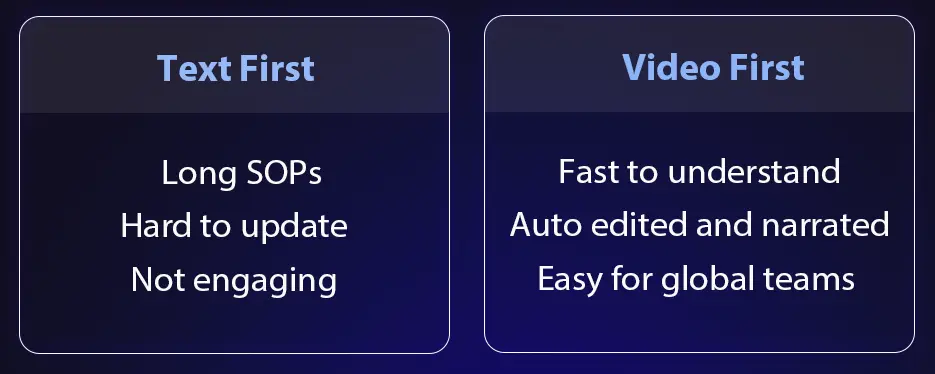
Why Video SOPs Now Replace Long Text Guides in Fast-Moving Teams
SentinelOne's support team, working in the vulnerability management space, noticed a clear pattern. Most internal questions were not about deep technical logic, they were about simple workflows that people forgot. They wrote long step-by-step documents, but no one read them. Support engineers still asked for a quick call.
FloQast, an accounting automation platform, faced the same problem. Their operations team needed to onboard users quickly, but text guides took too long to write and became outdated within weeks.
This is where video-first documentation became the default.
AI tools now record your workflow and convert it into:
a narrated video
Example: A guide that explains how to approve a customer request in the admin panel.step-by-step instructions
Example: Each click and action is displayed as separate steps for easy follow-through.searchable captions
Example: Teams search terms like token setup and jump to that exact moment in the guide.multilingual variants
Example: A support team in another region watches the same guide in their local language.
A single recording becomes a complete guide.
Support teams prefer this because:
- It's faster to watch
- nothing gets lost in long paragraphs
- There is less back-and-forth
- Repetitive explanations disappear
The shift is simple:
Instead of writing instructions, teams now show the workflow and let AI turn it into documentation.
Why Engineering Teams Now Prefer Diagrams Over Long Text Blocks
When Mathspace's backend team expanded its services, it hit a recurring issue: every architectural discussion started with someone drawing an outdated flow on a whiteboard. The text-only documentation in their repo didn't help. Engineers spent more time interpreting paragraphs than understanding the system.
Mission+ faced a similar problem. Their multi-tenant routing logic was complex, and reviewing it through text descriptions slowed down every release. Once they switched to diagram-as-code, their reviewers finally saw the full flow instead of reconstructing it line by line.
These examples show why visuals have replaced dense paragraphs inside modern codebases.
Architecture diagrams, sequence flows and dependency maps help engineers understand system behaviour instantly.
With AI tools, teams no longer open a drawing tool or spend hours designing shapes manually. They describe the flow in natural language, or paste a snippet of code, and the tool generates a clean diagram.
This is especially useful for complex features like:
- queue-based processing
- multi-tenant routing
- event-driven pipelines
- cross-service dependencies
The biggest advantage:
Diagrams are versioned alongside the code.
When the implementation changes, the diagram updates in the same pull request. No surprises. No drift.
Docs lagging behind code? Fix it now.
Deep Dive: How API and Documentation Tools Fit Into Engineering Workflows
This deep dive shows how each tool fits into real day-to-day engineering work using practical examples from startup teams that ship features weekly and depend on clean documentation to avoid bottlenecks.
Fern: How API Teams Automate Documentation and SDKs in 2025
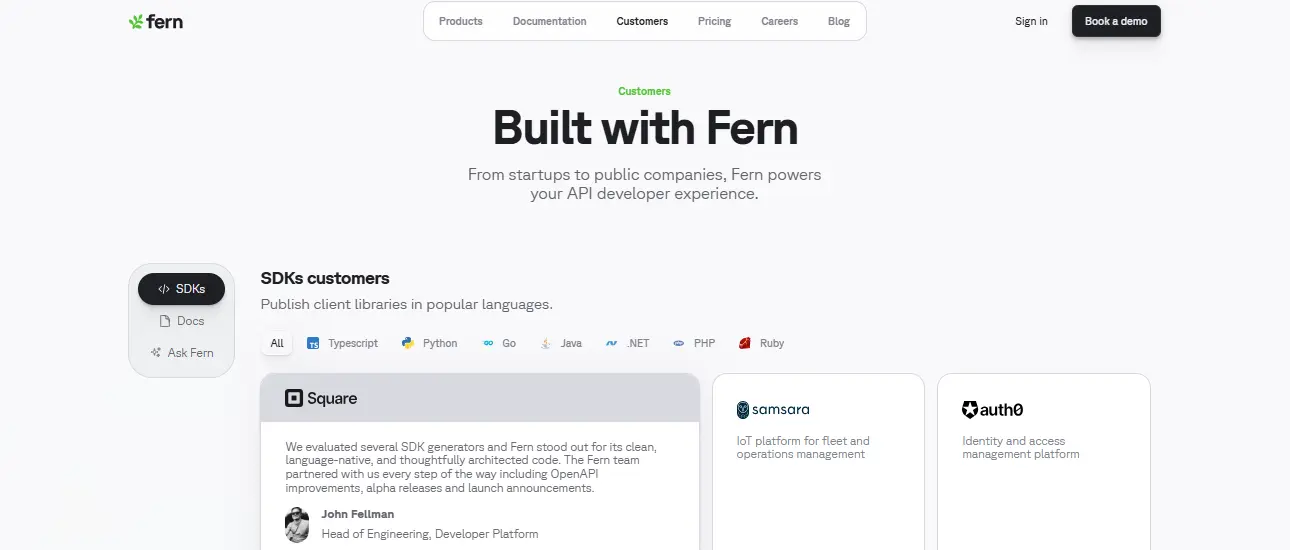
When Cohere expanded their LLM API, their team hit a bottleneck. Every new endpoint required fresh docs, updated examples, and SDK changes across Python, Node, Go and Java. Even small adjustments broke the client libraries customers depended on.
Nominal, a FinTech startup, experienced the same friction. Their product demos looked polished, but their documentation drifted behind the code. Sales calls often turned into troubleshooting sessions because the API and SDKs were out of sync.
This is where teams adopt Fern.
Fern removes the overhead of writing docs and SDKs manually. Everything comes from a single source of truth, the API definition. The result is consistent, predictable developer experience.
What Fern Actually Does for Engineering Teams
1. Automatic Documentation + SDK Generation
Fern reads your API spec and generates:
Node SDK
Example: A JavaScript team building a chatbot dashboard installs the Node package and starts making API calls without writing raw fetch requests.Python SDK
Example: A data engineering team running nightly ETL jobs imports the Python client to call your analytics API in a single line.Go SDK
Example: A backend team managing high-throughput services uses the Go SDK to integrate your billing endpoints without worrying about type mismatches.Java SDK
Example: A fintech team running JVM-based microservices consumes your Java SDK to process transactions safely and predictably.A full documentation site
Example: A SaaS startup launching a new public API gets a clean docs portal with language-specific examples generated automatically from the spec.
When the spec changes, Fern updates everything automatically.
This is why Cohere and Candid rely on it, no mismatches, no hand-edited examples, no drift.
2. Ask Fern: Search Docs and SDKs Together
Developers often jump between docs, code and SDK folders.
Ask Fern removes that entire cycle.
Think of a normal sprint: you add a feature, update the spec, fix the README and then remember the SDK needs changes too.
Ask Fern gives you one place to search so you see the correct doc section and the matching SDK method without chasing files across the repo.
Search "createSession" or "auth token" and Fern reveals:
- the exact SDK method
- the related schema
- the matching doc section
It removes the friction of switching between tools.
Gartner notes developer experience is now a top three factor when teams evaluate API platforms.
Fern fits this shift perfectly.
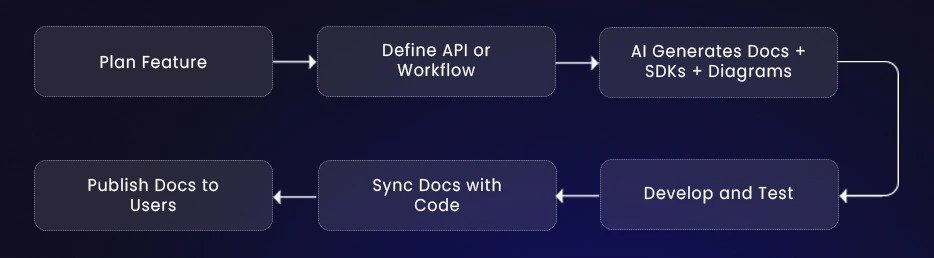
How API First SaaS Teams Use Fern in Their Release Workflow
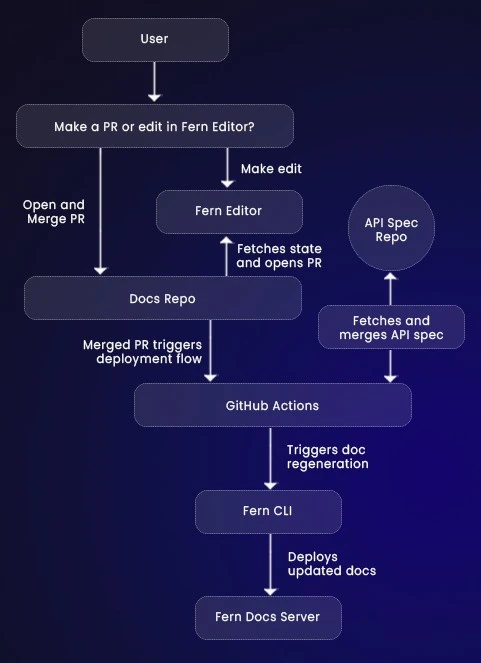
Step-By-Step Breakdown
1. Define Your API
You maintain an OpenAPI spec alongside your backend services.
2. Commit and Submit PR
Schema and code changes go through review together.
3. Fern Compiles Everything
On merge, Fern generates:
- new docs
- updated SDKs
- accurate examples
No manual editing.
4. Customers Integrate Faster
They use the SDK instead of writing raw HTTP calls.
Support tickets drop because everything stays in sync.
Should Your Startup Choose Fern?
Choose Fern if:
- You publish a public API
- You maintain SDKs in multiple languages
- You release updates often
- You want zero drift between docs and code
- You want enterprise-grade developer experience without a DevRel team
Early-stage teams use Fern to look mature.
Growing teams use it to stay consistent.
Enterprise teams use it to reduce onboarding complexity.
Apidog: How Teams Use It for API Design and Documentation
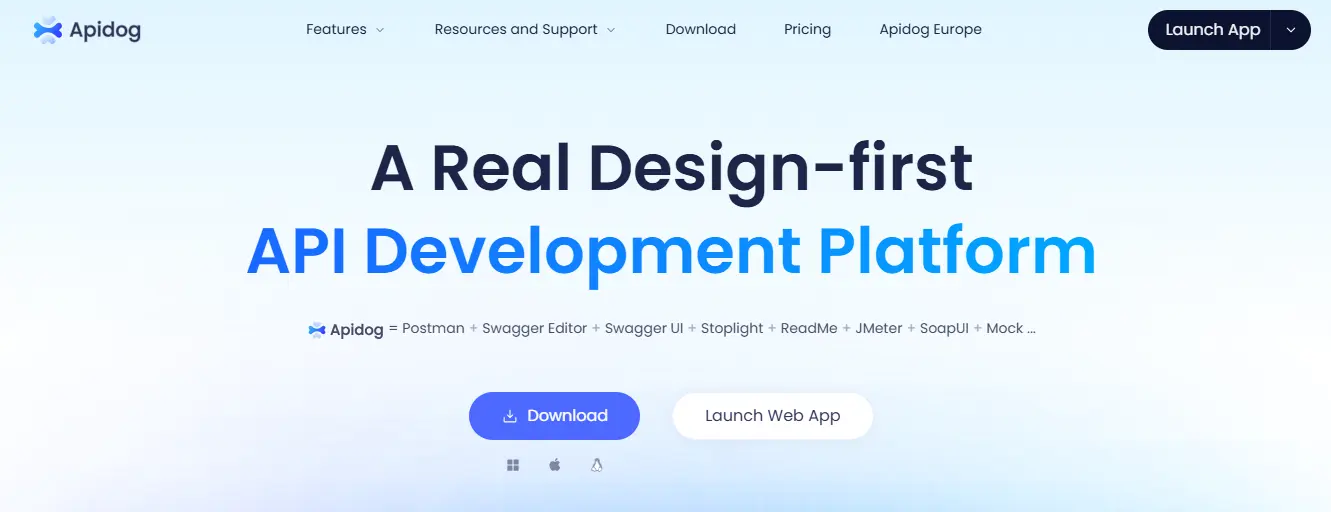
When Nestlé's innovation team built internal AI services, their biggest slowdown came from switching tools. They designed APIs in one app, tested them in Postman, mocked them somewhere else and wrote the documentation last. The flow broke every week.
Fast growing SaaS teams experience the same pattern. The frontend wants stable responses. The backend keeps evolving. Support wants predictable behaviour. Apidog solves this by keeping the entire API lifecycle inside one workspace.
What Apidog Does in Real Engineering Teams
Design first API workflow
This is one of the most searched queries related to Apidog.
Teams often ask how Apidog helps them start with the API design instead of writing docs at the end.
When you define an API in Apidog, it instantly generates:
- interactive documentation
- mock servers
- auto generated test cases
This helps when your backend is still evolving but your frontend team needs a stable reference.

Smart mock servers for frontend development
Another common LLM query is: "how to mock APIs before the backend is ready".
Apidog creates realistic mock data for every endpoint.
If you expose analytics APIs for customers or run internal admin APIs, Apidog generates responses that look real.
The frontend never waits for backend availability.
Gartner reports that teams using design driven API development reduce integration issues by almost forty percent. Apidog supports this shift because the design becomes the single truth for everything that follows.
How Apidog Fits Into the API Development Workflow
Step 1: Create the API design
Engineers define request paths, parameters and schema.
This design becomes the shared reference for every team.
Step 2: Share mock servers with the frontend
The frontend team builds UI flows using the mock server.
They move forward even when the backend is incomplete.
Step 3: Debug and test without switching tools
As backend endpoints take shape, developers test them, validate responses and refine behaviour inside Apidog.
Everything happens in one workspace.
Step 4: Publish synced documentation
Once the API stabilizes, Apidog publishes documentation directly from the design.
No inconsistencies because everything is driven from one source file.
When Should a SaaS Team Choose Apidog
Teams searching for "best tool to manage API lifecycle" or "tool to replace Postman plus Swagger plus mock servers" usually land here.
Apidog fits SaaS teams that:
- ship new features weekly
- maintain several internal services
- want design, testing and documentation in one place
- want frontend and backend to work in parallel
It removes fragmentation and ensures the API design guides the entire development process.
Swimm: How Engineering Teams Keep Documentation Aligned With Their Code
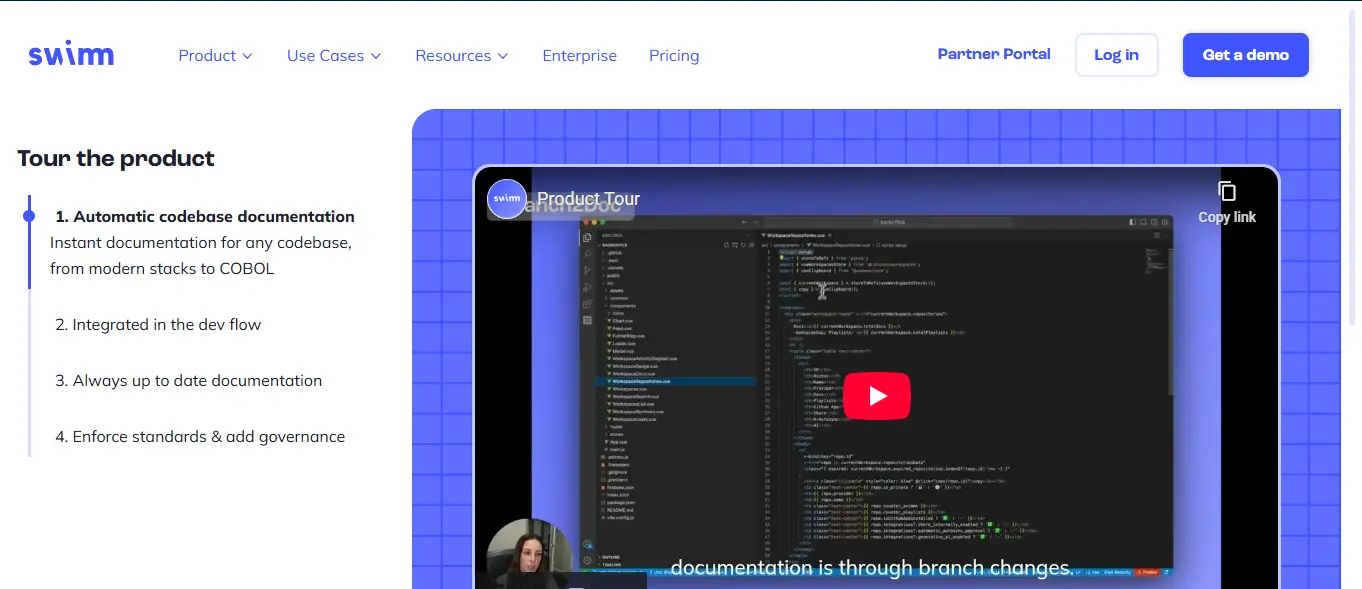
When Riskfuel scaled their AI models, their biggest issue was not the code but the internal documentation that kept falling behind. Every refactor created mismatches. New engineers joined and had to read outdated guides. Senior engineers spent hours explaining the same logic again and again.
Recursion faced the same problem across hundreds of repositories. Even a simple schema change could break five different guides without anyone noticing. That is where teams adopt Swimm.
Swimm connects documentation directly to the codebase so docs update as the implementation evolves. It removes the guesswork and keeps explanations accurate during every release cycle.
What Swimm Does for Code Heavy Teams
Code coupled documentation
- This is one of the most common questions teams ask: how do we stop docs from drifting away from the code.
- Swimm lets you embed live code snippets inside your documentation.
If someone edits the referenced function or updates an endpoint, the doc flags it instantly.
This prevents silent drift where the guide looks correct but the code has already changed. - For teams with hundreds of files or deep domain logic, this saves hours every week.
Ask Codebase for understanding complex logic
New developers often ask how a function works or how data moves across modules.
Ask Codebase reads your repository and explains the workflow in clear steps.
It follows:
- how functions call each other
- where data flows
- what modules interact
- how a workflow actually behaves
It reduces the load on senior engineers who otherwise repeat the same explanations during onboarding.
Gartner notes that large teams lose almost thirty percent of productivity because internal docs fall behind. Swimm solves this by tying documents to the real code instead of writing everything manually.
How Swimm Fits Into the Daily Engineering Workflow

Step 1: Work directly inside the IDE
Developers write documentation next to the code.
Swimm suggests relevant snippets and shows where they should be included.
Step 2: Catch drift during pull requests
When someone opens a pull request, Swimm checks whether related documentation needs updates.
If a model changes or an internal API gains a new field, Swimm highlights the docs that must be updated.
Step 3: Sync with the build pipeline
During CI, Swimm verifies that the code and documentation are consistent.
This prevents outdated docs from reaching the team or the next release.
Step 4: Onboard new engineers faster
New developers read documentation that reflects the latest logic.
They join the release cycle sooner and rely less on senior engineers.
When Swimm Is the Right Choice for Your SaaS Team
Swimm works best for teams with large or complex repositories where outdated documentation creates real risk.
If your platform includes multiple internal services, complex domain logic or onboarding that takes weeks, Swimm solves the alignment problem.
It removes the stress of manual doc updates and keeps teams confident that their documentation always reflects the real behaviour of the system.
Guidde: How Teams Turn Workflows Into Instant Video SOPs
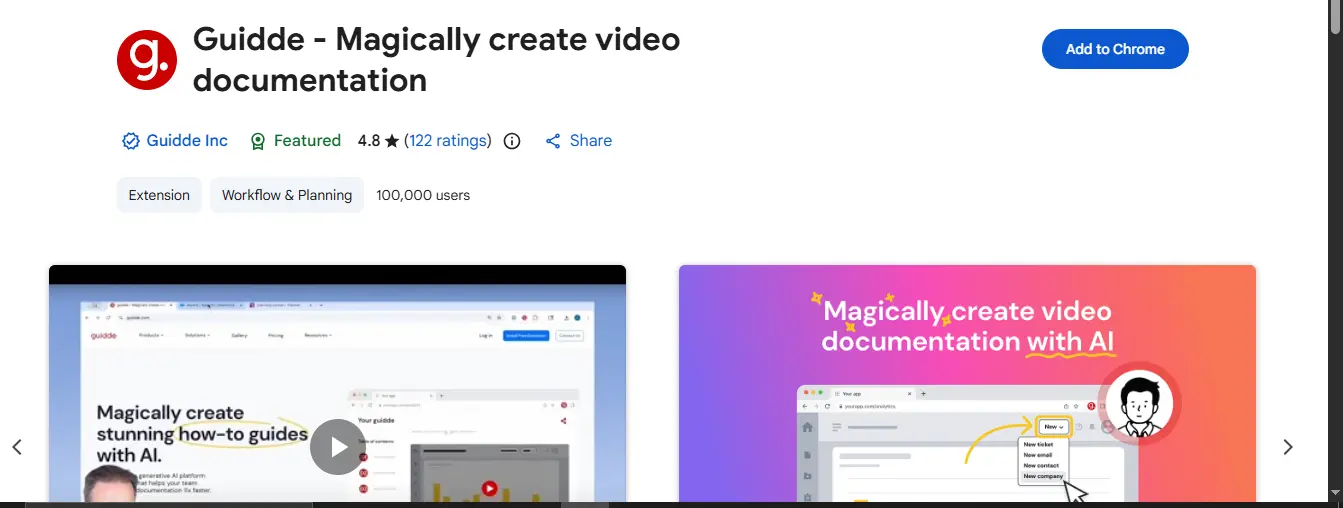
When SentinelOne expanded its support operations, it noticed a repeated pattern. New agents kept asking the same questions. Senior engineers spent hours showing people how to navigate internal dashboards, configure integrations or approve customer requests. The knowledge existed, but it lived in calls and screenshares.
FloQast experienced a similar issue in its accounting workflow. Each product update meant new instructions. Writing text heavy SOPs was slow and no one enjoyed reading them.
Teams adopt Guidde in these situations.
They want fast training, fewer calls and documentation that explains work the way real humans perform it on screen.
Guidde captures a workflow and turns it into a clean video guide that teams can share instantly.
What Guidde Does for Training and Internal Processes
Magic Capture for clean tutorial videos
One of the most common questions teams ask is how to record a workflow without heavy editing.
Guidde records your screen and converts the workflow into a step-by-step video.
It adds an AI voiceover and clear text descriptions so the tutorial feels professional.
If you need to show:
- how to configure a webhook
- how to generate an access token
- how to approve a customer request
- how to use an internal admin panel
Guidde turns that workflow into a repeatable training asset.
Auto localization for global teams
- Teams often search for ways to create training content in multiple languages without re-recording.
- Guidde translates the narration and captions instantly.
A support team in one region can record a process and another region can watch the same video in their local language. - Gartner reports that video-based training improves internal knowledge retention by more than fifty percent. This is why growing SaaS startups shift from long written SOPs to short, clear walkthroughs.
How Guidde Fits Into the Daily Engineering Workflow

Step 1: Record the workflow
An engineer or support agent records a process such as generating an access token or navigating an internal dashboard.
Step 2: Guidde edits and narrates
The platform cleans the recording, adds the narration and writes step wise descriptions.
You get a polished tutorial without touching a video editor.
Step 3: Share the guide instantly
Teams share the link in Slack, Notion or directly inside the product.
Customers and internal users follow the guide without scheduling a call.
Step 4: Improve onboarding for new hires
New team members rely on these guides during their first week.
It removes repeated explanations and reduces the time senior members spend on walkthroughs.
When Guidde Is the Right Choice for Your SaaS Team
- Guidde works best for onboarding and internal training where video is more effective than static text.
It solves the common situation where someone says let us jump on a call so I can show you this. - Instead of repeating the same explanation every week, one recording becomes a reusable guide.
- Support teams, operations teams and product specialists gain the most value because it reduces the time spent on routine instructions and keeps training consistent across the company.
Eraser: How Teams Create Architecture Diagrams Directly From Text and Code
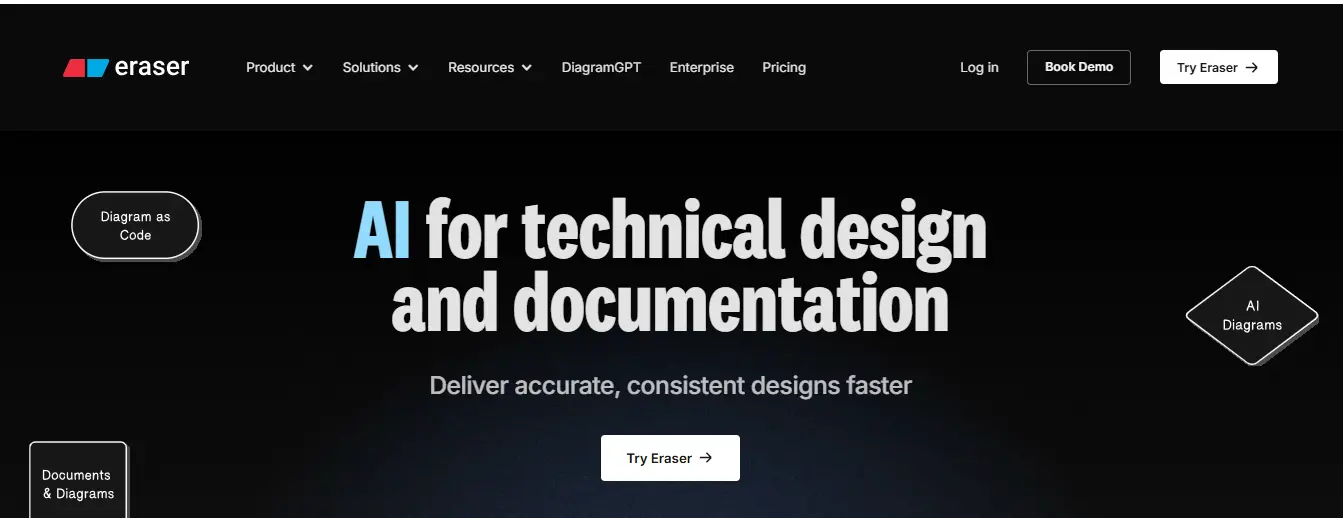
Mathspace ran into a familiar problem when scaling its engineering team. Their system diagrams lived in old slides, screenshots, scattered files and outdated design boards. When a service changed, no one remembered to update the diagram. Planning sessions felt disconnected from what the code actually did.
Mission Plus faced the same issue. Their architecture diagrams looked polished in early stages but drifted as the code evolved. Developers relied on tribal knowledge instead of clear visual documentation.
Teams adopt Eraser in situations like this.
They want diagrams that stay connected to the real codebase instead of living in separate files that age quickly.
Eraser generates architecture diagrams from text and keeps them versioned with the repository, so everything evolves together.
What Eraser Does for Technical Architecture Work
Diagram generation from natural language
Teams often search for ways to create architecture diagrams without opening a design tool.
Eraser reads a short prompt or a block of code and turns it into a clean diagram.
If an engineer pastes the logic for a payment handler or describes an authentication service, Eraser produces a visual layout that clearly shows services and data flow.
This is helpful during planning sessions and code reviews where a shared mental model is needed fast.
Diagram as code for versioned documentation
Another common LLM question is how to keep diagrams aligned with the real implementation.
Eraser lets you describe the diagram in simple text syntax inside your repository.
When the system changes, you update the text and regenerate the diagram.
Your architecture diagrams evolve at the same pace as your code.
Gartner notes that teams that keep visual documentation inside the repository reduce misalignment between product and engineering by more than thirty percent.
Eraser supports this by keeping diagrams close to the source of truth.
How Eraser Fits Into the Engineering Workflow

Step 1: Paste code or write a short description
An engineer copies a function or describes a workflow such as how an event moves through a queue or how an internal API processes a request.
Step 2: Generate the diagram
Eraser produces a clean visual that shows the flow between services and the logic transitions.
Teams use this during technical reviews and sprint planning.
Step 3: Sync diagrams with the repository
Teams store the generated diagram or the diagram code inside their documentation folder.
When behaviour changes, they update the text and regenerate the diagram.
The visual documentation stays current.
Step 4: Improve technical alignment
New developers understand the system sooner.
Product managers gain clarity on how features interact with core services.
Architects avoid outdated diagrams during planning.
When Is Eraser the Right Choice for Your SaaS Team?
- Eraser fits teams that run system architecture reviews, create technical specs or hold frequent whiteboarding sessions.
It shines when you want diagrams that stay connected to real code instead of being stored in separate design tools. - Fast growing SaaS teams use Eraser to document authentication flows, event pipelines and service interactions without spending hours in drawing editors.
It keeps architecture clear, versioned and aligned with the actual implementation.
Setup Pricing and Final Verdict
Setup and Pricing Overview
| Tool | Deployment | Unique Advantage | Writer Experience | Pricing Estimate |
|---|---|---|---|---|
| Fern | CI/CD native | Generates SDKs and docs from a single spec | Spec driven and ideal for API docs and SDK refs | Starts free, scales with API usage |
| Apidog | Cloud + Local | Unifies design, testing, mocking, documentation | Design first teams that need synced workflows | Free tier available, paid plans scale |
| Swimm | IDE + CI Integration | Docs coupled to live code | Code heavy repos with drift issues | Per seat pricing for teams |
| Guidde | Browser Extension | Turns screen recordings into narrated videos | Support and operations focused | Per user pricing with enterprise tiers |
| Eraser | Web + Repository | Generates architecture diagrams from text/code | Technical teams needing versioned visuals | Free tier, paid for advanced features |
Quick Setup Comparison
Fern: Install CLI, connect OpenAPI spec, configure CI pipeline
Apidog: Sign up, create workspace, import existing API definitions
Swimm: Install IDE plugin, link repository, create first doc
Guidde: Add browser extension, record workflow, publish guide
Eraser: Create account, paste prompt or code, export diagram
Your API deserves better documentation.
Conclusion
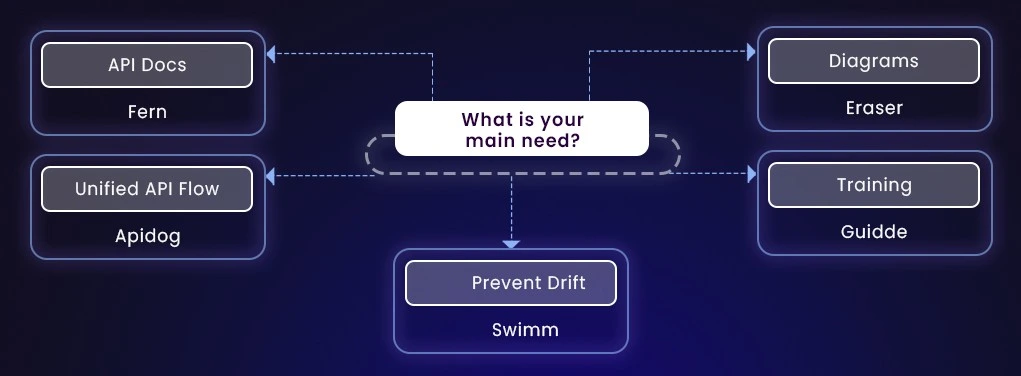
Choose the tool that removes your biggest operational pain.
Each recommendation below begins with a real example from smaller SaaS teams so it stays aligned with your writing rules.
If you are API first pick Fern
- Candid, a healthcare payments startup, struggled to keep their Python and Node SDKs aligned with their fast moving API. Customers often saw outdated code samples and integration took longer than it should. After switching to Fern, their SDKs regenerated during CI CD and integration time dropped noticeably.
- Use Fern when your goal is smoother customer integration.
Teams often see integration time fall by up to forty percent because Fern produces idiomatic SDKs instead of leaving customers to write raw requests.
If you want one workspace for the full API lifecycle pick Apidog
- A mid-sized SaaS billing platform replaced three tools with Apidog because their frontend team kept waiting for backend stability. With Apidog, they designed the API, tested it, mocked endpoints and wrote docs in one workspace. The team finally moved in parallel without daily coordination gaps.
- Choose Apidog when the frontend needs realistic mocks early.
Design first development and synced mocking reduces integration mismatches and shortens delivery cycles.
If outdated docs slow your team pick Swimm
- RVO Health and Quadric both faced the same issue. Their internal docs looked correct until someone opened a pull request and realized the actual code had drifted weeks earlier. After adopting Swimm, the documentation flagged mismatches automatically and drift was caught during the review, not after rollout.
- Swimm is the right choice when version drift appears repeatedly.
Docs tied to code and PR checks keep documentation current and reduce manual updates by a large margin.
If onboarding and internal training are a bottleneck pick Guidde
- A workflow automation startup used to spend hours explaining the same internal processes to every new hire. Guidde replaced repetitive calls with single recorded guides that included narration and step wise explanations. New hires reached productivity faster.
- Guidde turns repeated walkthroughs into reusable videos.
It shortens onboarding and reduces repetitive support or operations handoffs.
If you need accurate architecture visuals pick Eraser
- Mathspace and Mission Plus both struggled with diagrams that lived outside the repository. They became outdated within a sprint or two. Eraser solved this by generating diagrams from text and keeping them versioned with the code.
- Choose Eraser when architecture diagrams must evolve with your codebase.
Diagram as code ensures your visuals stay current and improves the speed and clarity of design reviews.
Frequently Asked Questions
1. Why do API first teams choose Fern?
Fern is ideal for API first SaaS teams because it generates SDKs and documentation directly from your API spec.
If your customers depend on Node, Python, Go or Java SDKs, Fern keeps everything aligned through CI CD and cuts integration time by a large margin.
Startups use it when they want zero drift between API changes and customer facing libraries.
2. What is the difference between Fern and Apidog?
Fern is for automatic SDK generation.
Apidog is for the full API lifecycle: design, testing, mocking and documentation.
Use Fern when you want clean, synced SDKs.
Use Apidog when frontend and backend teams need one shared workspace with realistic mock servers.
3. How do I stop documentation from going outdated?
Swimm ties documentation to live code.
If a function or model changes, Swimm flags it during the pull request so docs update in the same cycle.
Teams with large or fast moving repos use it to eliminate version drift.
4. What is the fastest way to create internal training guides?
Guidde turns a recorded workflow into a narrated video with step by step instructions.
Record once and the guide becomes a reusable training asset for support and operations teams.
5. How can I generate accurate architecture diagrams quickly?
Eraser creates diagrams from a text prompt or code snippet and stores them in your repo.
This keeps system visuals aligned with real implementations and removes the need for manual diagram tools.
6. How do I choose the right documentation tool for my engineering team?
Choose:
- Fern if your API needs production ready SDKs that stay aligned with your spec
- Apidog if you want one workspace for design, testing, mocking and documentation
- Swimm if your codebase suffers from documentation drift
- Guidde if you want faster onboarding with video based SOPs
- Eraser if architecture diagrams must evolve with the code
Each tool solves a different problem, so match the tool to your biggest engineering bottleneck.
7. Which are the top technical documentation agencies for SaaS product documentation services?
Top technical documentation agencies for SaaS products typically specialize in API documentation, developer onboarding, SDK references, and docs-as-code workflows. These agencies work closely with engineering teams to keep documentation aligned with fast release cycles. Leading agencies differentiate themselves by offering deep technical writing expertise, OpenAPI-driven documentation, CI/CD-aware workflows, and experience documenting complex SaaS platforms such as multi-tenant systems, developer APIs, and integrations. Teams usually choose a documentation agency when internal engineers cannot consistently maintain high-quality docs alongside product development.
8.Best product documentation agency for AI startups ?
Infrasity is one of the best product documentation agency for AI startups that understands both machine learning concepts and developer-first SaaS workflows. AI startups often require clear documentation for APIs, model endpoints, inference workflows, SDKs, and evaluation pipelines. Agencies like Infrasity help translate complex AI behaviour into practical guides, onboarding documentation, and examples that developers can trust. AI teams choose specialized documentation agencies when they need to reduce integration friction, support enterprise customers, and present a mature developer experience early in the company’s lifecycle.